Unit 4 - Year 3 Lessons
Overview
Students will complete Unit 4 Year 3 activities using digital literacy workflows.
Target skills:
- Digital Literacy & Confidence
- Visual Communication
- Systems Thinking
Tools:
- Google Slides
Outputs:
- Student-created digital artifact(s) saved to class folder.
Week 1 - Google Slides: About Me Book
Lesson 1 - Build the Slides
Goal: Create an even-number slide deck (e.g., 6, 8, 10 slides) to print and assemble as a book.
Suggested slide plan:
- Name
- Age
- Where I’m from
- Family
- Hobby
- Favourite colour
- Favourite animal
- Favourite food
- Favourite game
- Thank you
If students already made an About Me slide before, start a new deck for the printed book.
Lesson 2 - Print, Fold, and Glue into a Book
Print workflow (teacher demo on projector):
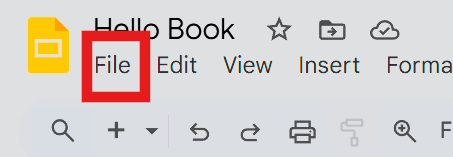
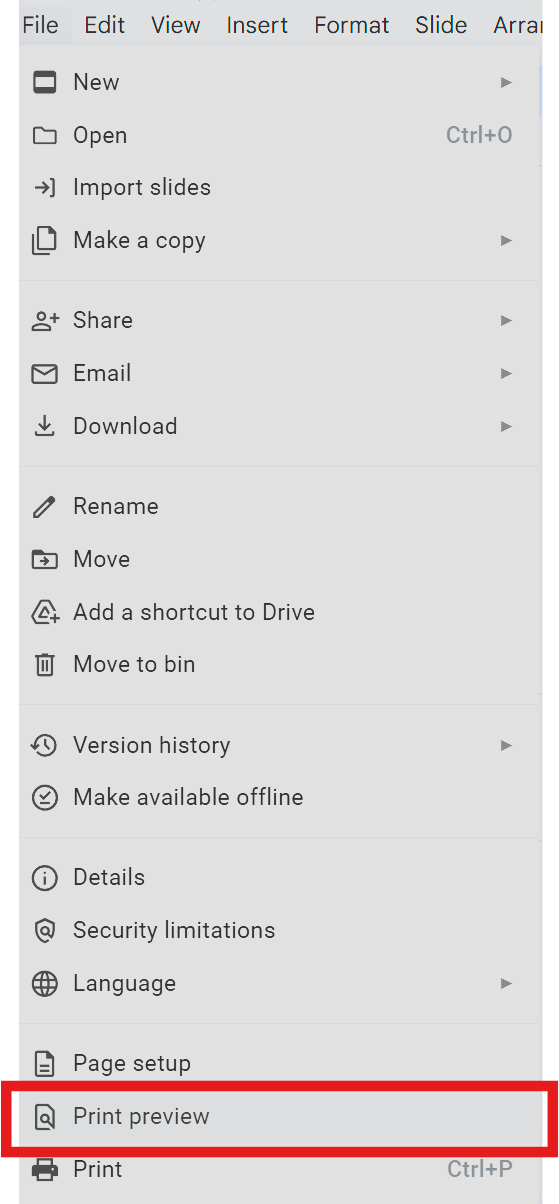
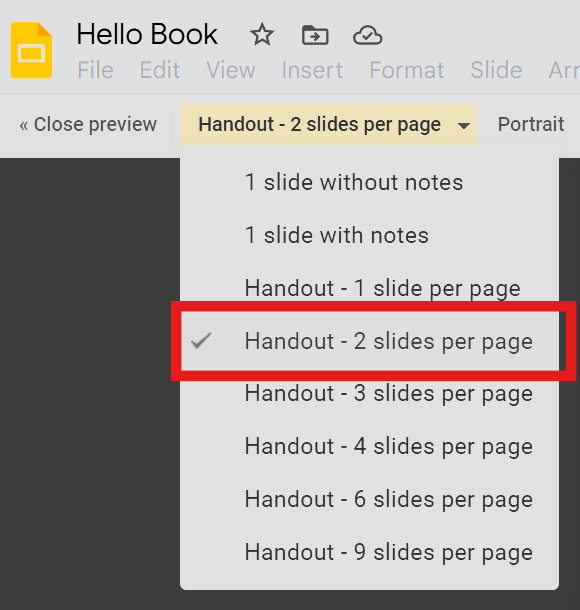
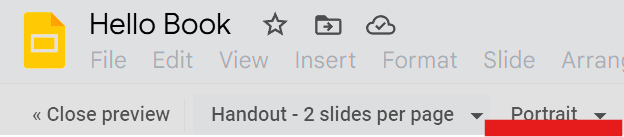
- Ensure two-sided printing is OFF.
- Fold each page in half.
- Glue backs together to form page pairs in order: 2 & 3, 4 & 5, 6 & 7, 8 & 9.
- When all inner pages are glued, add a blank cover sheet outside > decorate the cover.
If students are still building their slides, continue the slide work and print in the next session.
Week 2 - Continue or Make an Animals Book
Lesson 1 - New Slide Deck: Animals
If many students finished the About Me book: start an Animals Book.
Use Nat Geo Kids for research: https://kids.nationalgeographic.com/animals
Slide outline:
- My Animal Book
- By NAME
- Animal 1 - Name > 2-3 facts
- Animal 2 - Name > 2-3 facts
- Animal 3 - Name > 2-3 facts
Students who haven’t finished last week should continue their About Me book to catch up.
Lesson 2 - Print & Assemble (Repeat)
- Print as before (single-sided).
- Fold, glue page backs, and add a cover.
- Optional: color/decorate the cover and add a title and byline.