Unit 6 - Year 3 Lessons
Overview
Students will complete Unit 6 Year 3 activities using digital art workflows.
Target skills:
- Visual Communication
- Digital Illustration
- Creative Problem Solving
Tools:
- Pixilart
Outputs:
- Student-created digital artifact(s) saved to class folder.
Week 1 - Conversation Animation
Lesson 1 - Plan and Animate a Conversation
Goal: Create a short dialogue animation between two characters.
Suggested easy topics:
- Feelings
- Weather
- Likes or favorites
Example prompts:
- Hello, what is your name-
- How is the weather today-
- What food do you like-
- What is this (show drawing)
Reference example:
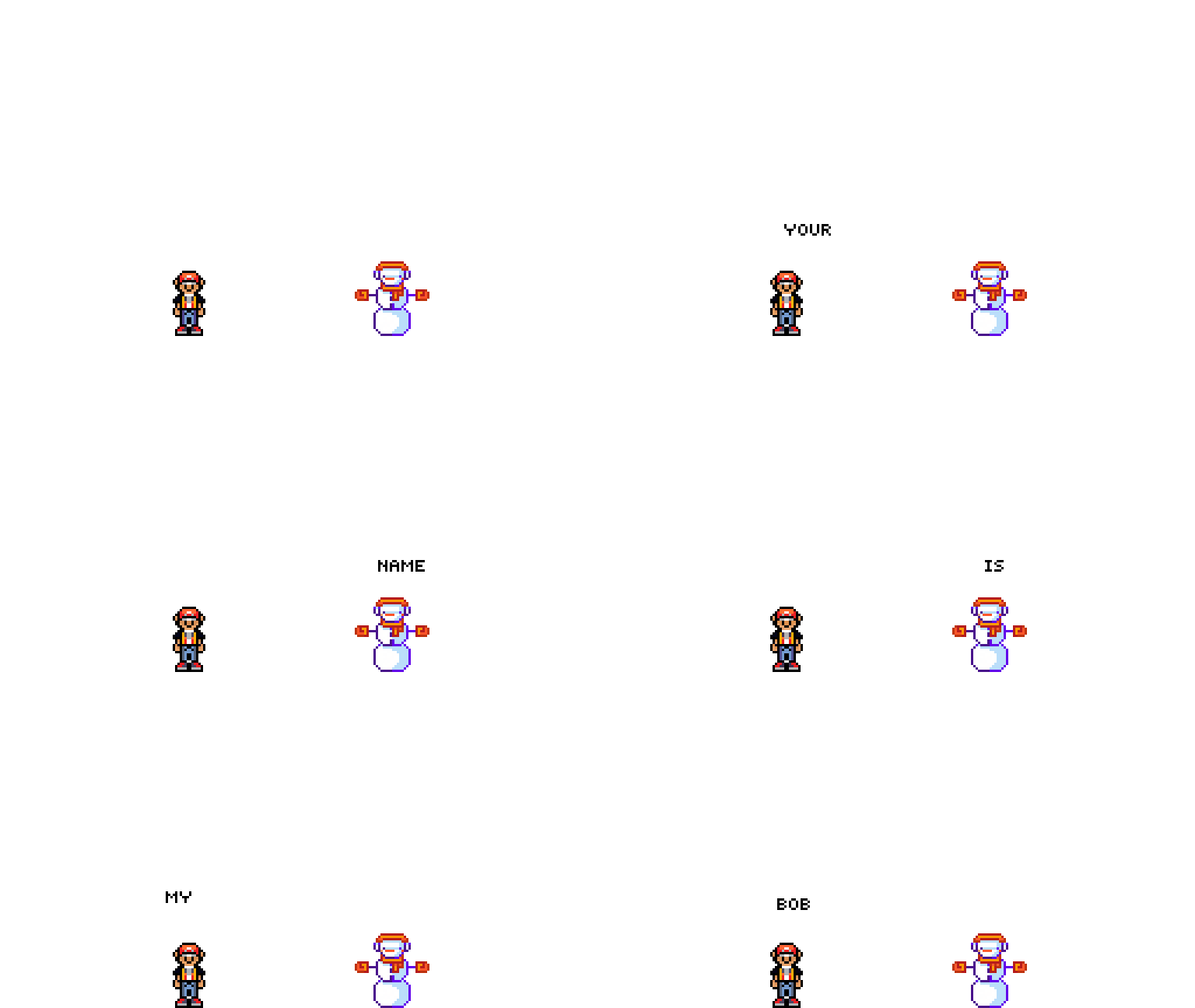
Steps:
- Get two characters from stamps.
- Copy frames to match the number of words/sentences.
- Use text tool to place dialogue.

- Start from frame 1 and type first word/line.
- Slow frame speed for readability.
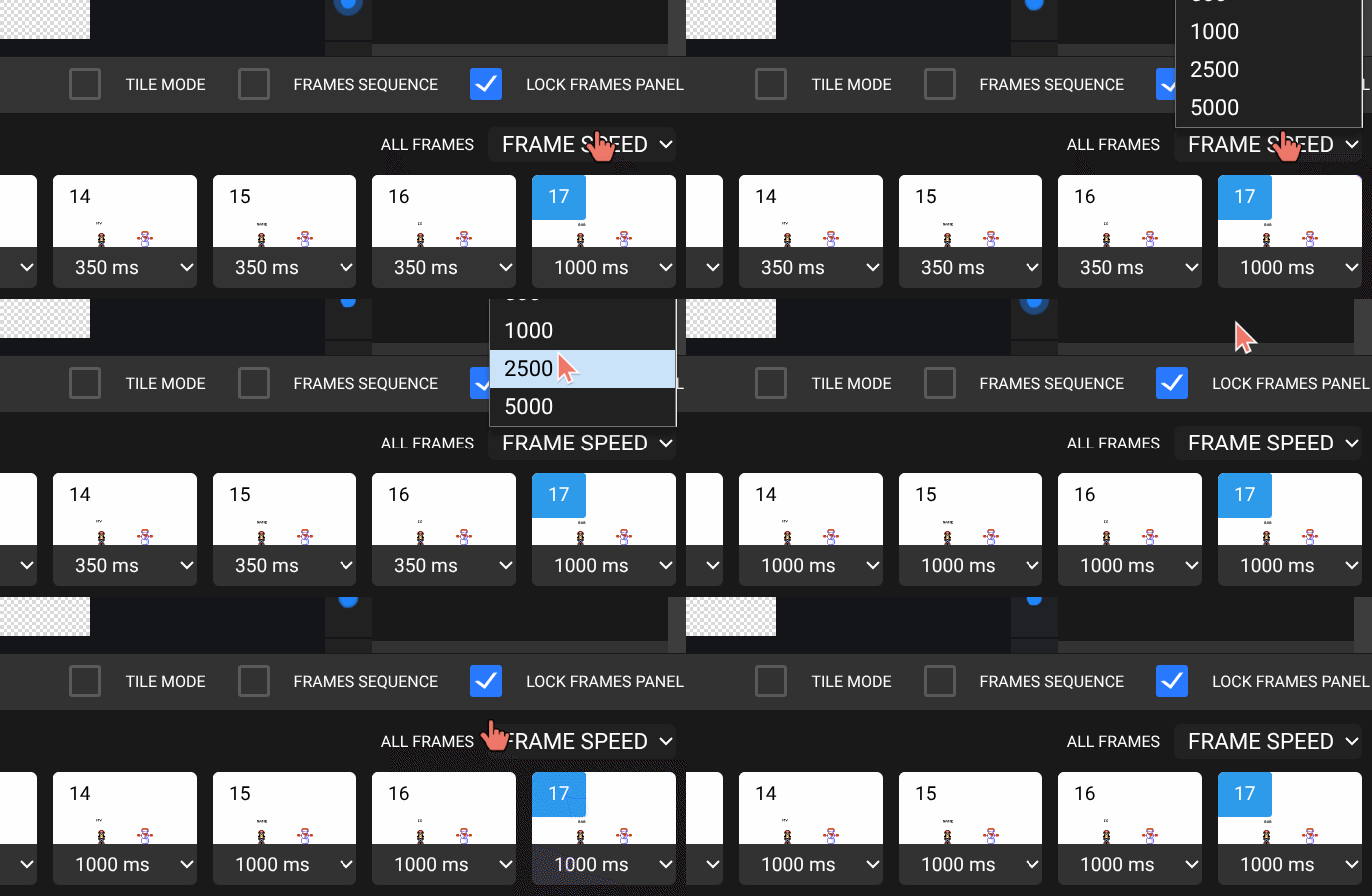
Note: 1000ms = 1 second.
Lesson 2 - New Conversation
Continue with a different topic and complete another dialogue sequence.
Week 2 - Lip Sync Animation
Lesson 1 - Mouth Shapes for "Hello"
Goal: Animate mouth movement by changing mouth shape per letter/sound.
Reference:
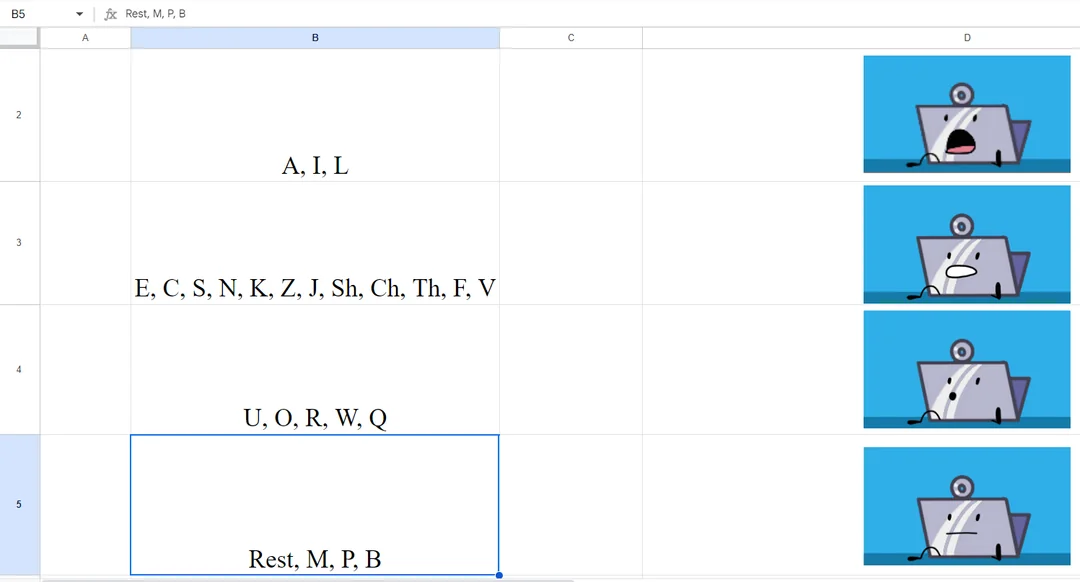
Steps:
- Use webcam/mirror to observe mouth shape (start with
Hfrom "Hello"). - In Pixilart, create a
128 x 128canvas. - Draw a simple face, or use a stamp and edit the mouth.
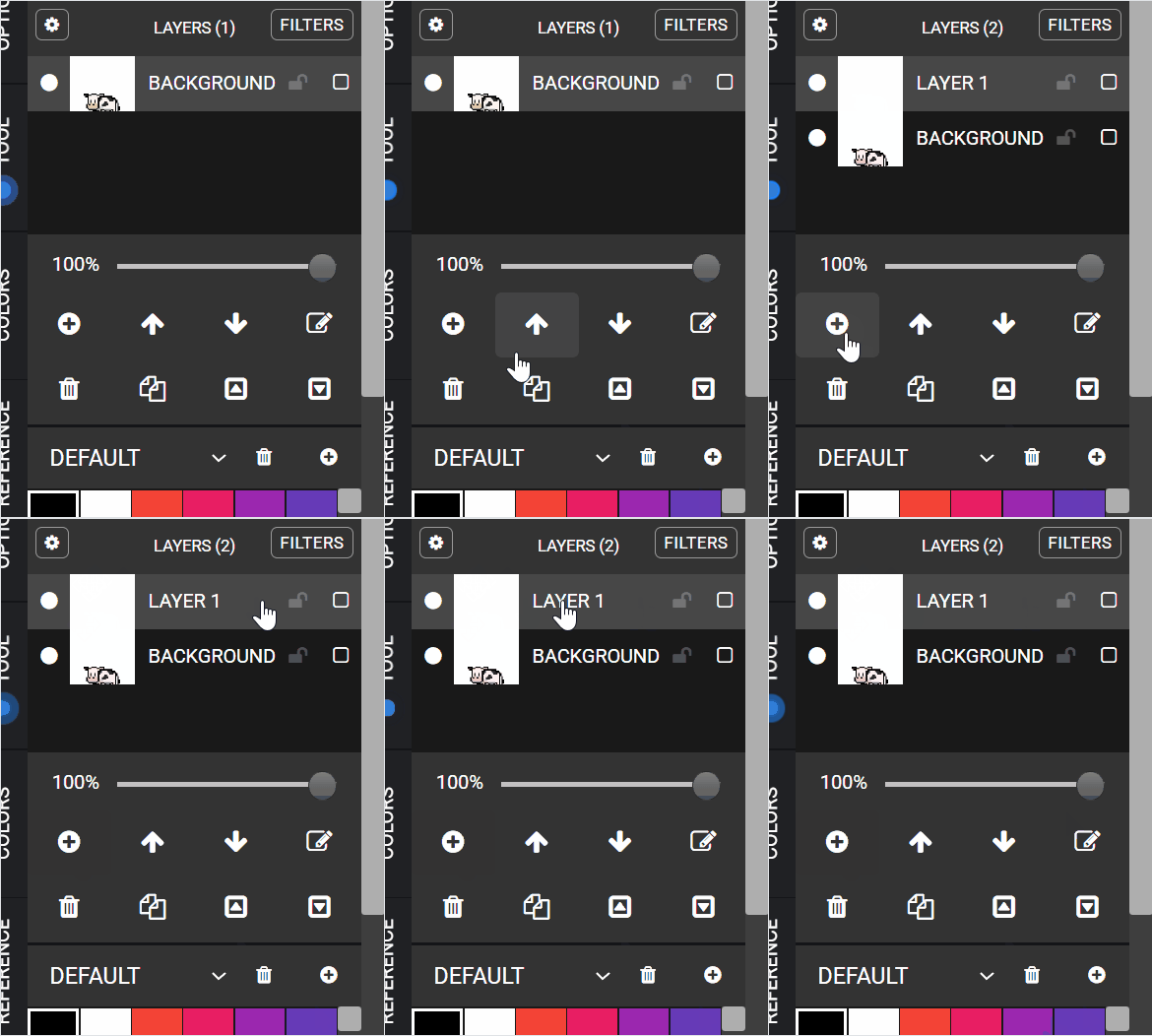
- Create a new layer for mouth animation.
- Draw first mouth shape.
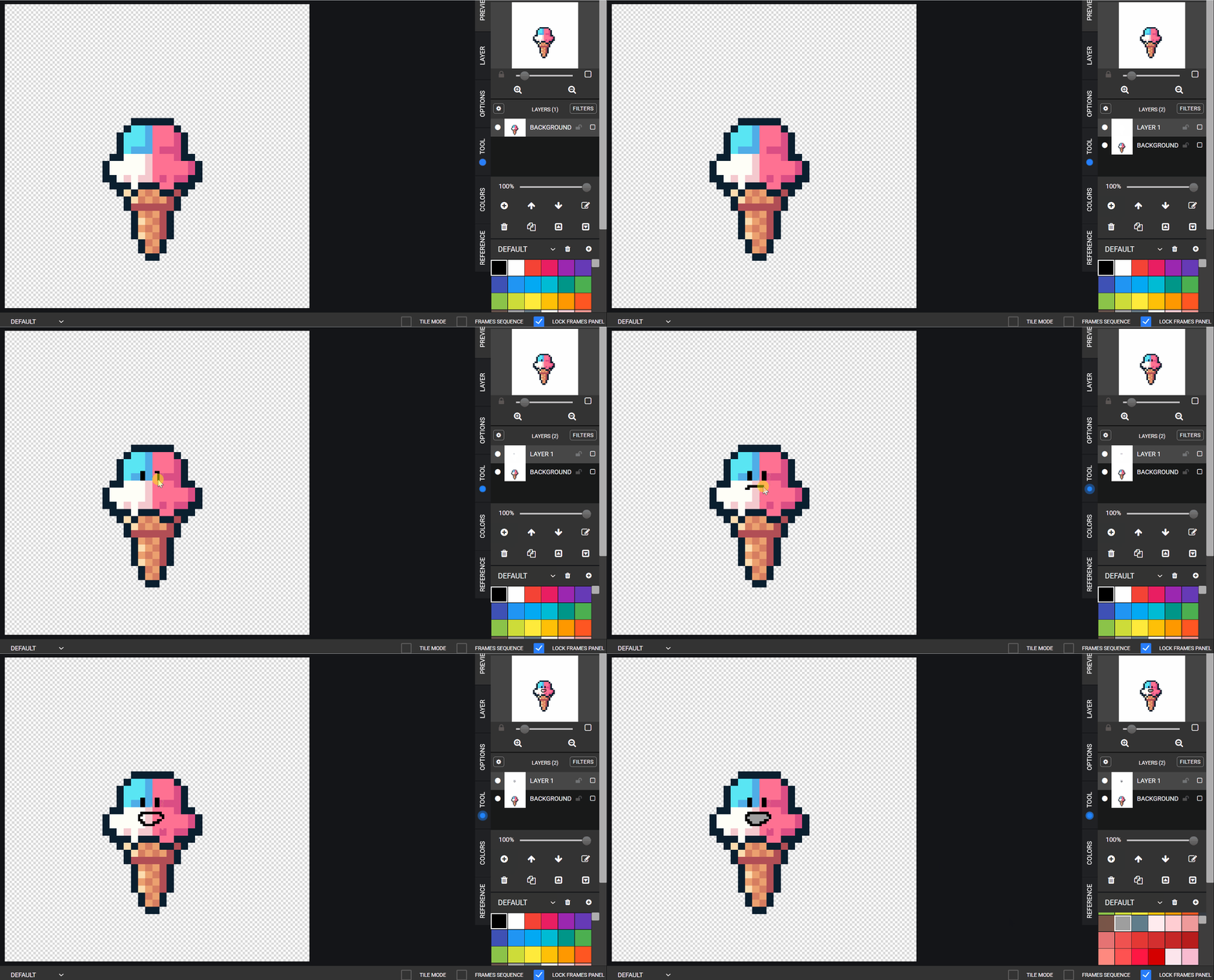
- Copy frame, erase mouth, redraw next mouth shape.
- Repeat until the whole word is completed.
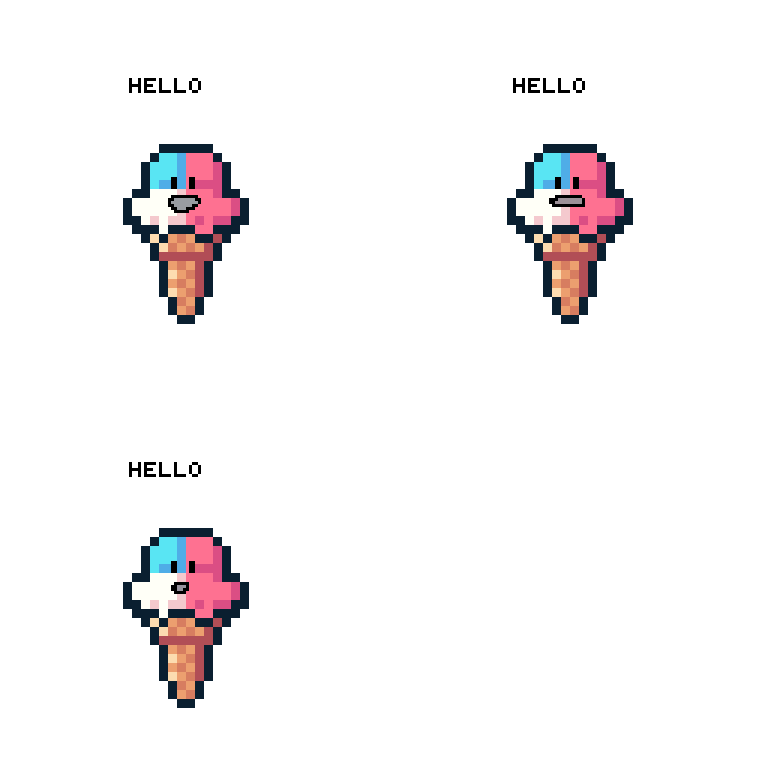
- Optionally type the active word above each sequence.
Lesson 2 - New Word Practice
Repeat with other words such as goodbye, names, or short phrases.