Unit 20 - Year 2 Lessons
Overview
Students will build a Japanese-to-English dictionary in Google Sheets and then extend it with quiz features and data displays.
Target skills:
- Information Organization
- Data Entry
- Digital Presentation
Tools:
- Google Sheets
- Google Drive
- Google Translate
Outputs:
- Translation spreadsheet
- Quiz-style spreadsheet
Week 1 - Japanese to English Dictionary
Lesson 1 - Build a Translation Sheet
Goal: Go to google drive - students - Name students Once in their folder.
Teacher prep:
- Prepare access to Google Sheets, Google Drive, Google Translate and any sample files needed for demonstration.
Steps:
- Go to google drive - students - Name students Once in their folder
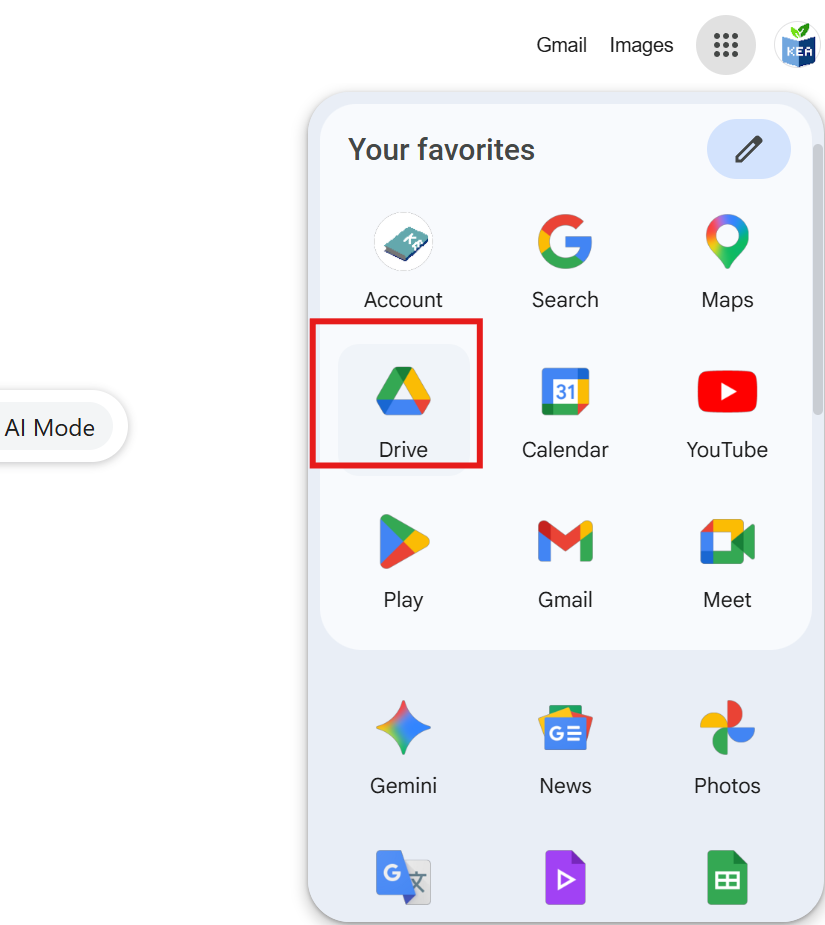

- Refer to the image example for this step.
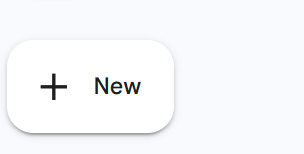
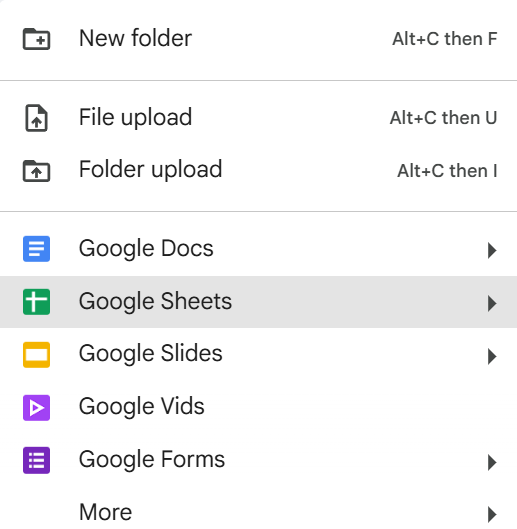
- Name the file on top TRANSLATE
- Choose word from “Use random word generator” https://randomwordgenerator.com/
- Use Google translator
- Https://translate.google.com/-sl=en&tl=ja&op=translate
- Type in Google sheet
- Refer to the image example for this step.
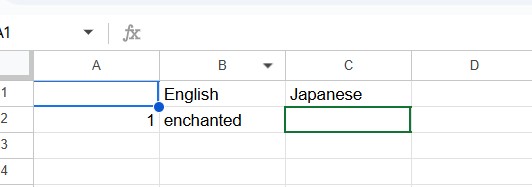
Check for understanding:
- Students organize information clearly in the document or sheet.
- Students save or share the file in the correct place.
Extension: Create a second variation or extend the project with extra details if time allows.
Lesson 2 - Continue and Add Words
Goal: Continue and repeat.
Teacher prep:
- Prepare access to Google Sheets, Google Drive, Google Translate and any sample files needed for demonstration.
Steps:
- Continue and repeat.
Check for understanding:
- Students organize information clearly in the document or sheet.
- Students save or share the file in the correct place.
Extension: Try the same workflow again with a new idea, subject, or visual style.
Week 2 - Dictionary Quiz Features
Lesson 1 - Add Checkboxes, Questions, and Graphs
Goal: *Add tIck box, questions, graph.
Teacher prep:
- Prepare access to Google Sheets, Google Drive, Google Translate and any sample files needed for demonstration.
Steps:
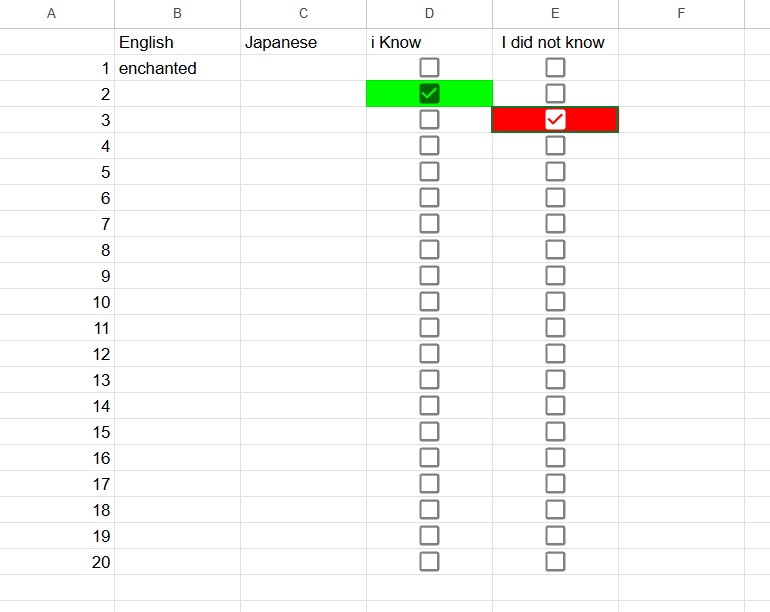
- *Add tIck box, questions, graph
- Refer to the image example for this step.
-
- Output in class
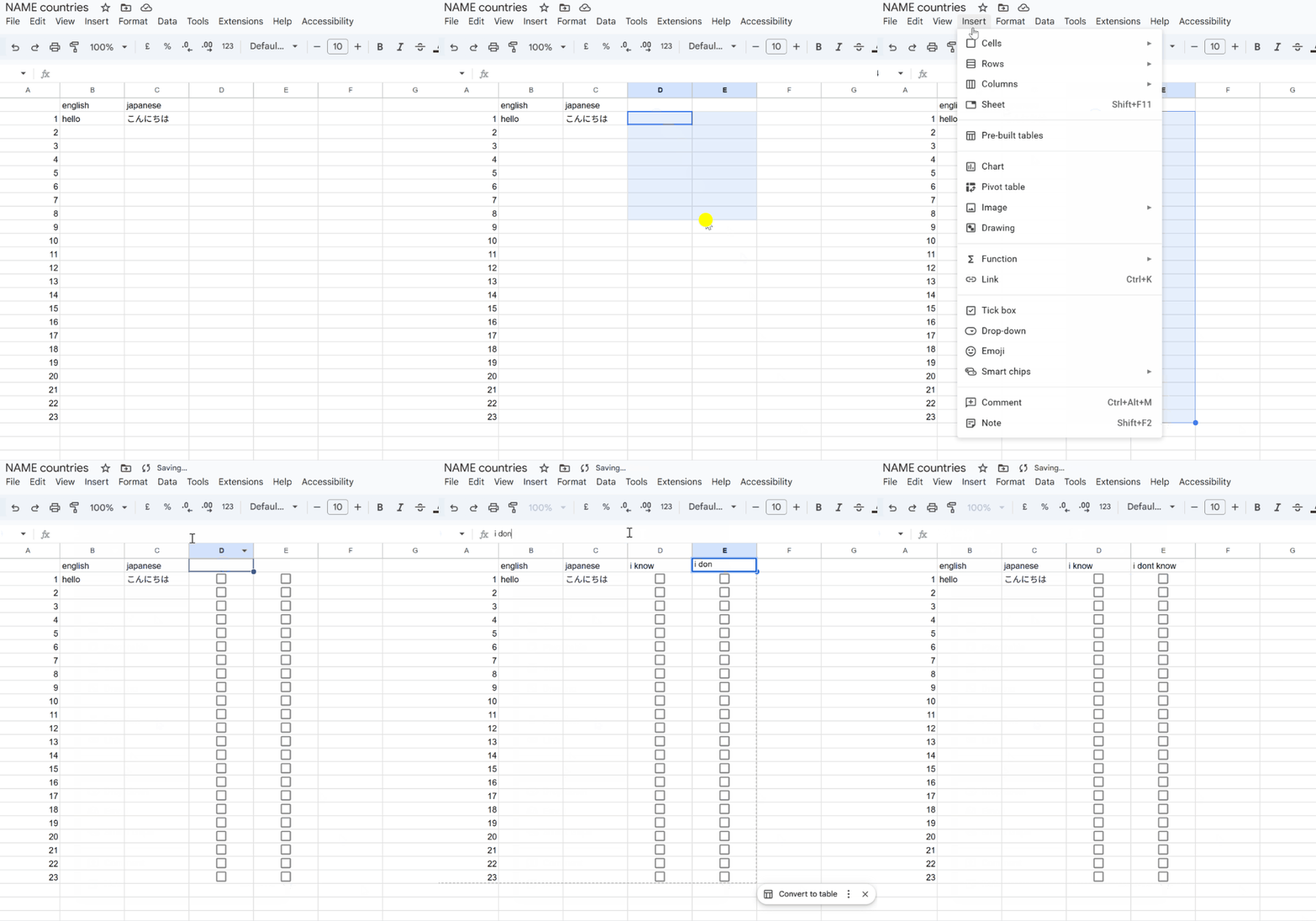
- Click and drag the boxes required for tick box Go to insert add tick box
Check for understanding:
- Students organize information clearly in the document or sheet.
- Students save or share the file in the correct place.
Extension: Add more data and compare the results visually.
Lesson 2 - Continue the Quiz Sheet
Goal: Complete the continue the quiz sheet activity.
Teacher prep:
- Prepare access to Google Sheets, Google Drive, Google Translate and any sample files needed for demonstration.
Steps:
- Continue
Check for understanding:
- Students organize information clearly in the document or sheet.
- Students save or share the file in the correct place.
Extension: Try the same workflow again with a new idea, subject, or visual style.