Unit 19 - Year 2 Lessons
Overview
Students will connect Scratch and Micro:bit inputs to control a chase game and then customize the game systems.
Target skills:
- Sequencing
- Debugging
- Interactive Design
Tools:
- Micro:bit
Outputs:
- Micro:bit-controlled Scratch game
- Extended chase game build
Week 1 - Scratch Chase Game With Micro:bit
Lesson 1 - Connect the Micro:bit Chase Game
Goal: Students may try and follow teacher to transfer this file as it'll make it easy for teachers to get help from students.
Teacher prep:
- Students may try and follow teacher to transfer this file as it'll make it easy for teachers to get help from students.
Steps:
- Students may try and follow teacher to transfer this file as it'll make it easy for teachers to get help from students.
- Connect microbit to computer
- Go to
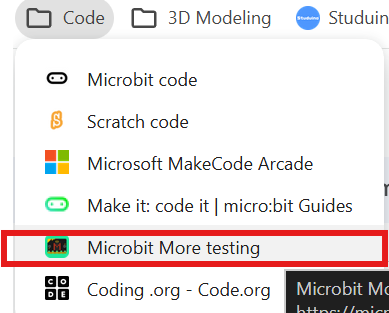
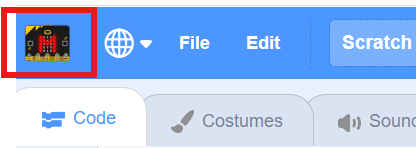
- Click on the M icon
- Find this download and download directly to the microbit on the left side. Click the microbit section and download
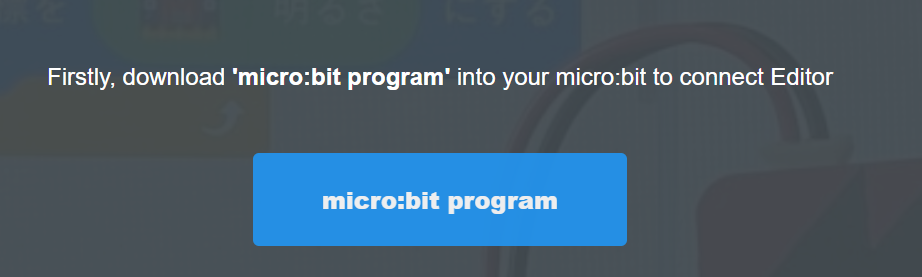
- Download and transfer to a connected microbit.
- Reopen
- Using the chase game tutorial to make the base game - tutorials
- Refer to the image example for this step.
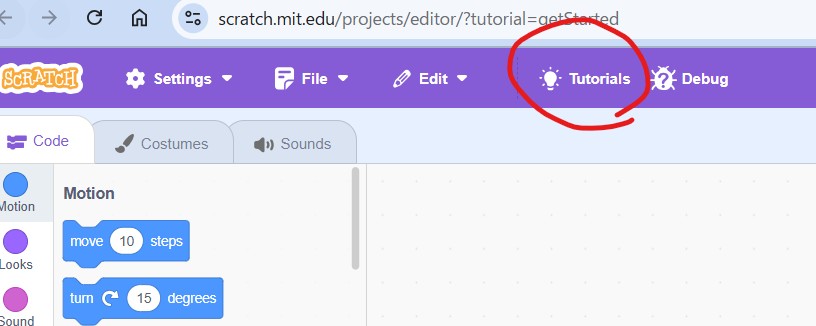
- Refer to the image example for this step.
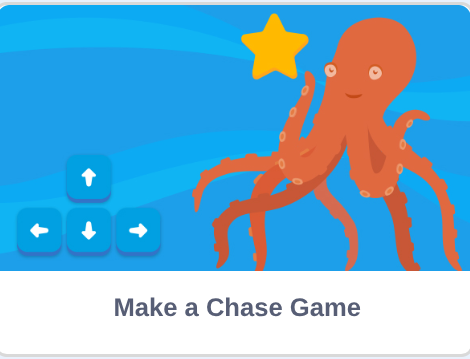
- Making everything the same until finished
- But after finished changing the character movement to the microbit accelerometer
- Refer to the image example for this step.
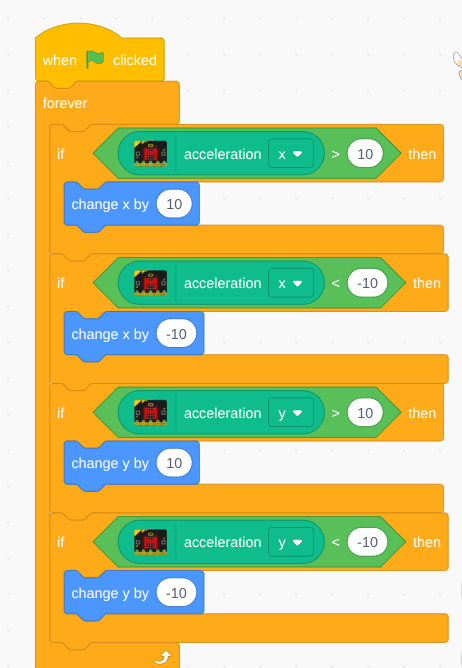
Check for understanding:
- Students can run the project and explain what each main block or input does.
- Students can fix or improve at least one part of the program.
Extension: Create a second variation or extend the project with extra details if time allows.
Lesson 2 - Tune the Controls
Goal: Continue until finished fixing the values of the microbit to make sure its working in a controlled way.
Teacher prep:
- Prepare access to Micro:bit and any sample files needed for demonstration.
Steps:
- Continue until finished fixing the values of the microbit to make sure its working in a controlled way.
Check for understanding:
- Students can run the project and explain what each main block or input does.
- Students can fix or improve at least one part of the program.
Extension: Try the same workflow again with a new idea, subject, or visual style.
Week 2 - Chase Game Editing
Lesson 1 - Add Sounds and New Characters
Goal: Continue making the microbit chase game.
Teacher prep:
- Prepare access to Micro:bit and any sample files needed for demonstration.
Steps:
- Continue making the microbit chase game
- Adding/editing
- Sounds
- Characters
- Points different points levels
- Adding a negative point point system the opposite of the positive points
- Adding/editing the background
- Add sound to the microbit when getting points
- Light to the microbit
- Timer
Check for understanding:
- Students can run the project and explain what each main block or input does.
- Students can fix or improve at least one part of the program.
Extension: Try the same workflow again with a new idea, subject, or visual style.
Lesson 2 - Continue the Game Build
Goal: Complete the continue the game build activity.
Teacher prep:
- Prepare access to Micro:bit and any sample files needed for demonstration.
Steps:
- Continue
Check for understanding:
- Students can run the project and explain what each main block or input does.
- Students can fix or improve at least one part of the program.
Extension: Try the same workflow again with a new idea, subject, or visual style.