Unit 10 - Year 3 Lessons
Overview
Students will complete Unit 10 Year 3 activities using digital art workflows.
Target skills:
- Visual Communication
- Digital Illustration
- Creative Problem Solving
Tools:
- Pixilart
Outputs:
- Student-created digital artifact(s) saved to class folder.
Week 1 - Pixel Art Jumping Stick Figure
Lesson 1 - Jumping Up and Down
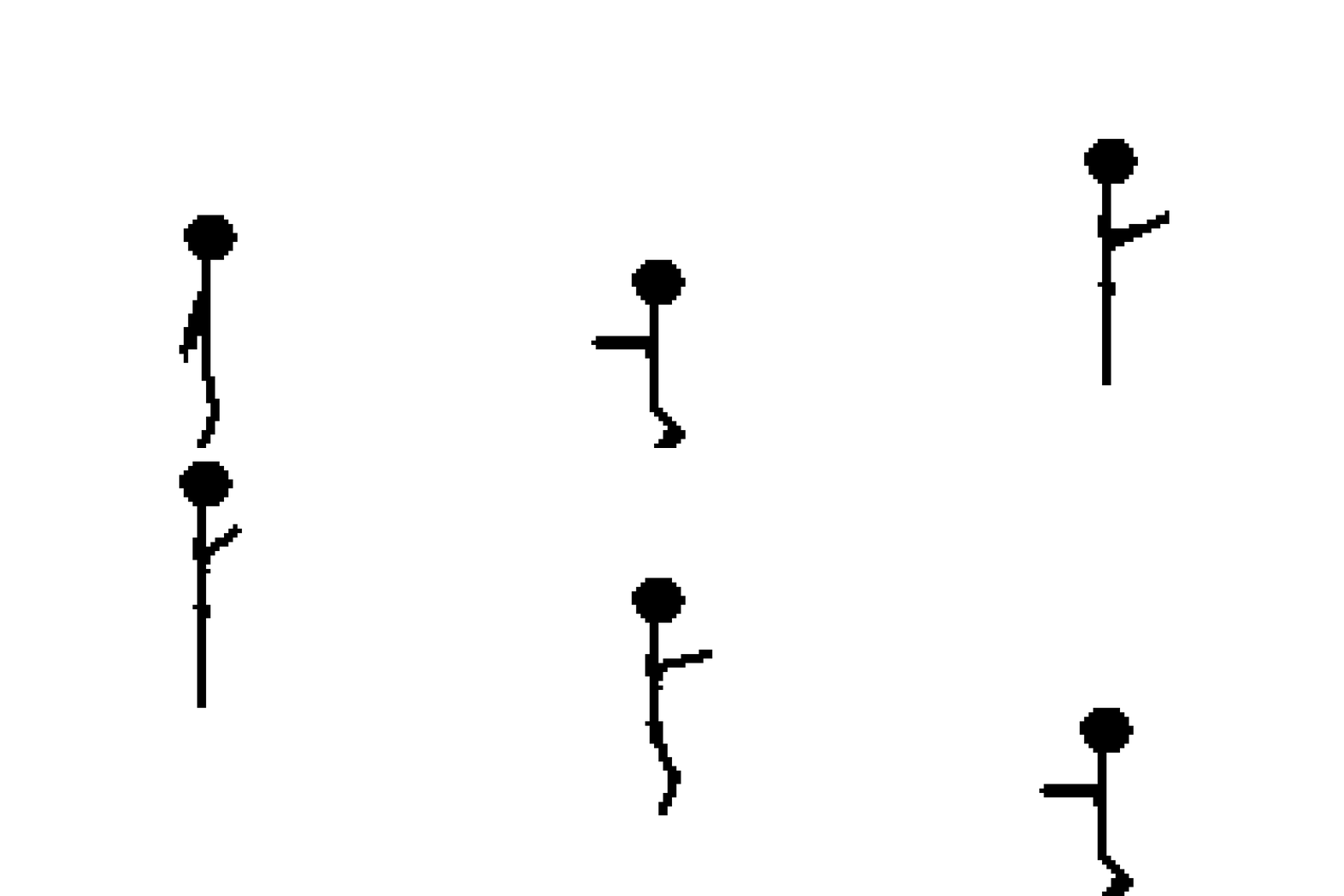

Drawing a 2D animation of a stick man jumping up and down on the side view.
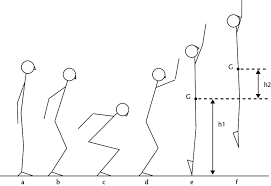
can follow this example of the start also but just simple straight arms is okay Canvas size : 128x128 Using circle tool

with FILL on or pencil to draw the head. Using


to draw the body and slight arm
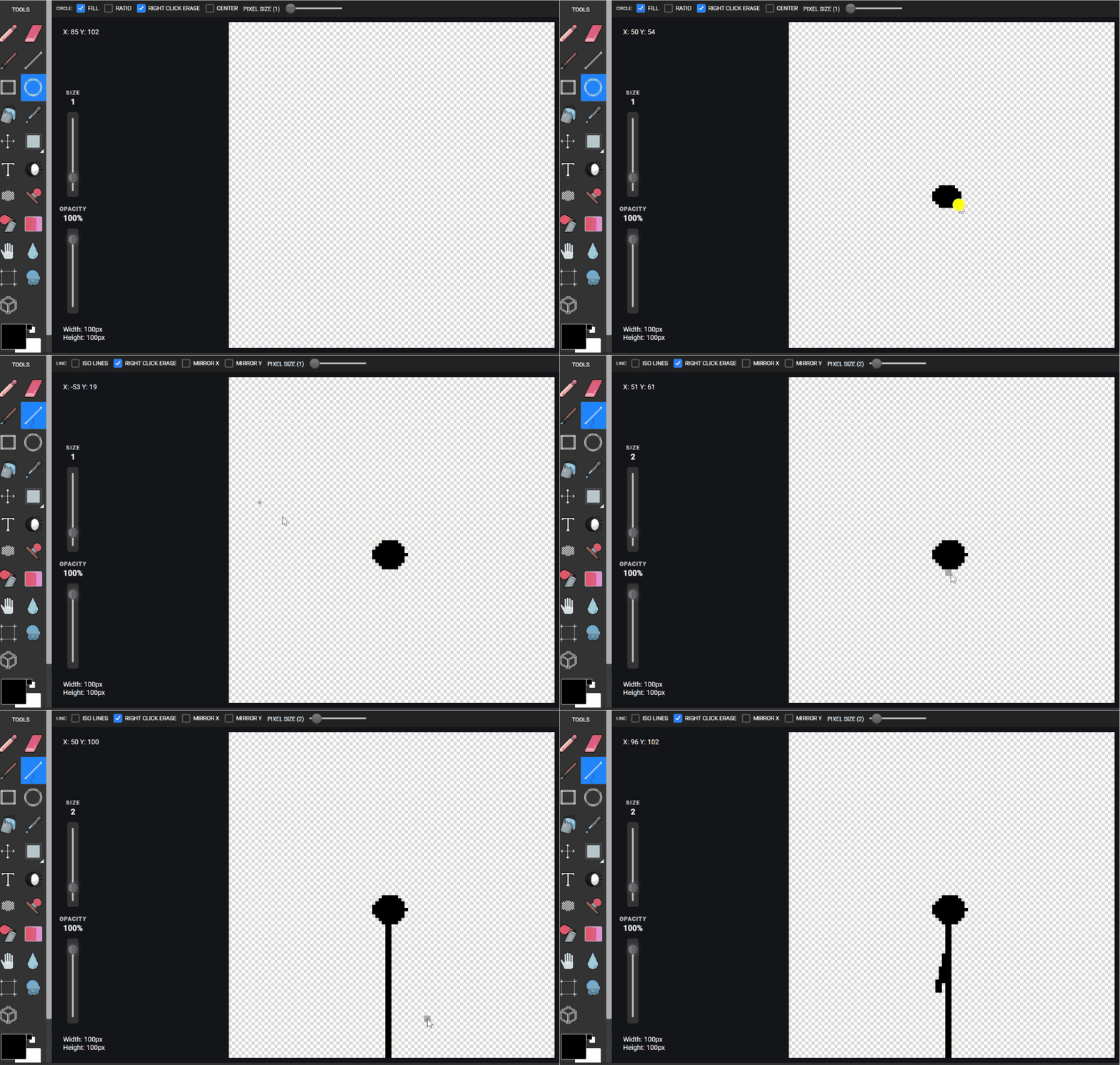

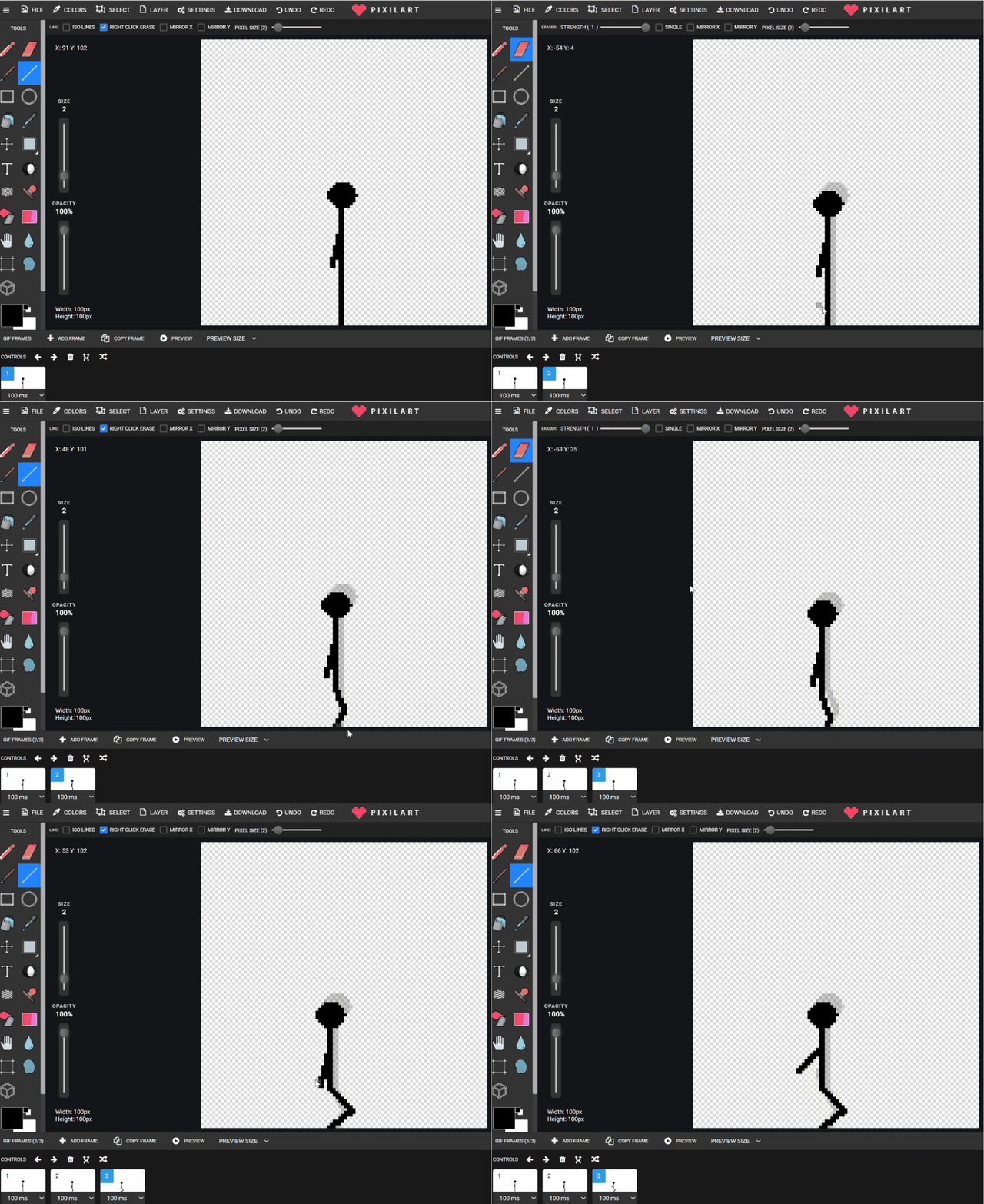
when finished Use

to click and drag the body of the stick figure slightly down, maybe half a head size.

erase the legs and redraw them slightly bent. Repeat one more time COPY FRAME, ERASE LEGS, REDRAW bending legs more, REDRAW the arms back slightly more.
Next the jumping section.
Using
to move the stick figure up about half the body Erase the arms and draw them in front slightly. Erase the Legs and draw them slightly behind the body. Repeat by using
and
to move the body up 4 more times The final few frames up are only moving up slightly each time
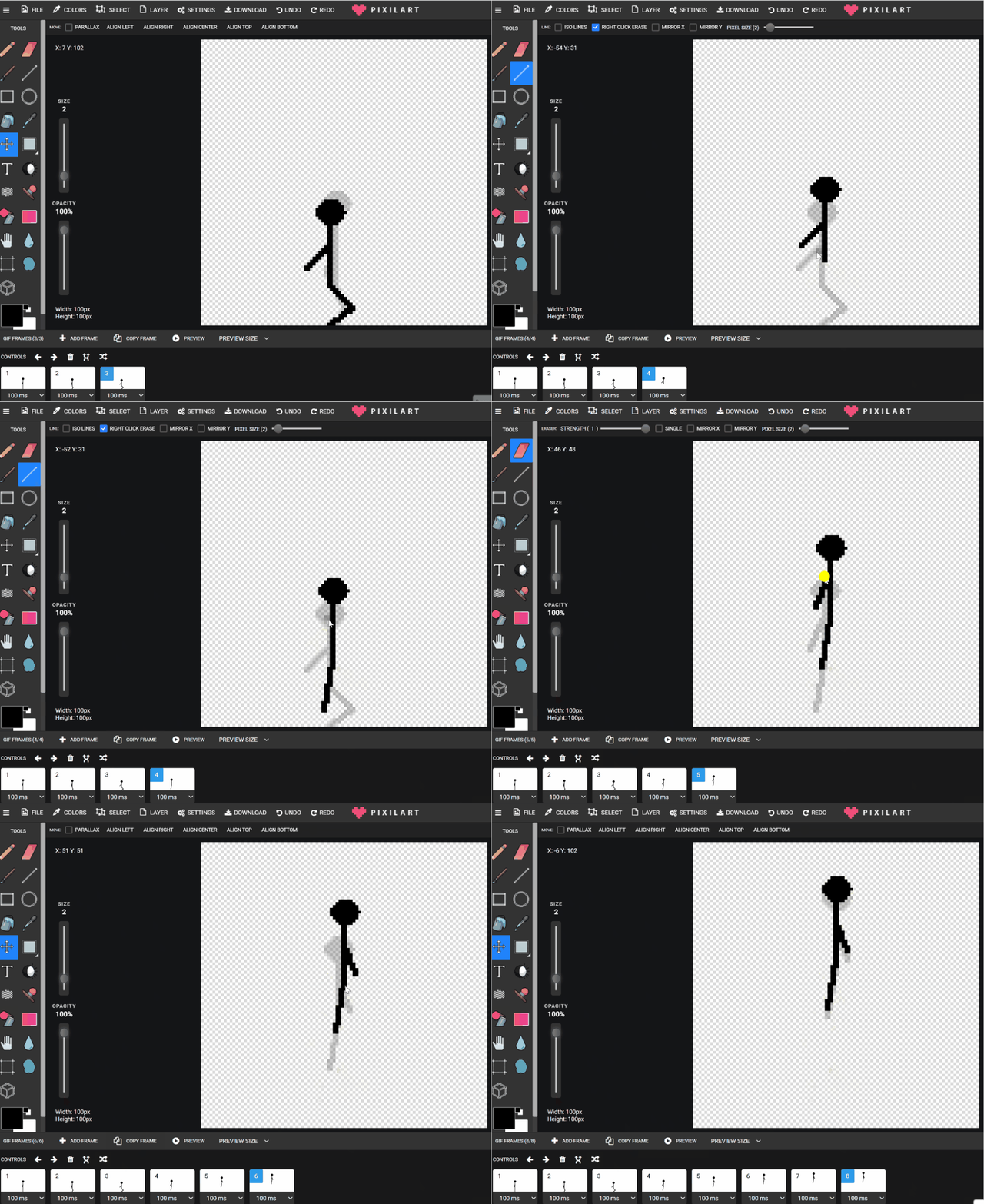
GOING back down using
and
and drag the figure down and redraw the arms going up slightly each copied frame.
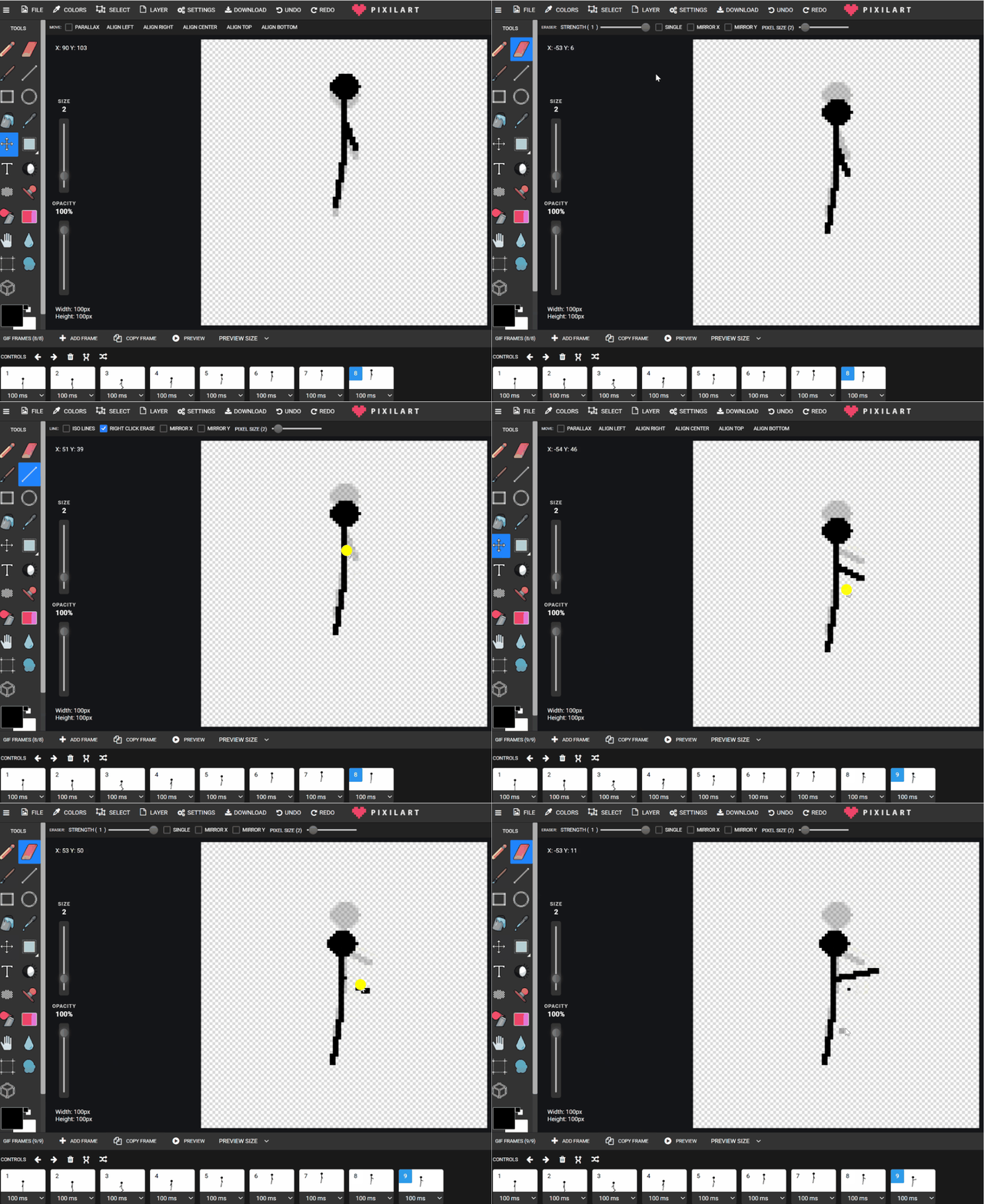
Final frames
and
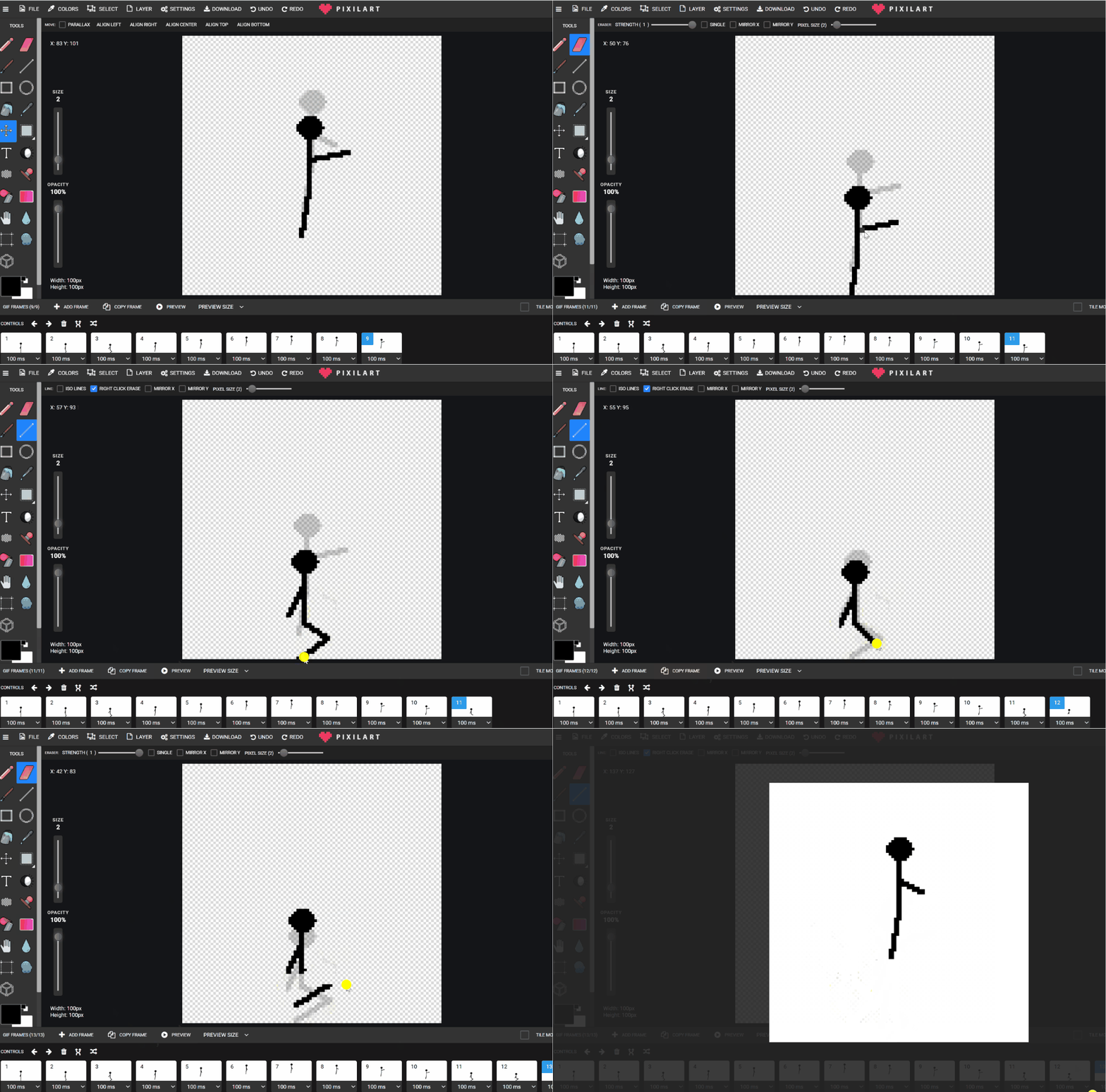
to move the figure down. Copy frame and when "on" the ground drag the figure down drag it down more so can erase and redraw the legs bent Repeat that one more time push down, Redraw the legs Repeat one more time but going up once
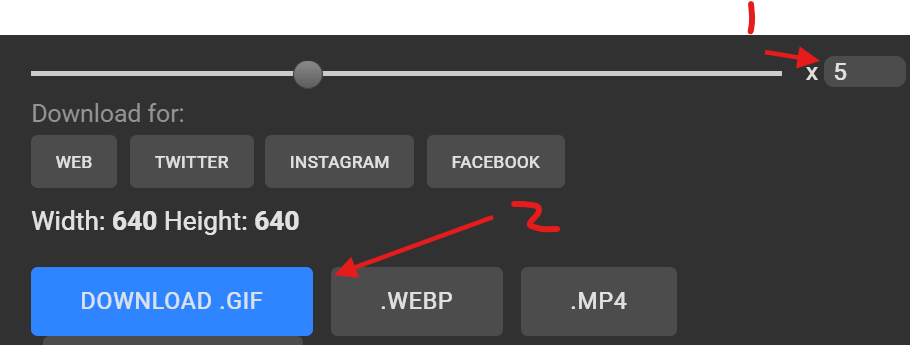
SAVING TWICE one for GIF and another as .pxil Save

Google drive - students - students name - jumping.gif
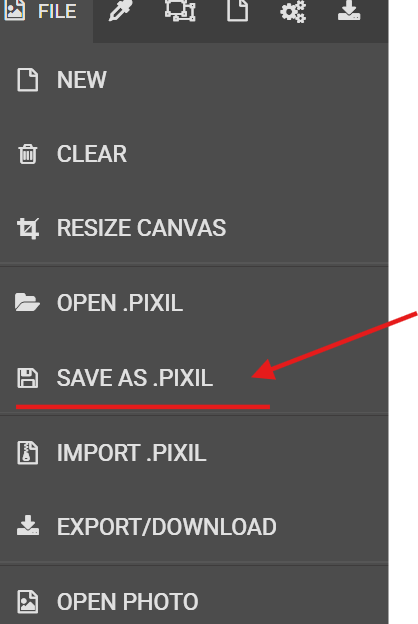
again in students file
Lesson 2 - Repeat and continue, students who have done this before can try drawing the arms better like the reference picture, drawing feet, hands
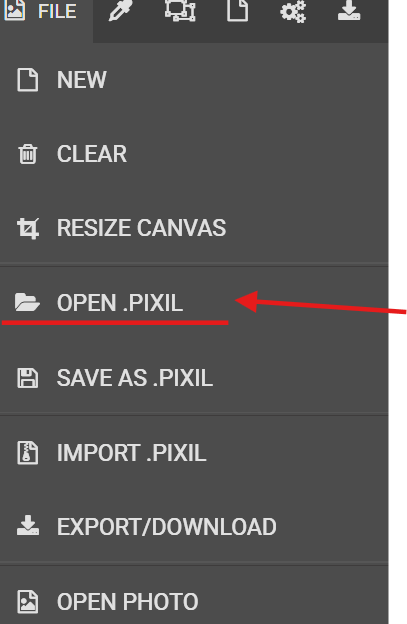
open previous pixil file save for jumping If someone is missing it or didn't save it, may use teachers version or another students saved file
Week 2 - Parallax Jumping Stick Figure
Lesson 1 - Add Parallax Movement
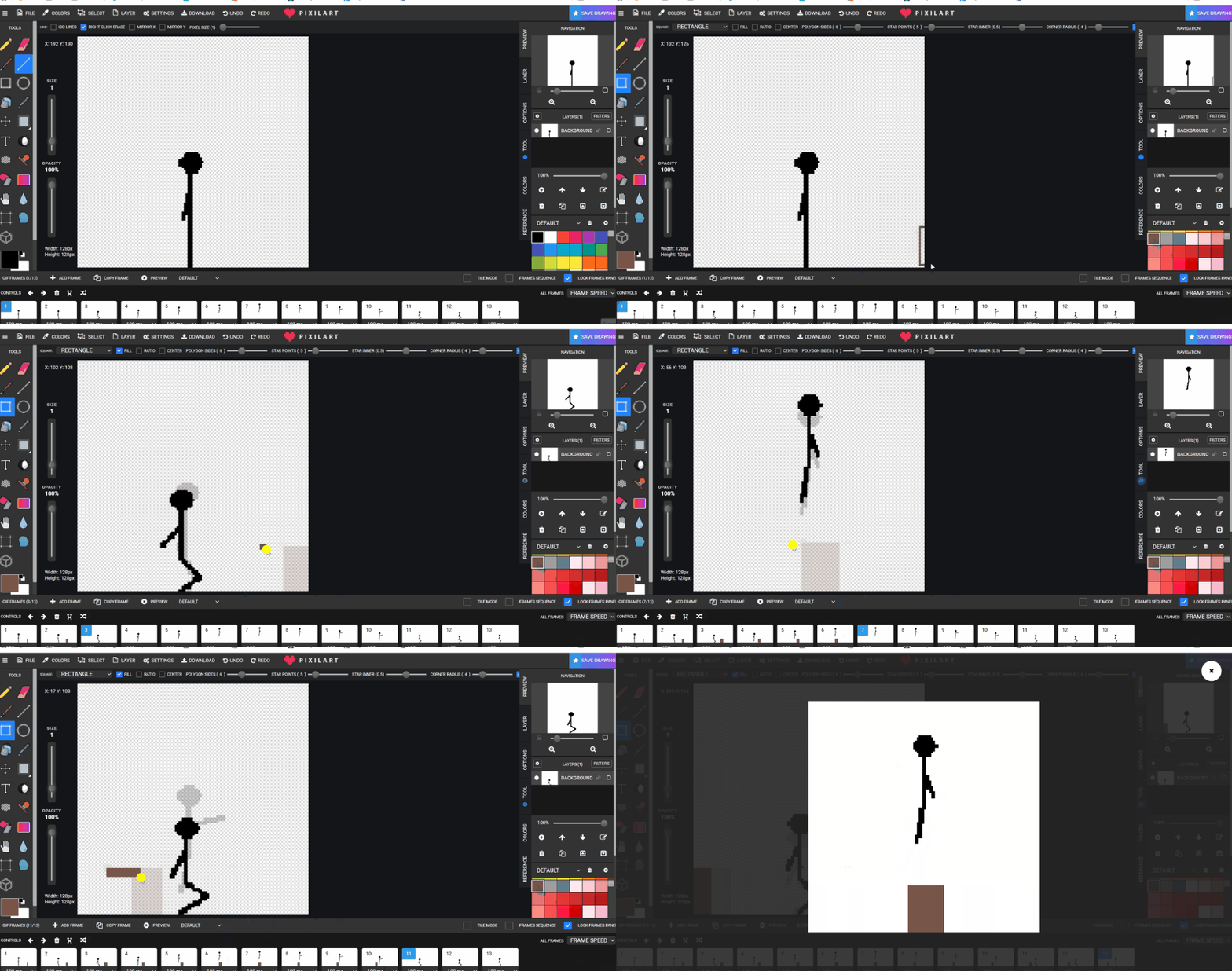
Drawing a shape or using a stamp to make a parallax drawing going from right to left (depends on students drawing direction) This can be redone many time and saved many times to understand the idea of a parallax,
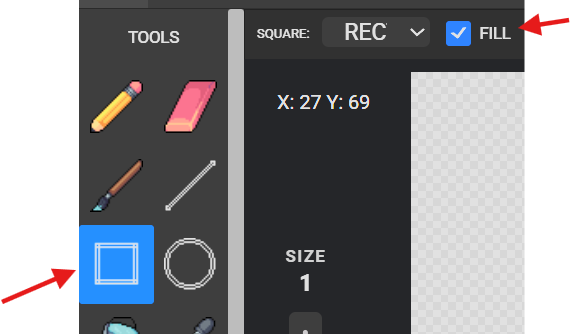
GO to frame 1 Select
Drawing the start of the box coming through
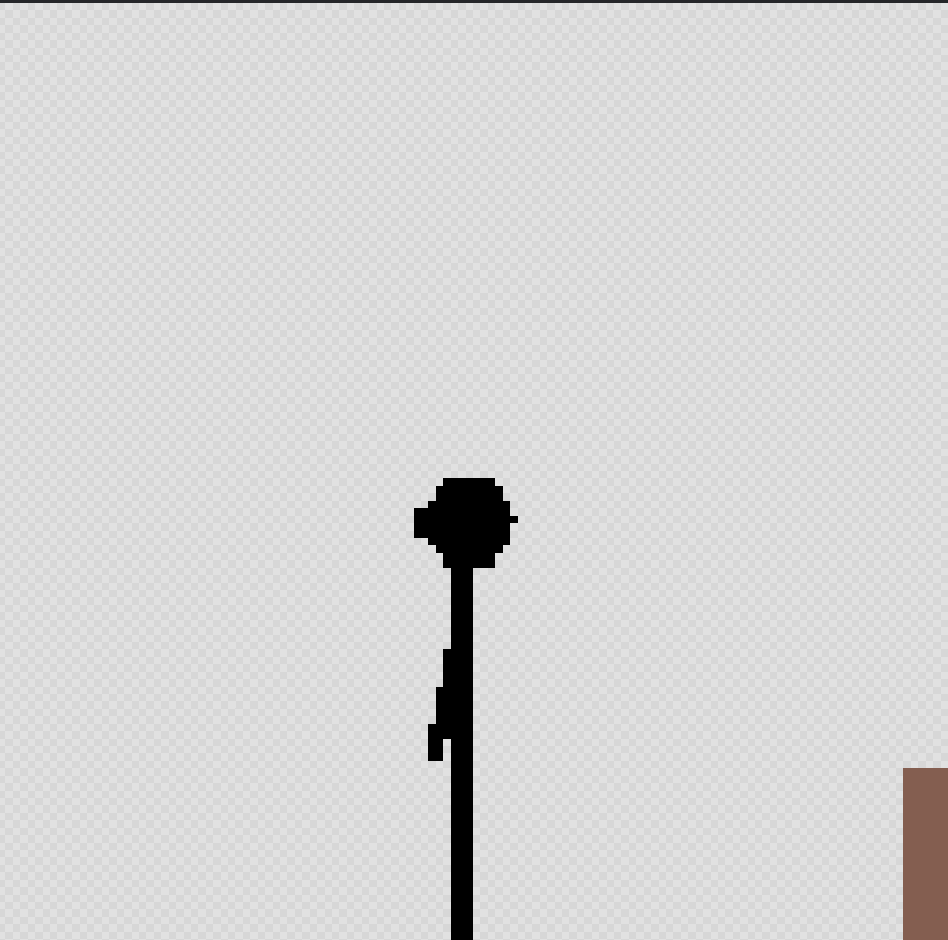
Click the next frame!
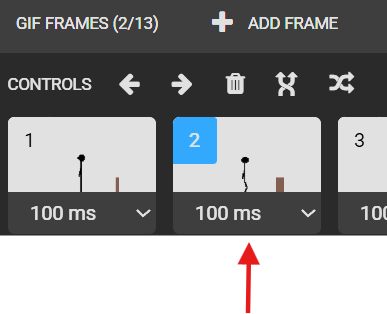
Draw again the box coming through more
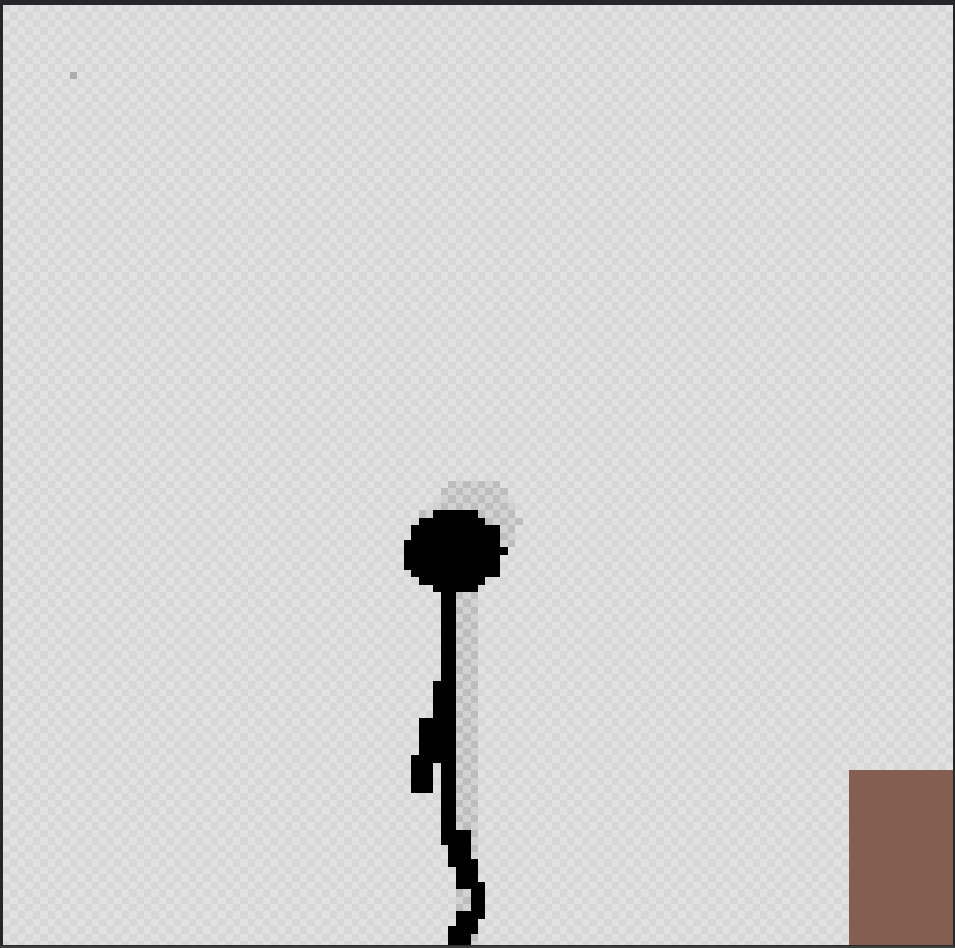
Repeat
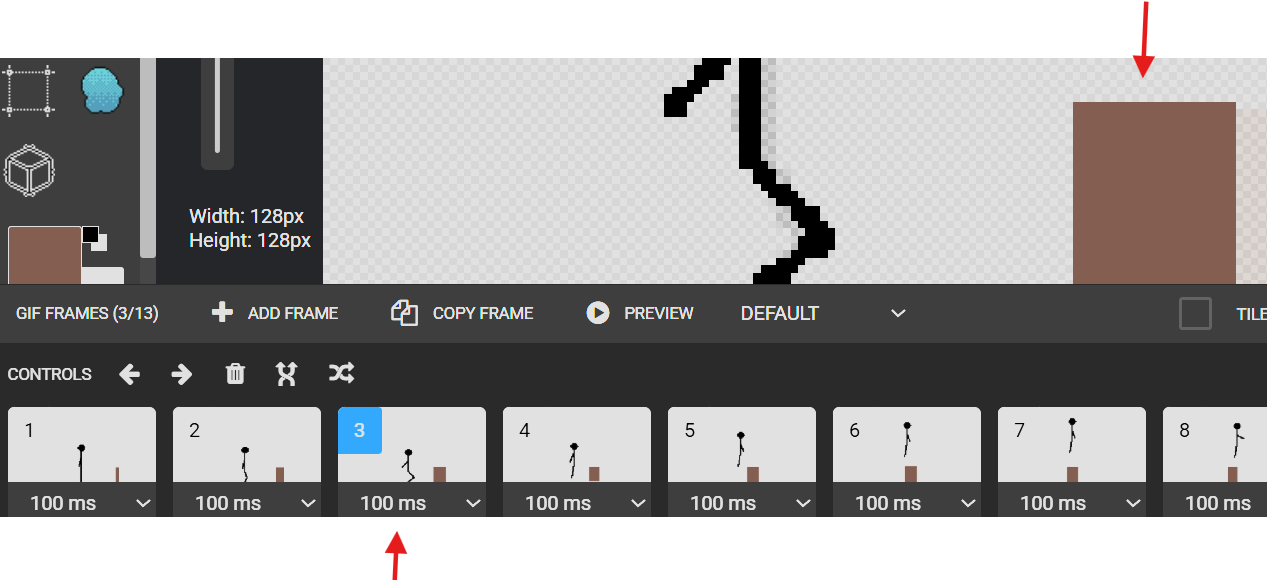
Continue selecting frame and drawing the box coming through Repeat until box is near out of frames
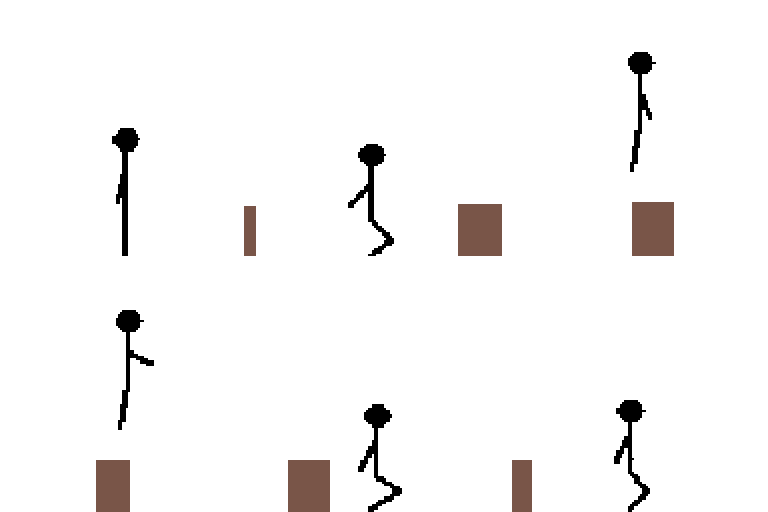
Save .gif Can reset by erasing, or opening .PIXIL again Choose a stamp or something to make a new parallax item going through