Unit 15 - Year 1 Lessons
Overview
Students will build and modify a Scratch chase game, changing characters, scoring, sounds, and difficulty.
Target skills:
- Logic & Sequencing
- Pattern Recognition
- Creative Problem Solving
Tools:
- Scratch
Outputs:
- A playable Scratch chase game
- Student-edited game variations
Week 1 - Scratch Chase Game
Lesson 1 - Guided Tutorial
Goal: complete a guided Scratch chase game and understand the basic gameplay loop.
Teacher prep:
- Open the tutorial project in Scratch
- Confirm students can access the editor
Steps:
- Open the Scratch project link.
- View the tutorial example.
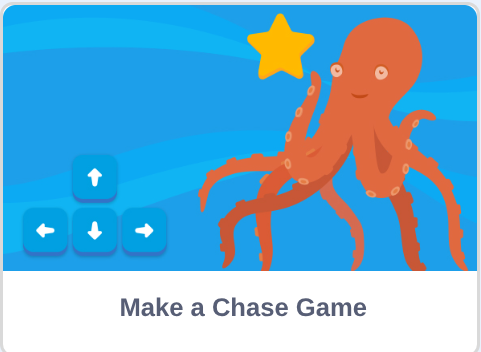
- Open the editor version of the same project.

- Follow the tutorial and test the chase game.
Check for understanding:
- The game runs correctly.
- Students can explain how the player scores points.
Extension:
- Change the sprite or background.
Lesson 2 - Game Changes
Goal: modify the original game to make it feel personal and more challenging.
Teacher prep:
- Review how to duplicate sprites and edit variables
Steps:
- Change the character, points, or speed.
- Add a new sprite that gives negative points using opposite scoring logic.
- Add sounds or background music.
- Change the background.
- Test whether the game feels easier or harder.
Check for understanding:
- Students can identify at least one change they made.
- The game still works after changes.
Extension:
- Add another obstacle or collectible.
Week 2 - Extend and Playtest
Lesson 1 - More Changes
Goal: continue improving the Scratch game and prepare it for classmates to play.
Teacher prep:
- Prepare time for student playtesting
Steps:
- Reopen the Week 1 game.
- Continue changing the character, points, and speed.
- Add more sounds if needed.
- Playtest the game with a partner or as a class.
Check for understanding:
- The game is playable from start to finish.
- Students can describe what makes their version unique.
Extension:
- Balance the game to make it fair but challenging.
Lesson 2 - Draw Your Own Costume
Goal: customize the project further by changing the player costume.
Teacher prep:
- Show where costume editing happens in Scratch
Steps:
- Open the previous Scratch game.
- Edit the player costume or draw a new one.
- Test that the new costume works during gameplay.
- Save the updated project.
Check for understanding:
- Students successfully changed a costume.
- The project still runs correctly.
Extension:
- Draw matching costumes for multiple sprites.