Unit 16 - Year 3 Lessons
Overview
Students will create a vase using MakerLab tools in Tinkercad, then extend their modeling skills by designing chess pieces.
Target skills:
- Creative Problem Solving
- Systems Thinking
- Visual Communication
Tools:
- Tinkercad
- MakerLab
Outputs:
- Printable vase model
- Custom chess piece design
Week 1 - Vase and Coloring
Lesson 1 - Build a Vase
Goal: create a vase model using the MakerLab workflow in Tinkercad.
Teacher prep:
- Show how MakerLab differs from standard Tinkercad modeling
- Prepare print workflow if available
Steps:
- Open Tinkercad and sign in.
- Open the vase-making workflow in MakerLab.
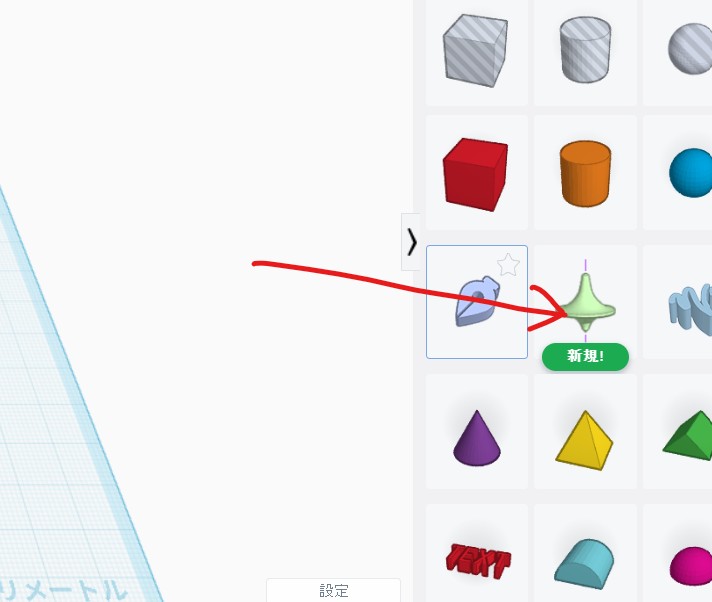
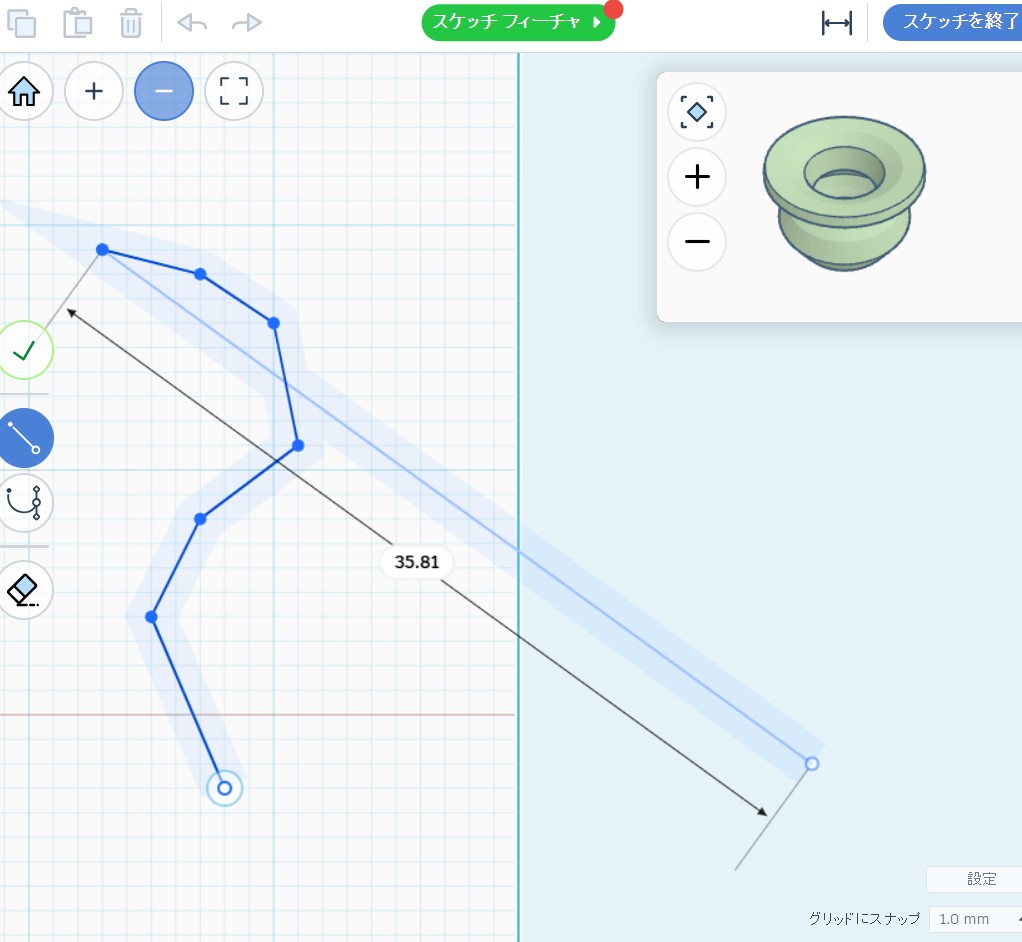
- Create a vase shape and review its profile.
- Save the design and prepare it for printing.
Check for understanding:
- Students can create a recognizable vase form.
- Students understand that the piece can be printed.
Extension:
- Try a taller or wider vase variation.
Lesson 2 - Paint or Extend
Goal: decorate a printed vase if available or continue with Tinkercad design work.
Teacher prep:
- Prepare paint if prints are ready
Steps:
- Reopen the previous file if unfinished.
- If a vase is printed, paint it.
- If finished, begin recreating KEA classrooms in Tinkercad.
Check for understanding:
- Students complete either the digital or painted version.
- Students can explain how they changed the vase shape.
Extension:
- Design a matching second vase.
Week 2 - Chess Pieces
Lesson 1 - Design Chess Pieces
Goal: create one or more custom chess pieces for printing.
Teacher prep:
- Prepare reference examples of simple chess shapes
Steps:
- Reuse the Week 1 workflow and open a new design.
- Make a chess piece such as a king or horse.
- Copy from regular pieces or create your own style.
- Prepare one piece for 3D printing.
Check for understanding:
- Students produce a recognizable chess piece.
- Students can describe which piece they made.
Extension:
- Design a matching set style.
Lesson 2 - Continue the Chess Set
Goal: continue improving or expanding the chess-piece design.
Teacher prep:
- Encourage refinement rather than rushing quantity
Steps:
- Reopen the chess piece file.
- Improve the shape or details.
- Start another piece if time allows.
Check for understanding:
- Students improve their earlier work.
- Students can compare two different piece designs.
Extension:
- Plan a full custom set theme.