Unit 13 - Year 3 Lessons
Overview
Students will complete Unit 13 Year 3 activities using digital art workflows.
Target skills:
- Visual Communication
- Digital Illustration
- Creative Problem Solving
Tools:
- Pixilart
Outputs:
- Student-created digital artifact(s) saved to class folder.
Week 1 - Seasonal Trees
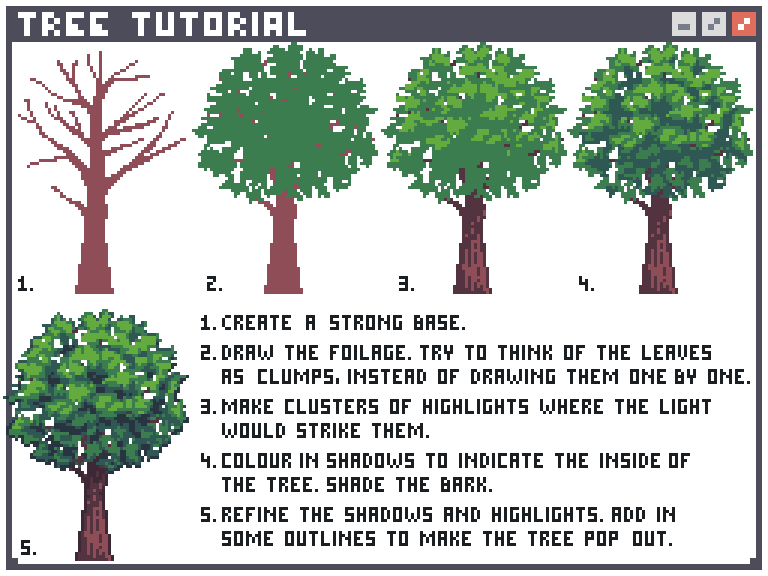
Lesson 1 - Seasonal Tree Study
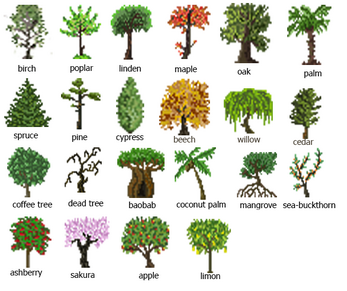
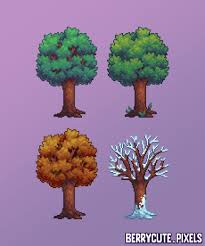
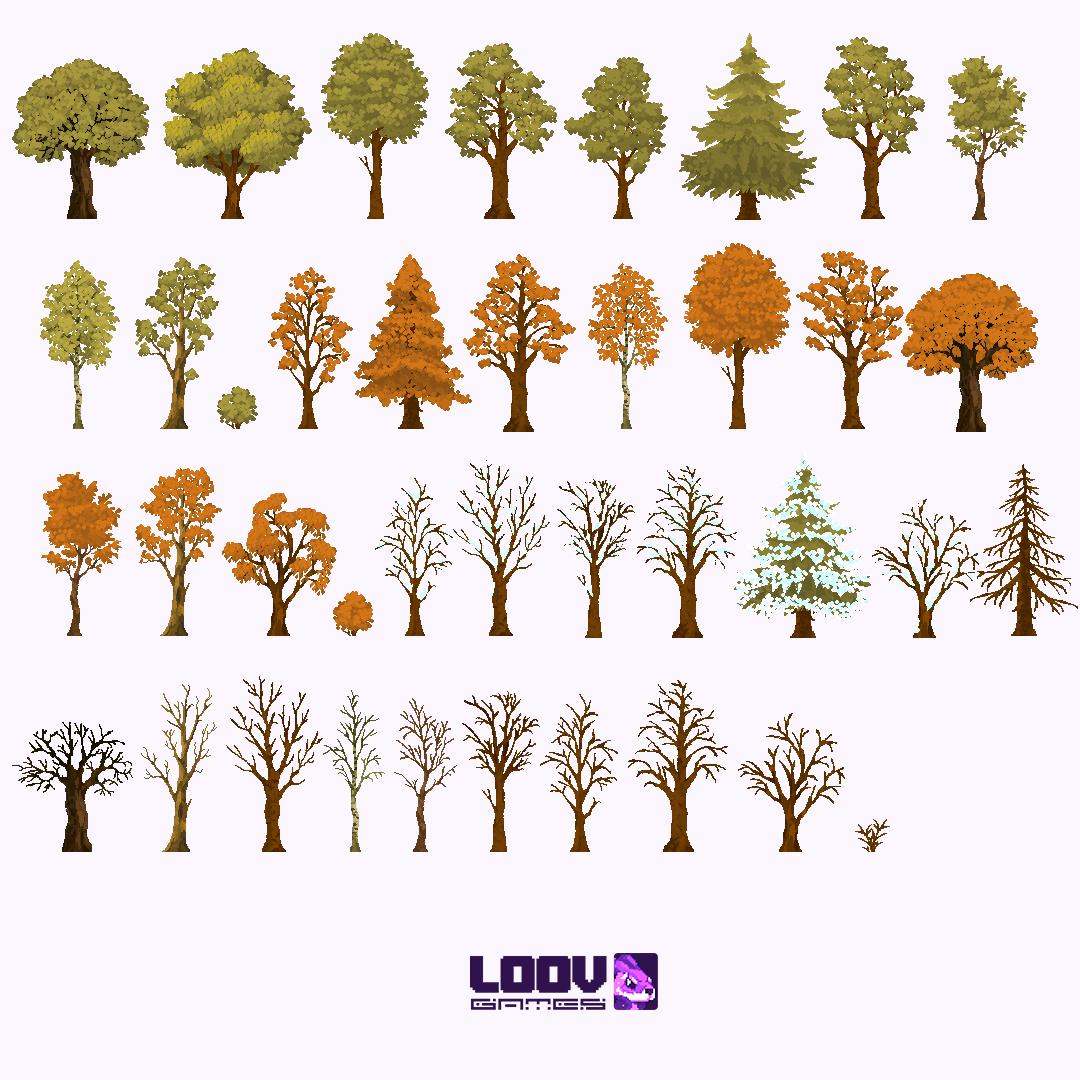
Download pixil
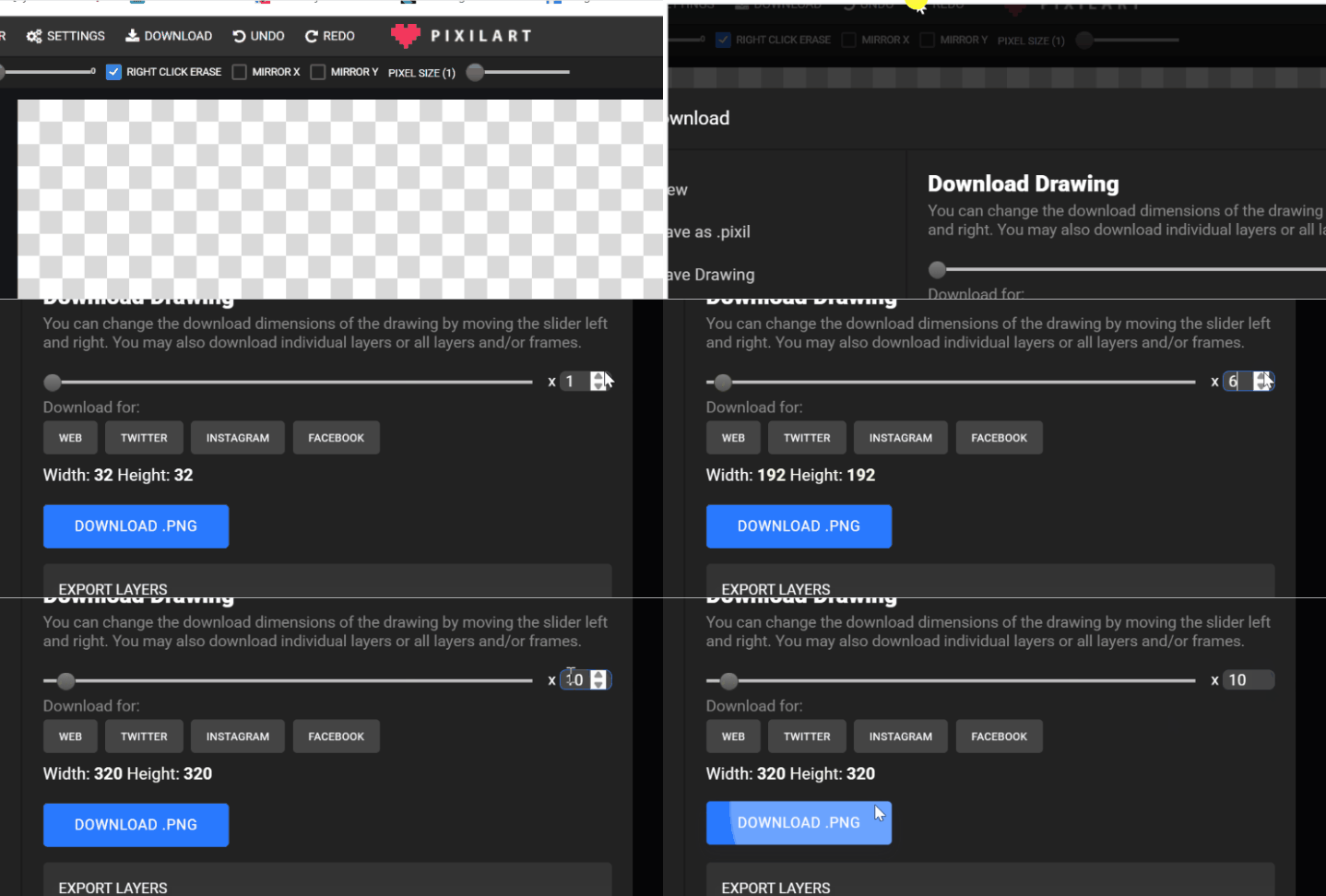
Save to GOOGLE DRIVE > STUDENTS> STUDENTS FILE> summertree | wintertree | Springtree | Falltree .PNG Repeat this with different trees
Lesson 2 - Continue previous lesson making more and many different types of tree.
Week 2 - Isometric Drawings
Lesson 1 - Isometric Box




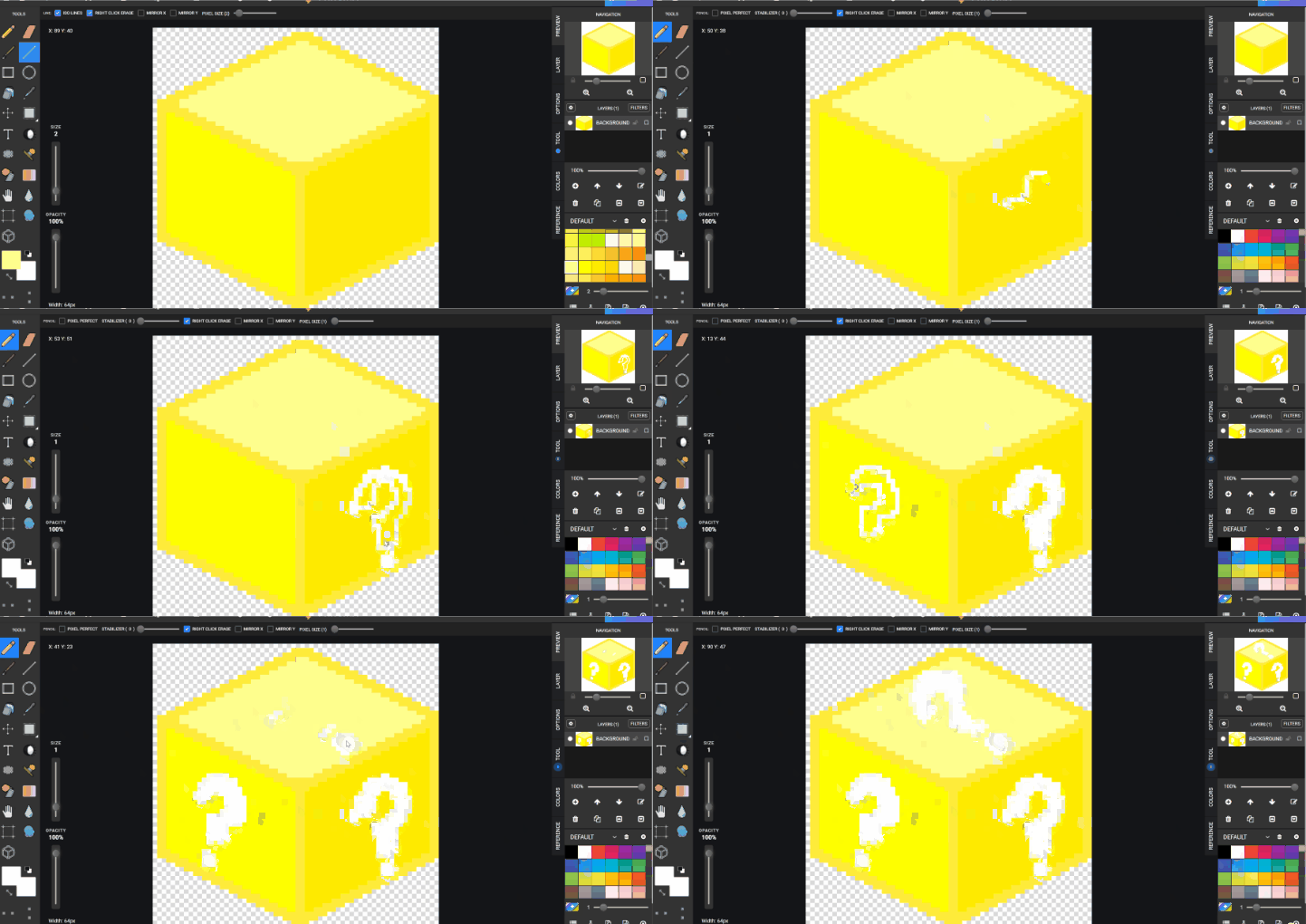
Using pixil art to draw object on an angle Make box shape using the line tool use ☑ ISO Lines Turning ISO on
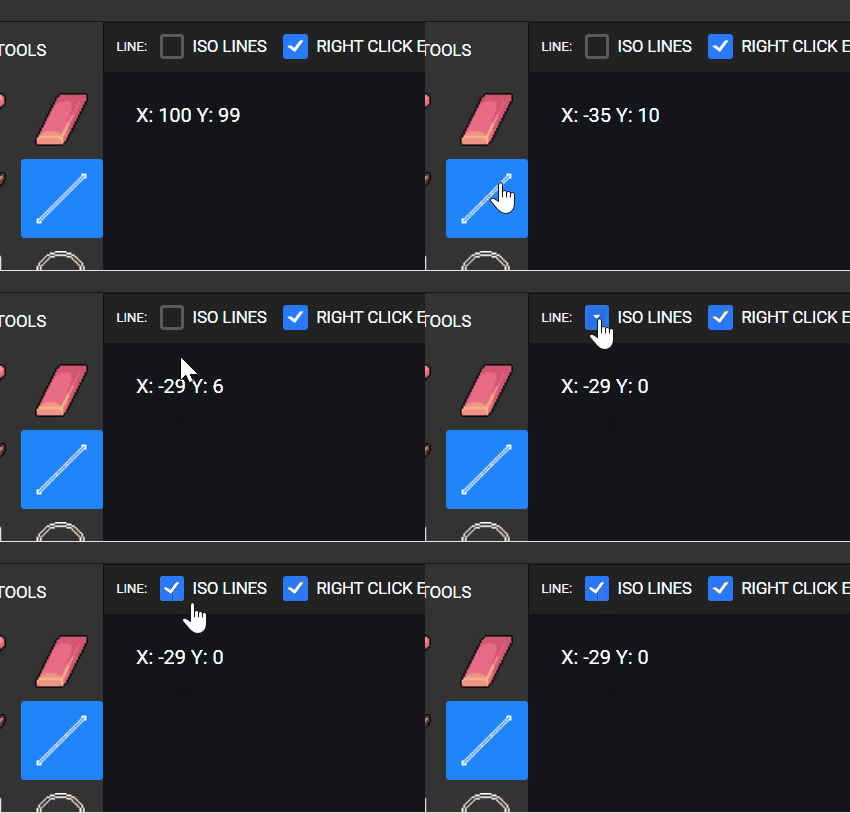
LINE TOOL > ISO on > PIXIL SIZE 2 Begin by drawing a center line in the middle From the top left and then middle then right to top to make the frist section of the box. From the Bottom up to the edge then up to connect the top half Using bucket fill to color in the box BUT use different yellow colors tones LIGHT, SHADOW, NORMAL
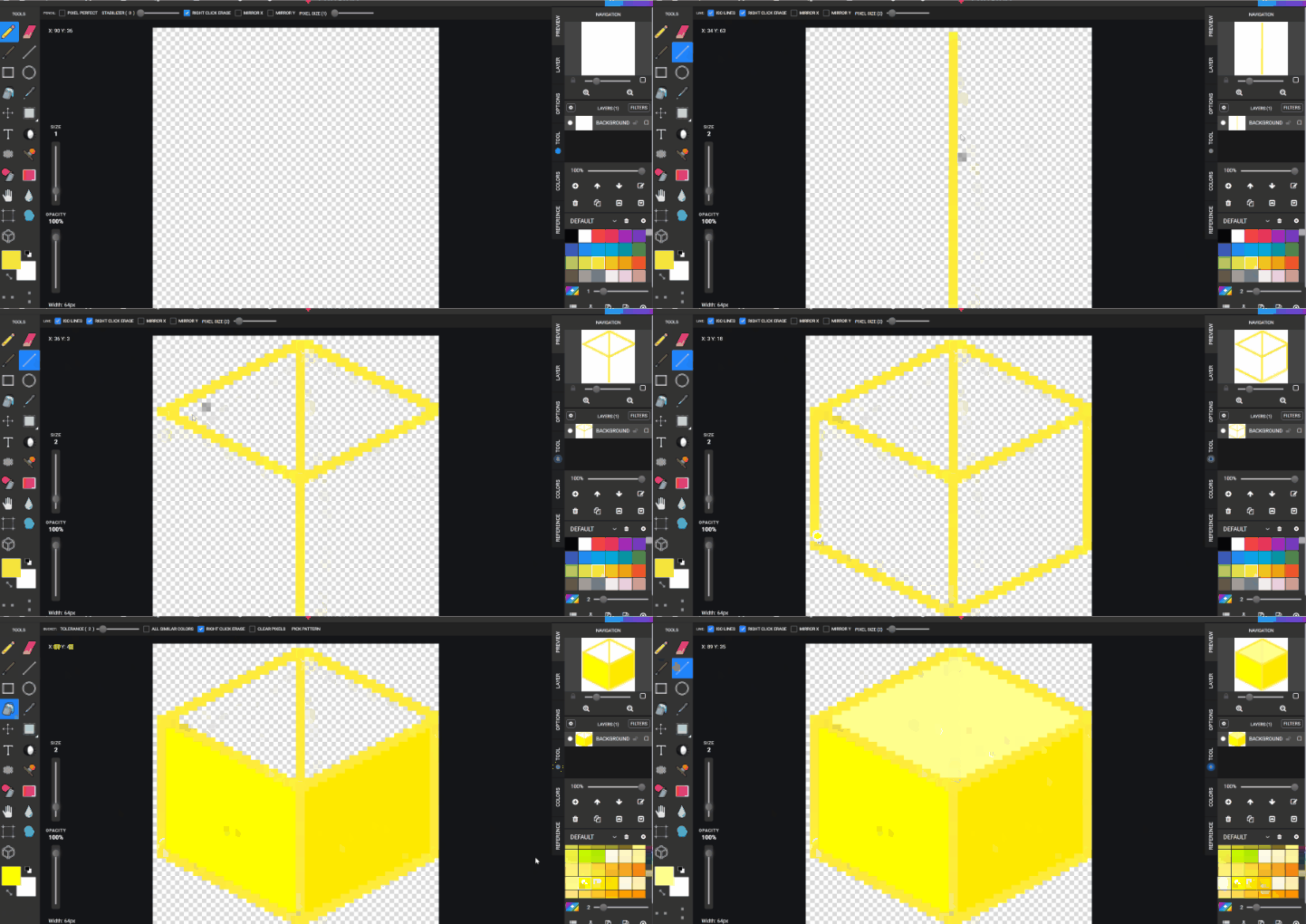
Using Pencil to draw in the ( ) on the box. Drawing with a slight angle trying to think its on that angle of the box
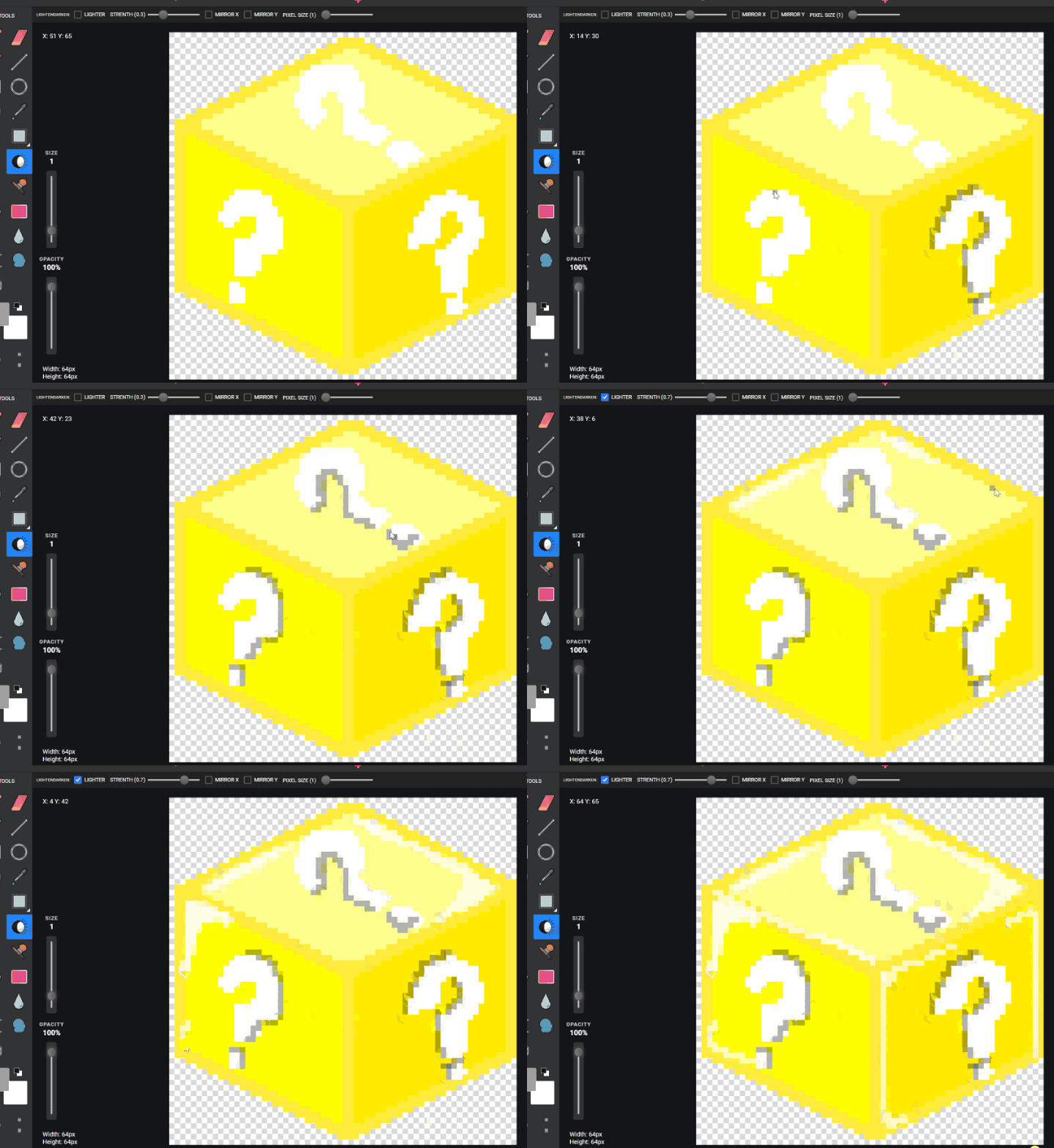
Using the light and dark tool add in shadows and light around the (-) and the box its self
Download pixil
Save to GOOGLE DRIVE > STUDENTS> STUDENTS FILE> ISObox.PNG Can try and do one of the ducks or fruits from the example also using the same method.
Lesson 2 - Isometric Rooms
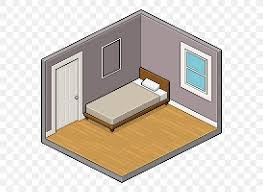
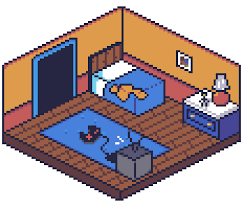
100x100
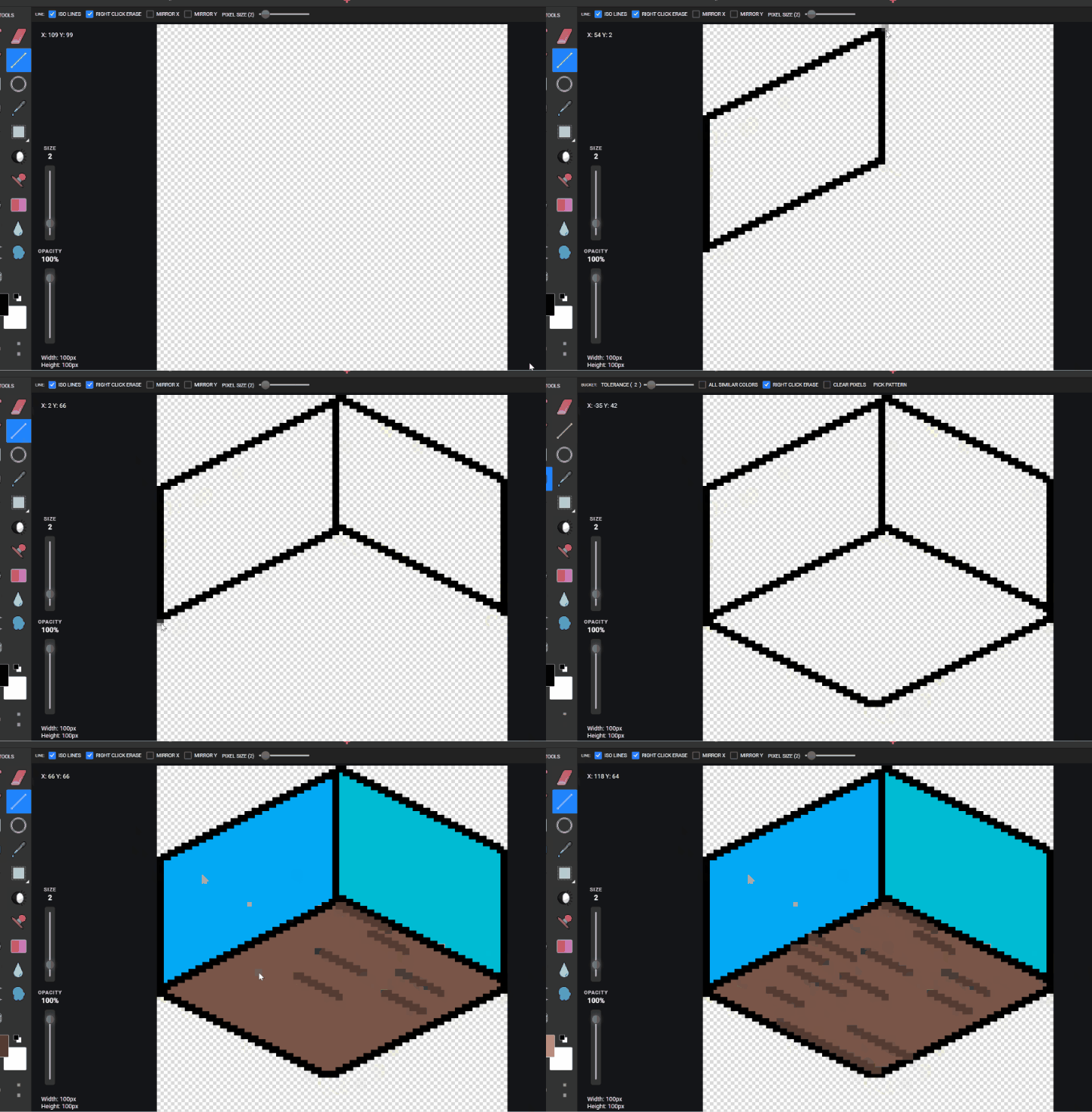
PIXIL SiZE 2

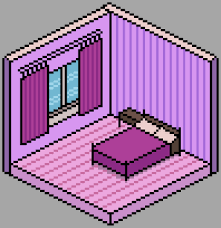
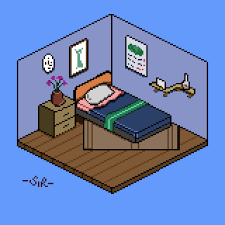
Using Line tool to draw the inverse box shape TURN ISO on in the line options on top Using Fill TOOL to color in the walls and floors may also using line tool to add in some FLOORBOARDS to make in look different.
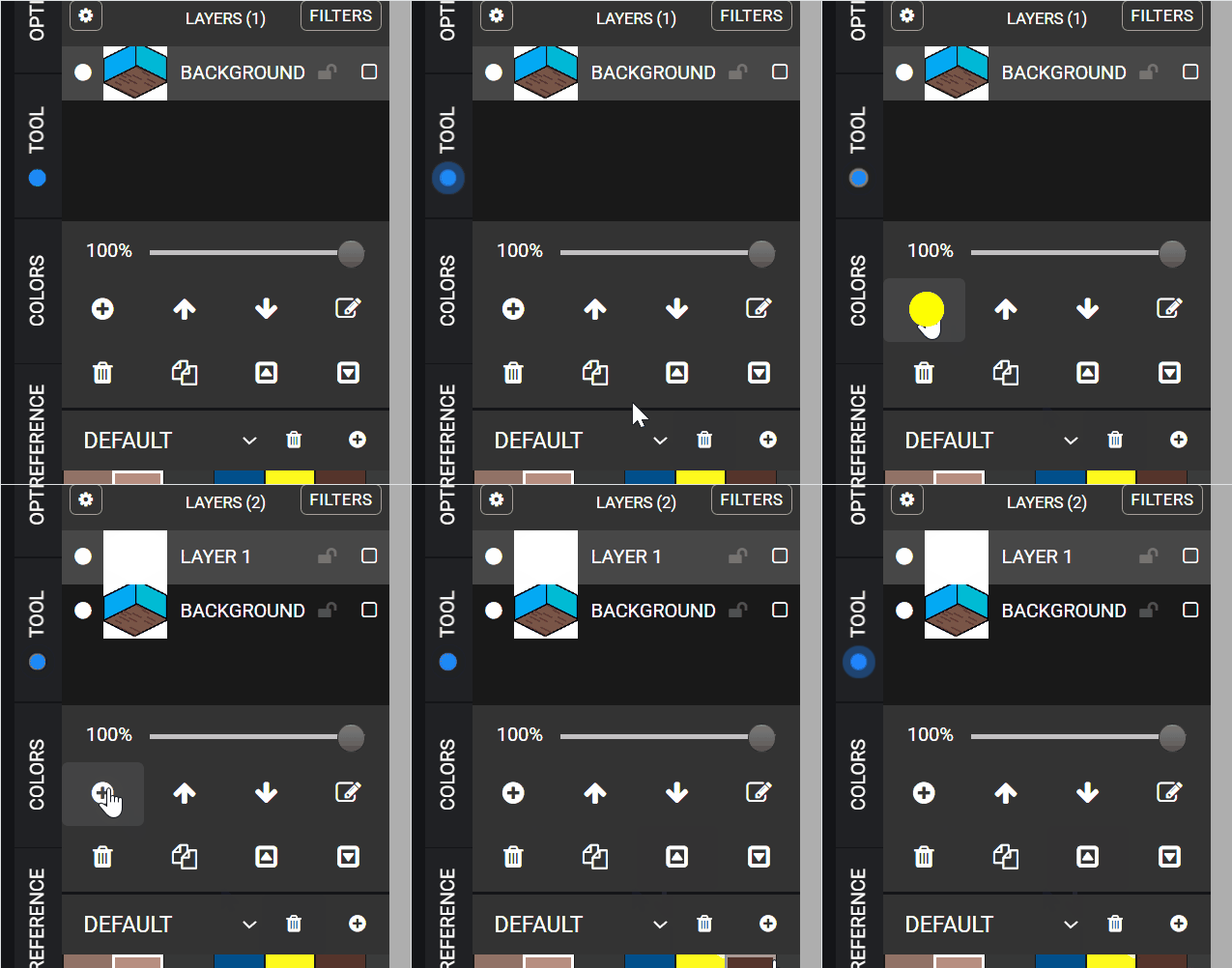
NEW LAYER Using
SIZE 1 Now can using a more brighter color to see what you are drawing but try to draw a bed and coloring it in and can move it to where ever because its on a new layer.
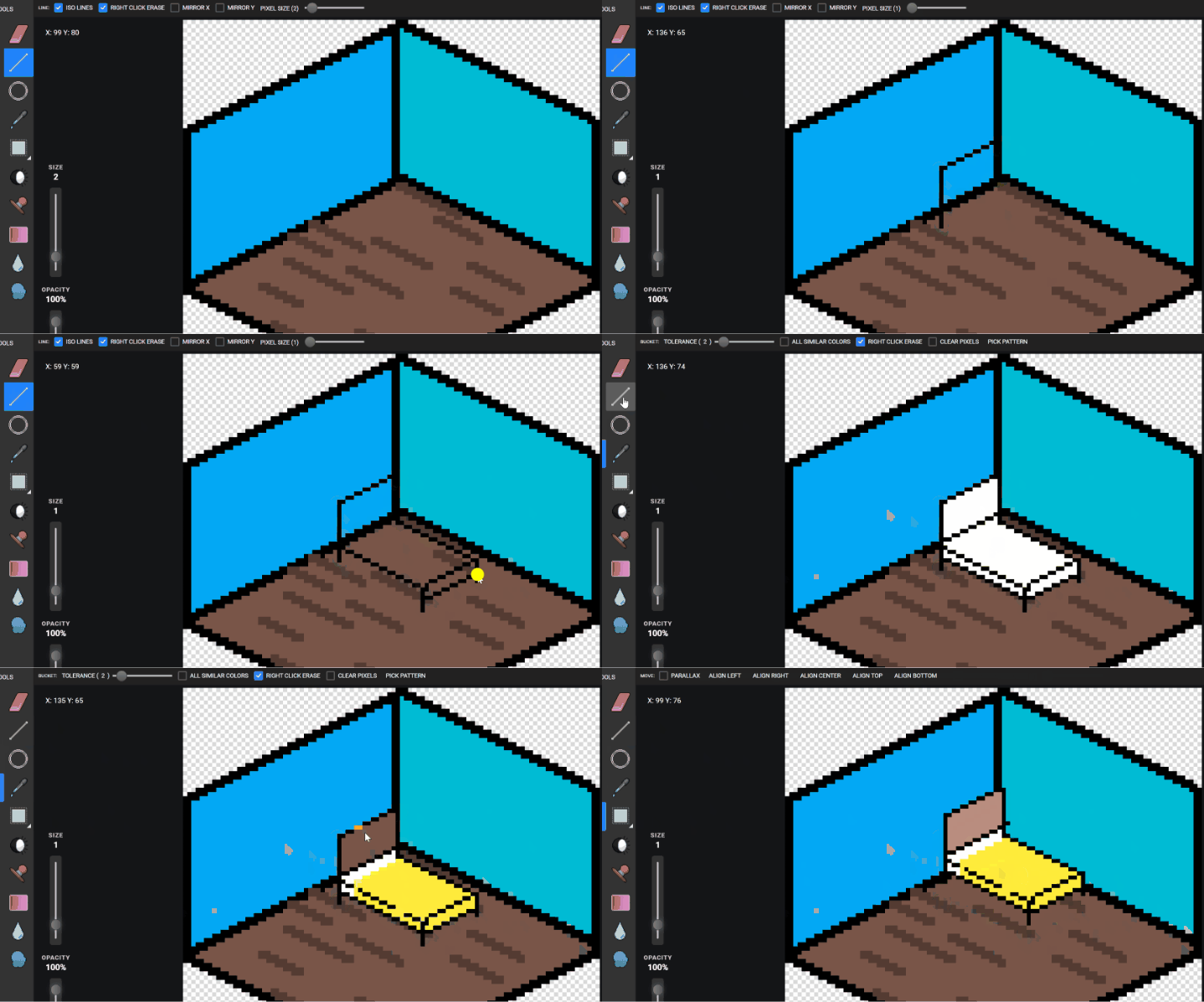
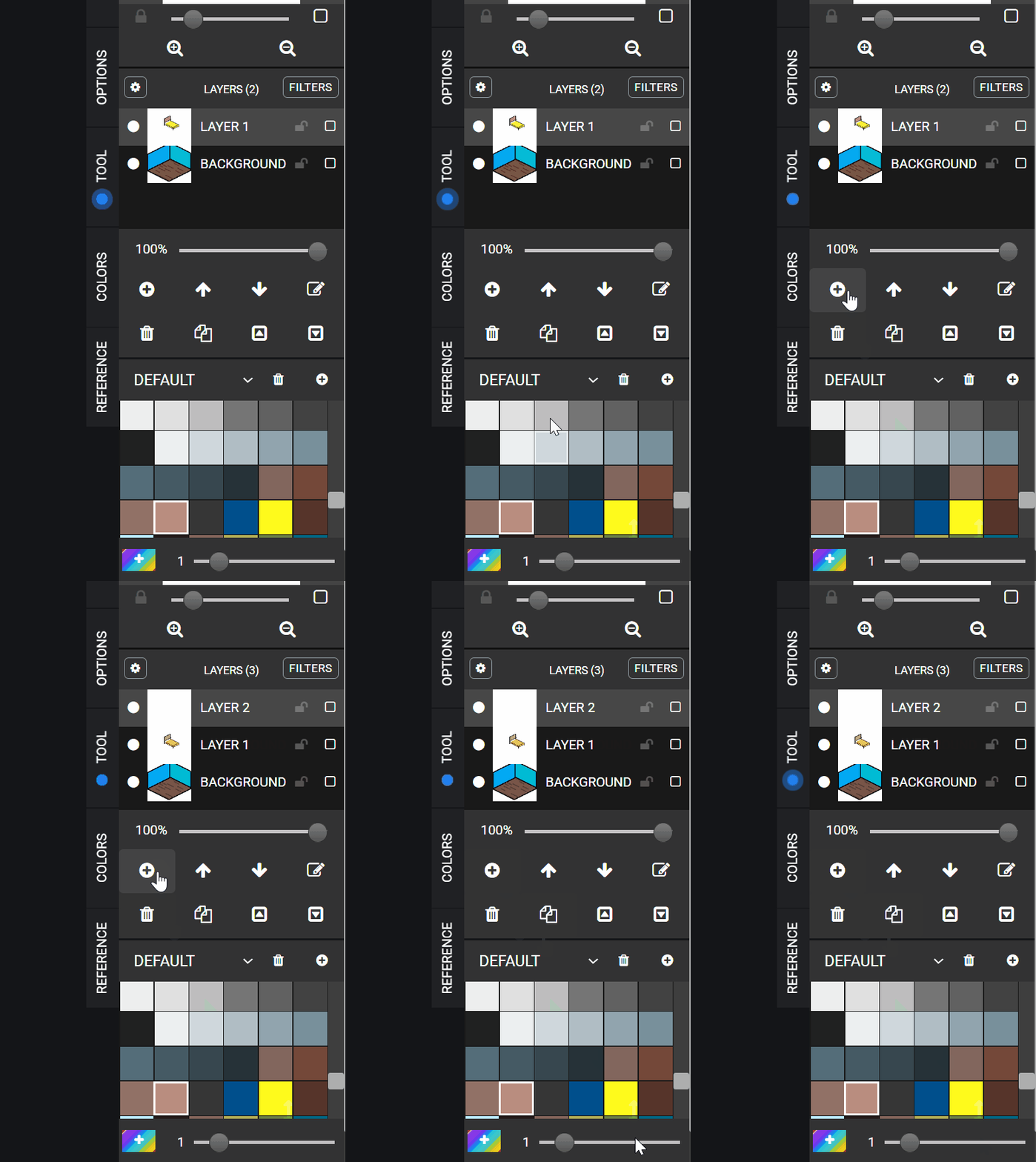
NEW LAYER Now continue using this method to draw a Table DOOR WINDOW CARPET DRESSER Or things the students have in their room they can try to draw. Download pixil
Save to GOOGLE DRIVE > STUDENTS> STUDENTS FILE> ISOroom.PNG