Unit 19 - Year 1 Lessons
Overview
Students will use Scratch tutorials and guided coding to build movement controls and jump behavior.
Target skills:
- Sequencing
- Debugging
- Interactive Design
Tools:
- Scratch
- Micro:bit
Outputs:
- Scratch movement project
- Scratch jumping project
Week 1 - Scratch Movement
Lesson 1 - Follow the Movement Tutorial
Goal: Use editor for programing on Editor.
Teacher prep:
- Prepare access to Scratch, Micro:bit and any sample files needed for demonstration.
Steps:
- Use editor for programing on Editor https://microbit-more.github.io/editor/
- Use tutorials Scratch ← here
- Refer to the image example for this step.
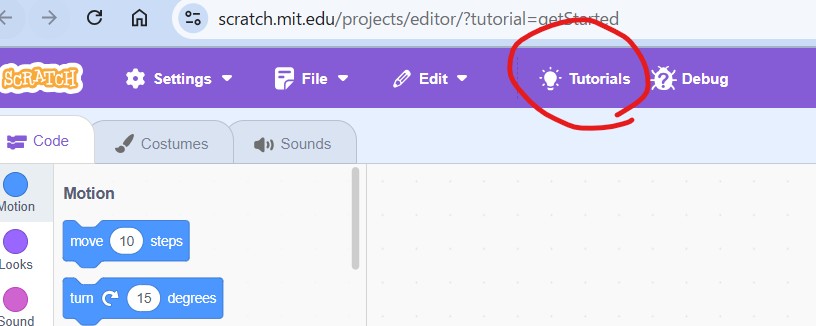
- Click here on the top panel

- Find this tutorial.
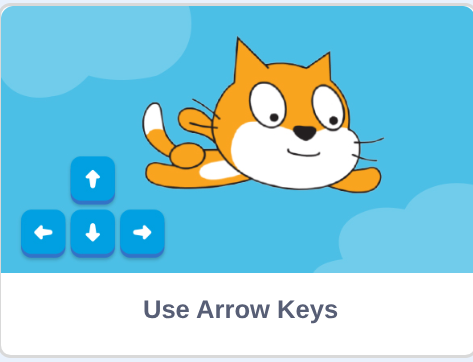
- Follow steps and slowly explain what is happening.
Check for understanding:
- Students can run the project and explain what each main block or input does.
- Students can fix or improve at least one part of the program.
Extension: Create a second variation or extend the project with extra details if time allows.
Lesson 2 - Create New Key Bindings
Goal: Second lesson Make new buttons for the keys at random.
Teacher prep:
- Prepare access to Scratch, Micro:bit and any sample files needed for demonstration.
Steps:
- Second lesson Make new buttons for the keys at random
- Students can then try and find each others key bindings .
Check for understanding:
- Students can run the project and explain what each main block or input does.
- Students can fix or improve at least one part of the program.
Extension: Create a second variation or extend the project with extra details if time allows.
Week 2 - Scratch Jumping
Lesson 1 - Build a Jump Variable Project
Goal: Code character to jump up and down.
Teacher prep:
- Prepare access to Scratch, Micro:bit and any sample files needed for demonstration.
Steps:
- Code character to jump up and down
- Scratch ← here
- Move the character down by clicking it in the play space and moving it down.
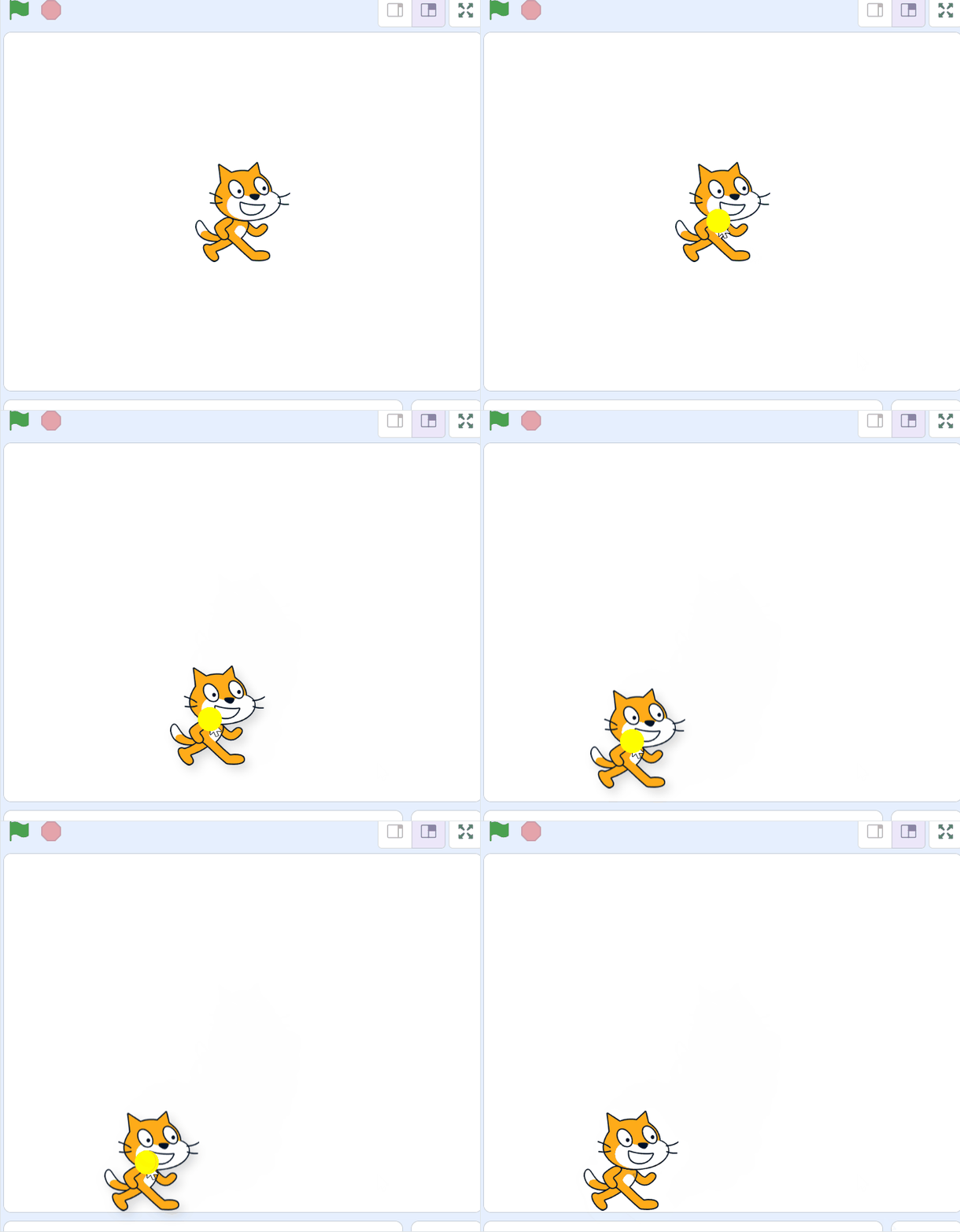
- Making some movement block left and right
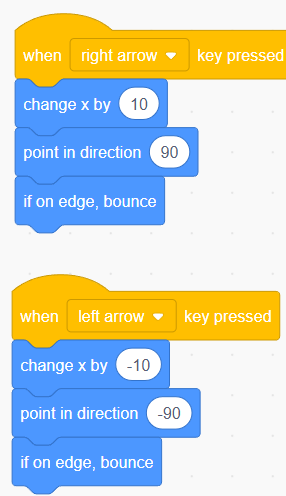
- Make variable - name is y jump or just jump is okay
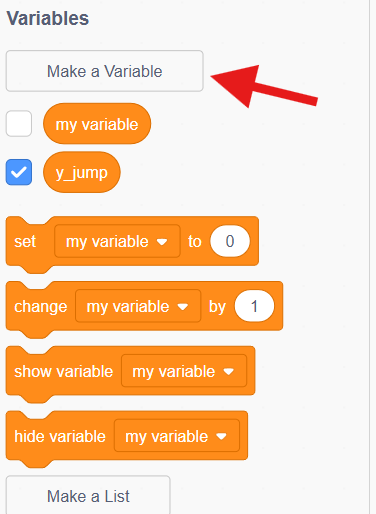
- Refer to the image example for this step.
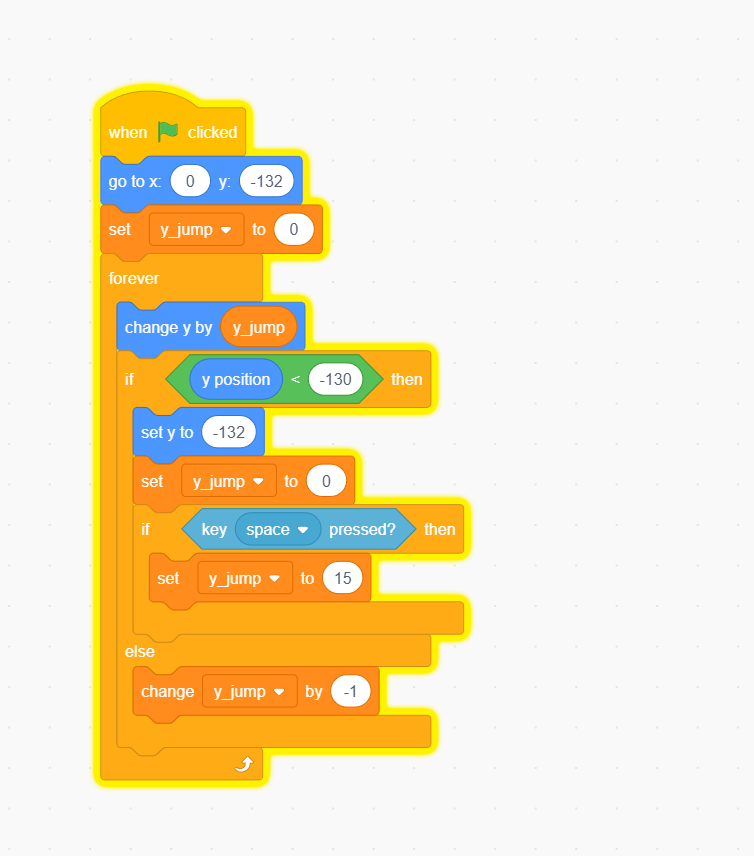
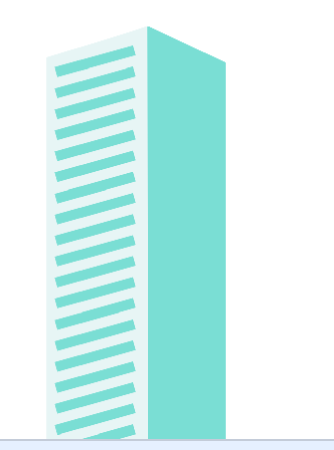
- Adding something to jump over
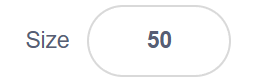
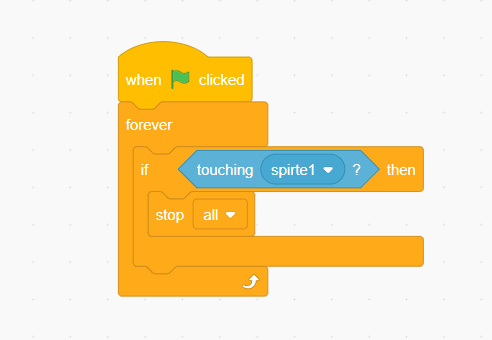
- Change the size And move it where it's okay. And adding a function of stopping.
- Refer to the image example for this step.
Check for understanding:
- Students can run the project and explain what each main block or input does.
- Students can fix or improve at least one part of the program.
Extension: Create a second variation or extend the project with extra details if time allows.
Lesson 2 - Try a New Character Jump
Goal: Continue and repeat.
Teacher prep:
- Prepare access to Scratch, Micro:bit and any sample files needed for demonstration.
Steps:
- Continue and repeat.
- Students may draw or pick a new character in the costumes tab in scratch.
Check for understanding:
- Students can run the project and explain what each main block or input does.
- Students can fix or improve at least one part of the program.
Extension: Try the same workflow again with a new idea, subject, or visual style.