Unit 16 - Year 1 Lessons
Overview
Students will repair a Tinkercad dog model, then design a simple printable coin with raised text.
Target skills:
- Creative Problem Solving
- Systems Thinking
- Visual Communication
Tools:
- Tinkercad
Outputs:
- Repaired 3D dog model
- Printable 3D coin design
Week 1 - Broken Dog Activity
Lesson 1 - Repair the Dog
Goal: rebuild a broken dog model by moving pieces back into place.
Teacher prep:
- Open the Tinkercad class activity
- Confirm students can access
Copy and Tinker
Steps:
- Log into Tinkercad with the class account flow.
- Open the broken dog class activity.
- Use
Copy and Tinkerto create a personal copy.
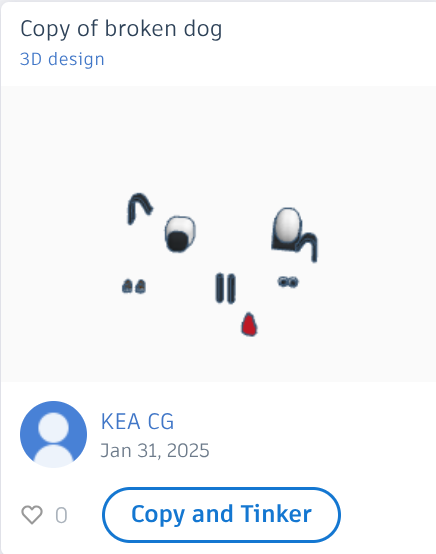
- Move the broken parts back to their correct positions.
- Check the model from multiple angles.
Check for understanding:
- Students can move and position objects correctly.
- The dog model looks complete again.
Extension:
- Adjust small details for a cleaner final model.
Lesson 2 - Continue or Make a Dog House
Goal: finish the repair or begin a simple dog house extension.
Teacher prep:
- Show a basic dog house shape if needed
Steps:
- Reopen the unfinished dog model if needed.
- Complete any missing repairs.
- If finished, begin a simple dog house design.
Check for understanding:
- Students complete one full 3D task.
- Students can explain what shape(s) they used.
Extension:
- Add a bowl, sign, or ground base.
Week 2 - 3D Printed Coin
Lesson 1 - Design a Coin
Goal: create a simple coin design with a raised label or amount.
Teacher prep:
- Prepare example coin dimensions and text tools
Steps:
- Open Tinkercad.
- Create a circular coin shape using a cylinder.
- Set the approximate size to
50 x 50 mmwith height4 mm. - Add a name or denomination using
Curved Textor regularText.
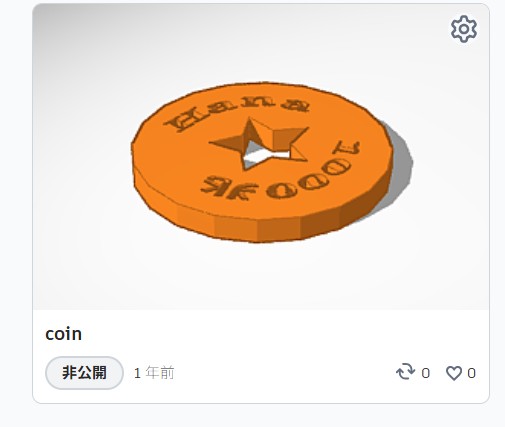
- Review whether the text is readable and attached properly.
Check for understanding:
- Students create a coin base and raised detail.
- The design is ready for printing.
Extension:
- Add a border or simple symbol.
Lesson 2 - Paint Printed Coins
Goal: finish the unit by decorating printed coins if available.
Teacher prep:
- Prepare pens or acrylic paints if prints are ready
Steps:
- Distribute printed coins if available.
- Color or decorate the coin carefully.
- If printing is not ready, continue improving the Tinkercad design.
Check for understanding:
- Students complete either the digital or printed version.
- Students can describe their coin design choices.
Extension:
- Create a second coin with a different theme.