Unit 5 - Year 2 Lessons
Overview
Students will complete Unit 5 Year 2 activities using digital art workflows.
Target skills:
- Visual Communication
- Digital Illustration
- Creative Problem Solving
Tools:
- Pixilart
Outputs:
- Student-created digital artifact(s) saved to class folder.
Week 1 - 2D & 3D Car (Pixilart)
Lesson 1 - Draw the Car
Goal: Block a 2D car silhouette, then convert to a 3D view.
- Canvas 64×64 > draw a 2D car.
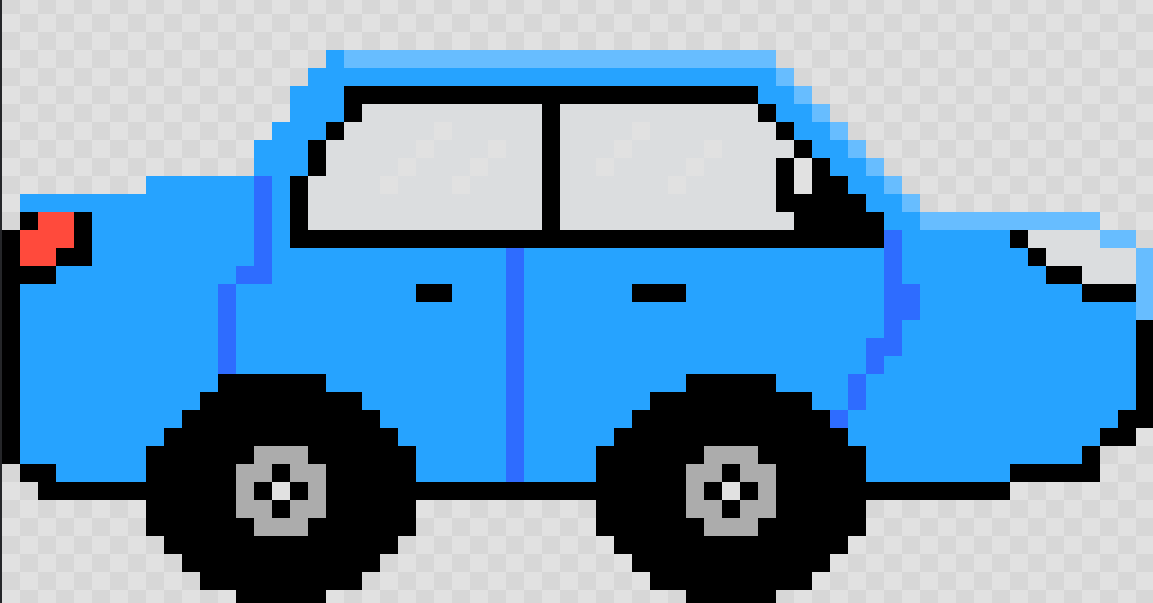
- Save to Drive.
- Re-draw the same car in 3D (angled view, wheels, volume).
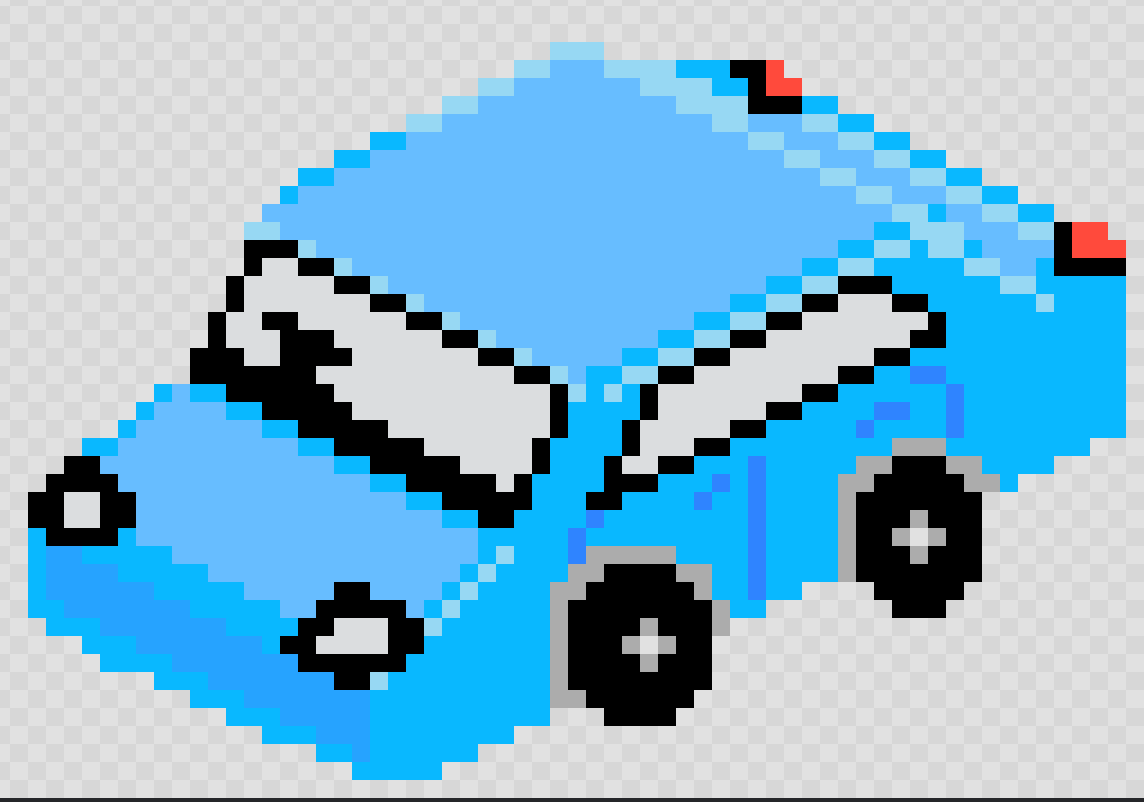
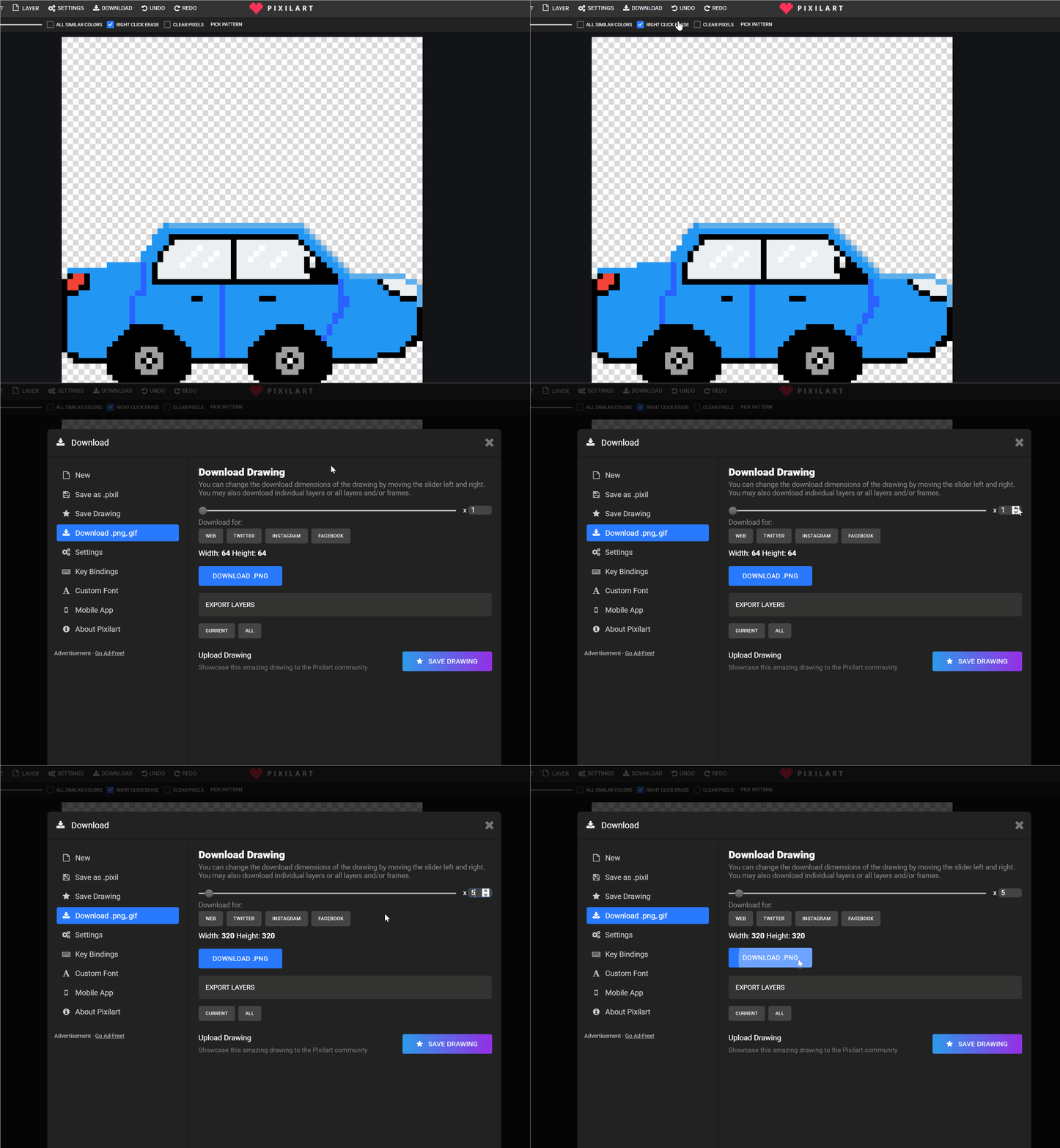
- Export > PNG to Students > NAME
2DCar.png(2D)3DCar.png(3D)
Lesson 2 - Variations
Continue or try different vehicles (truck, race car, bus).
Week 2 - Layered Pond Scene (Top-Down)
Lesson 1 - Build Layers
Goal: Use layers to fake water depth around fish.
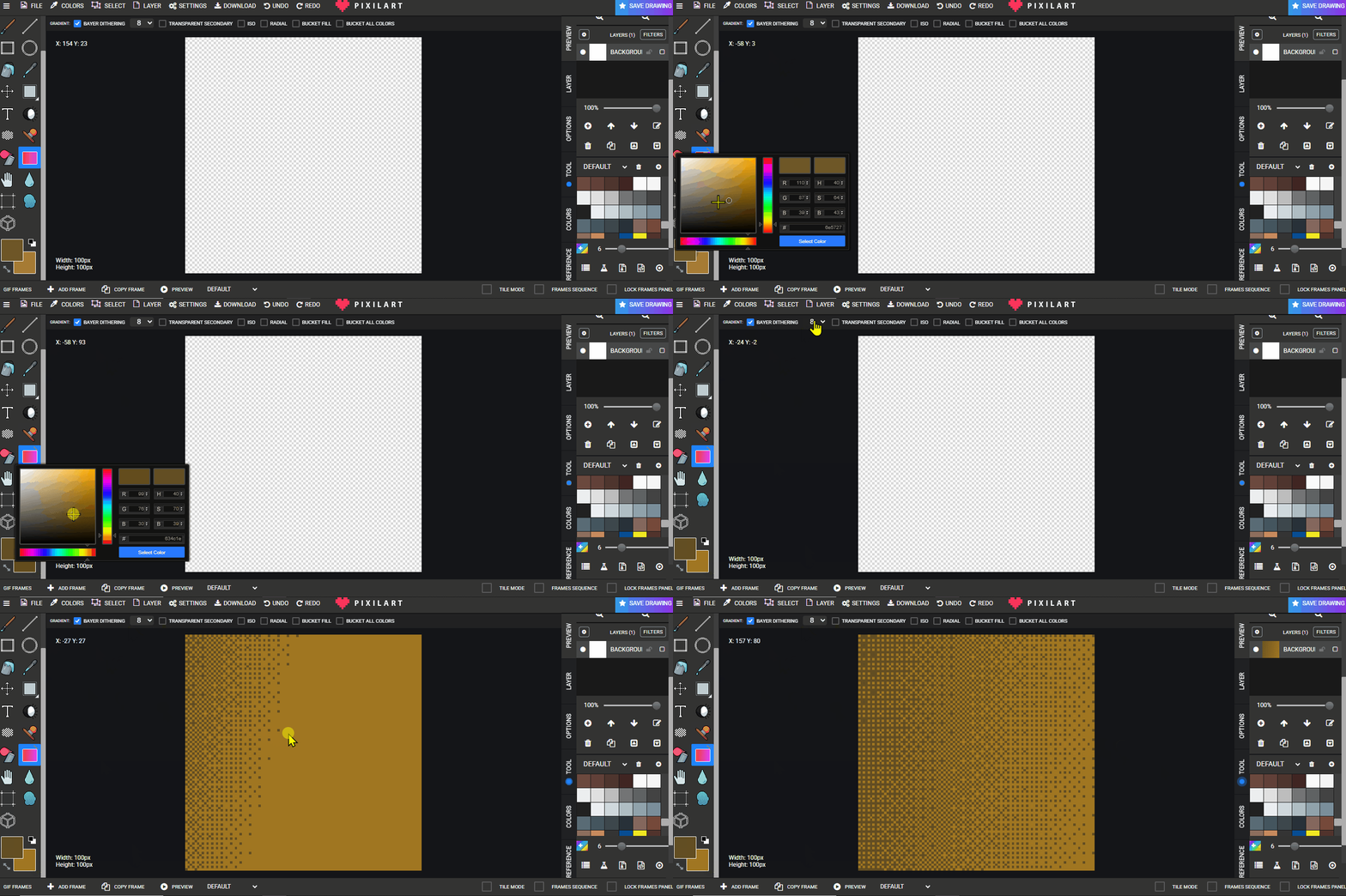
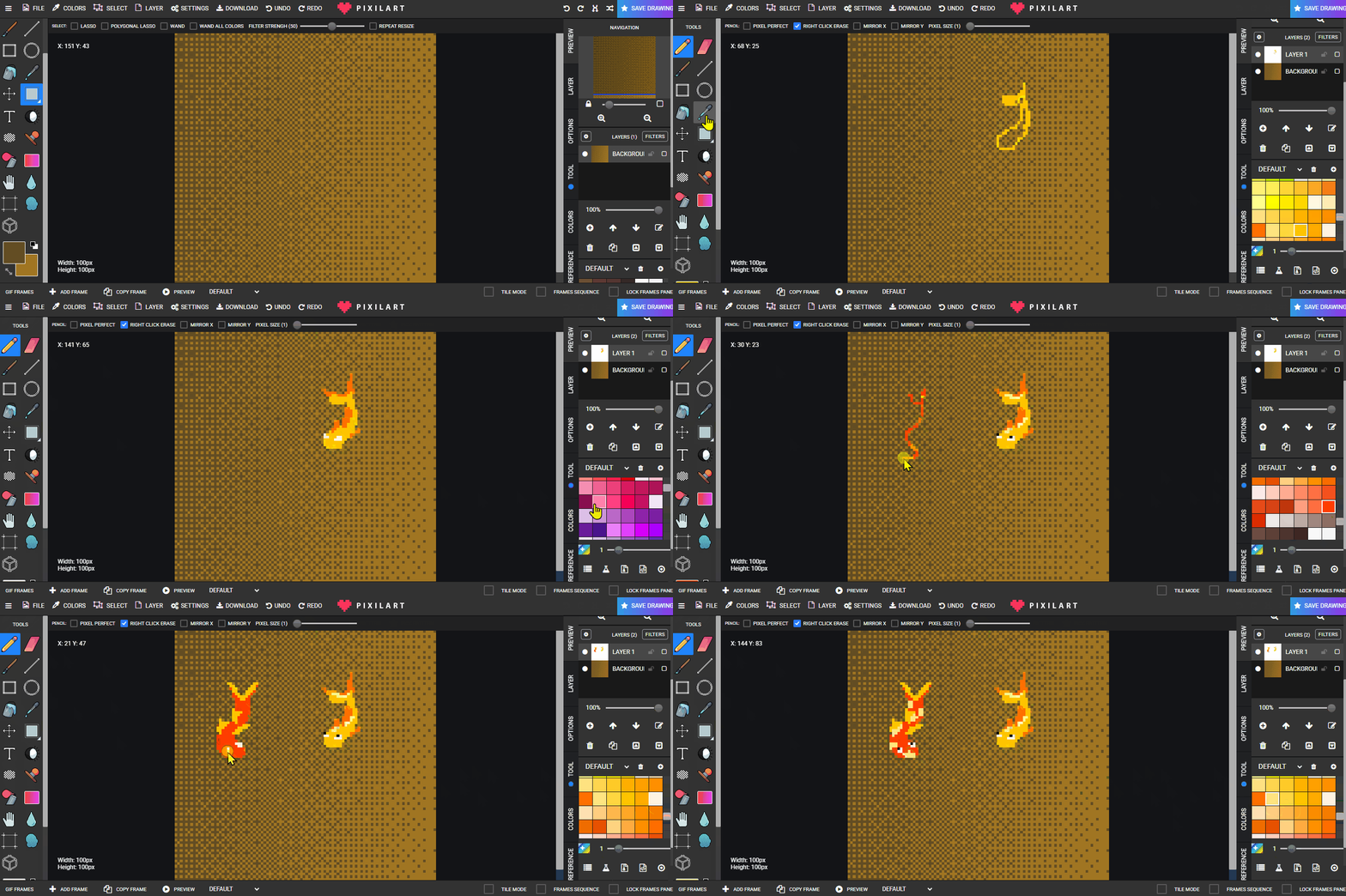
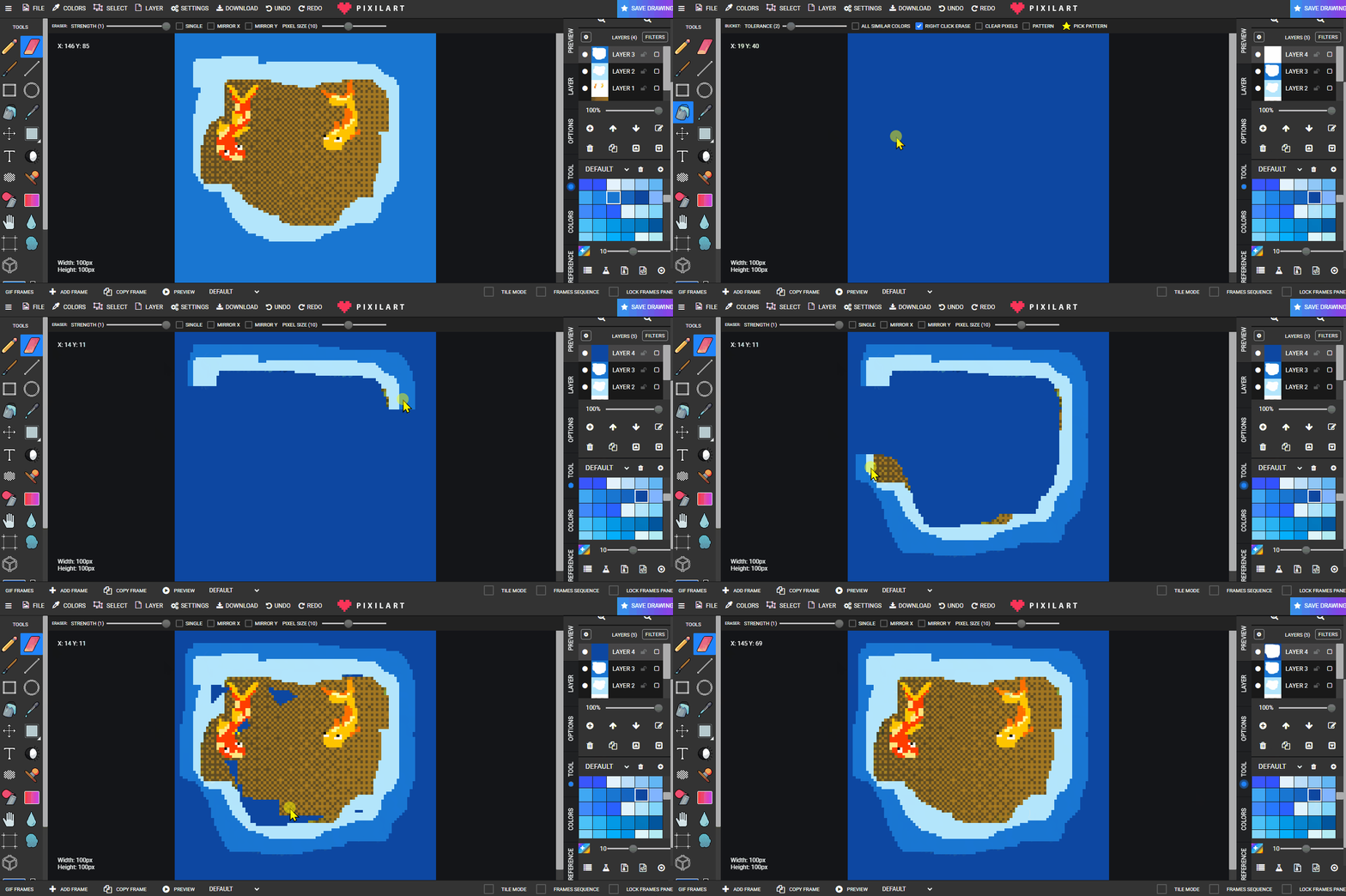
- Canvas 100×100 > draw a dithered rock (two browns/greys).
- New layer > draw fish (top-down or slight side).
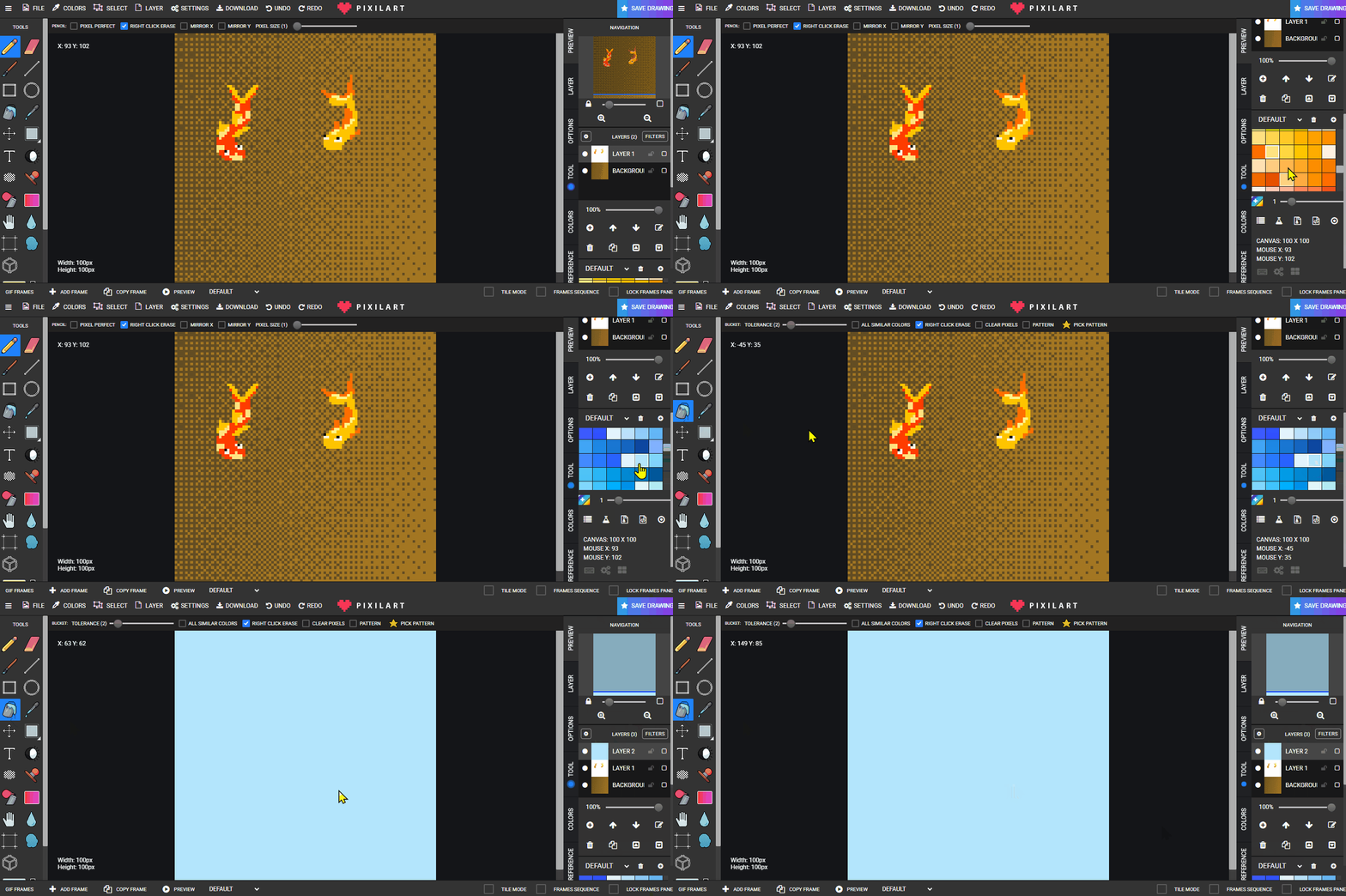
- New layer > fill light blue; erase around fish for a clear zone.
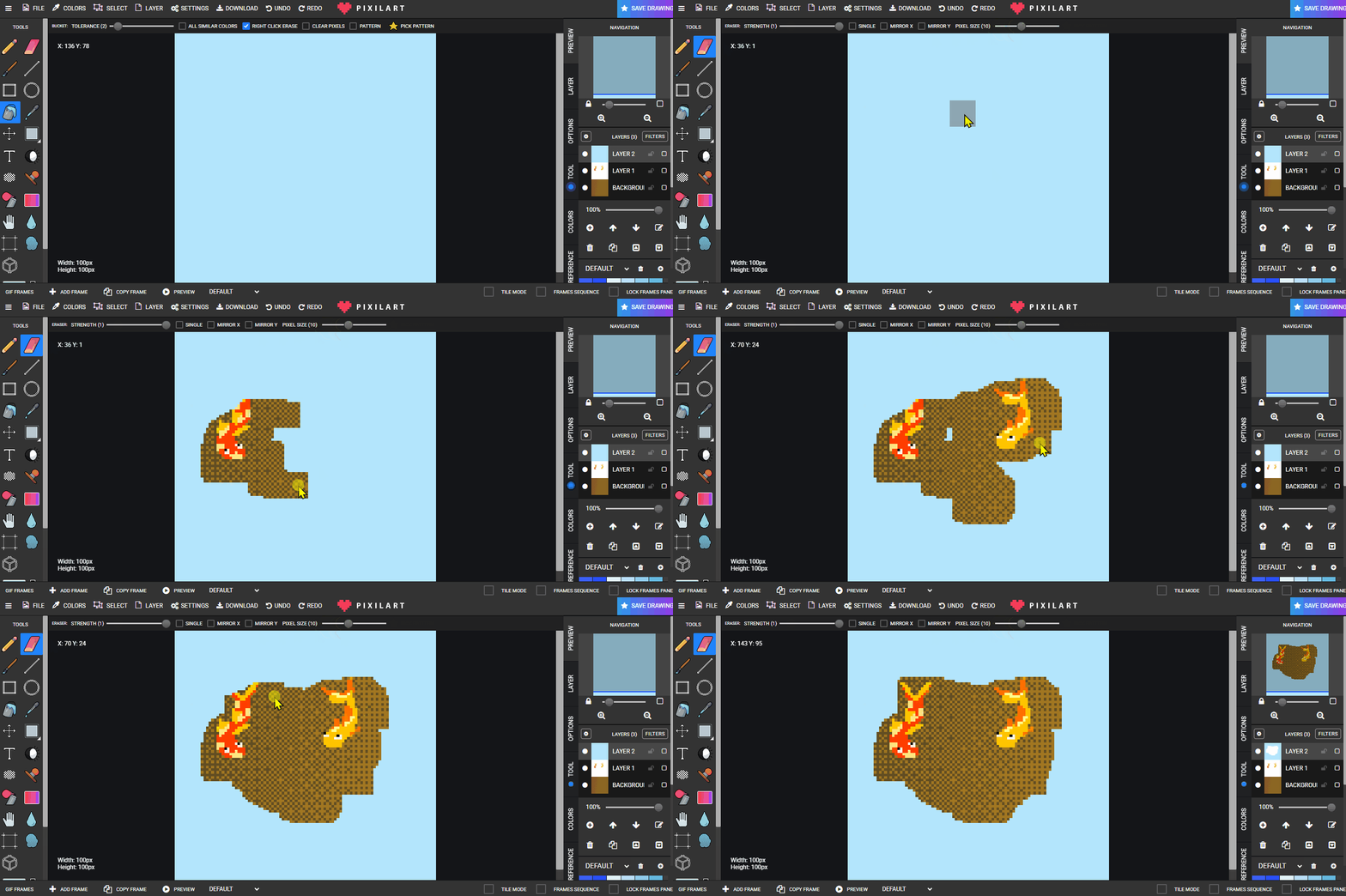
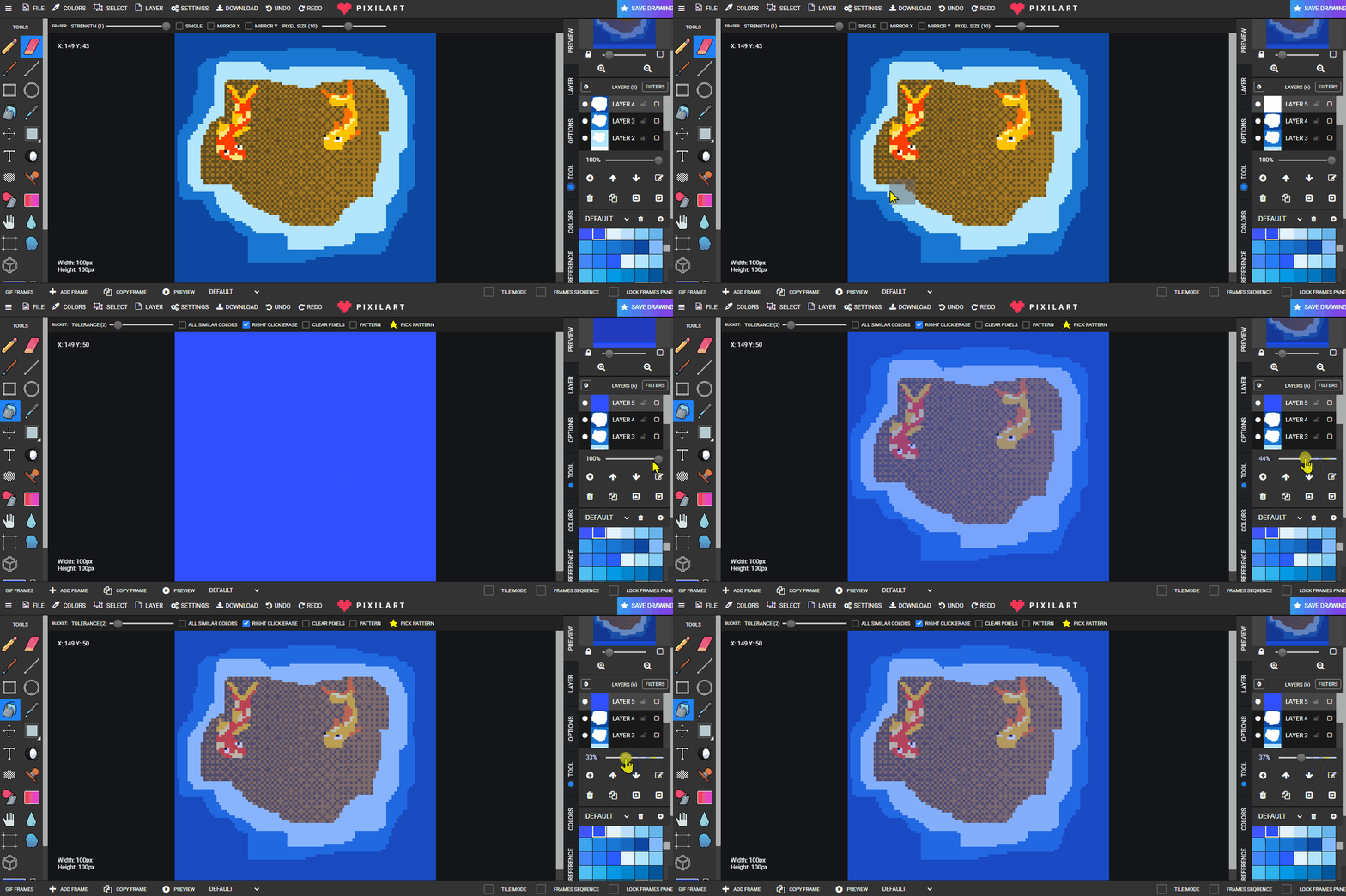
- Repeat on new layers with darker blues, each slightly larger.
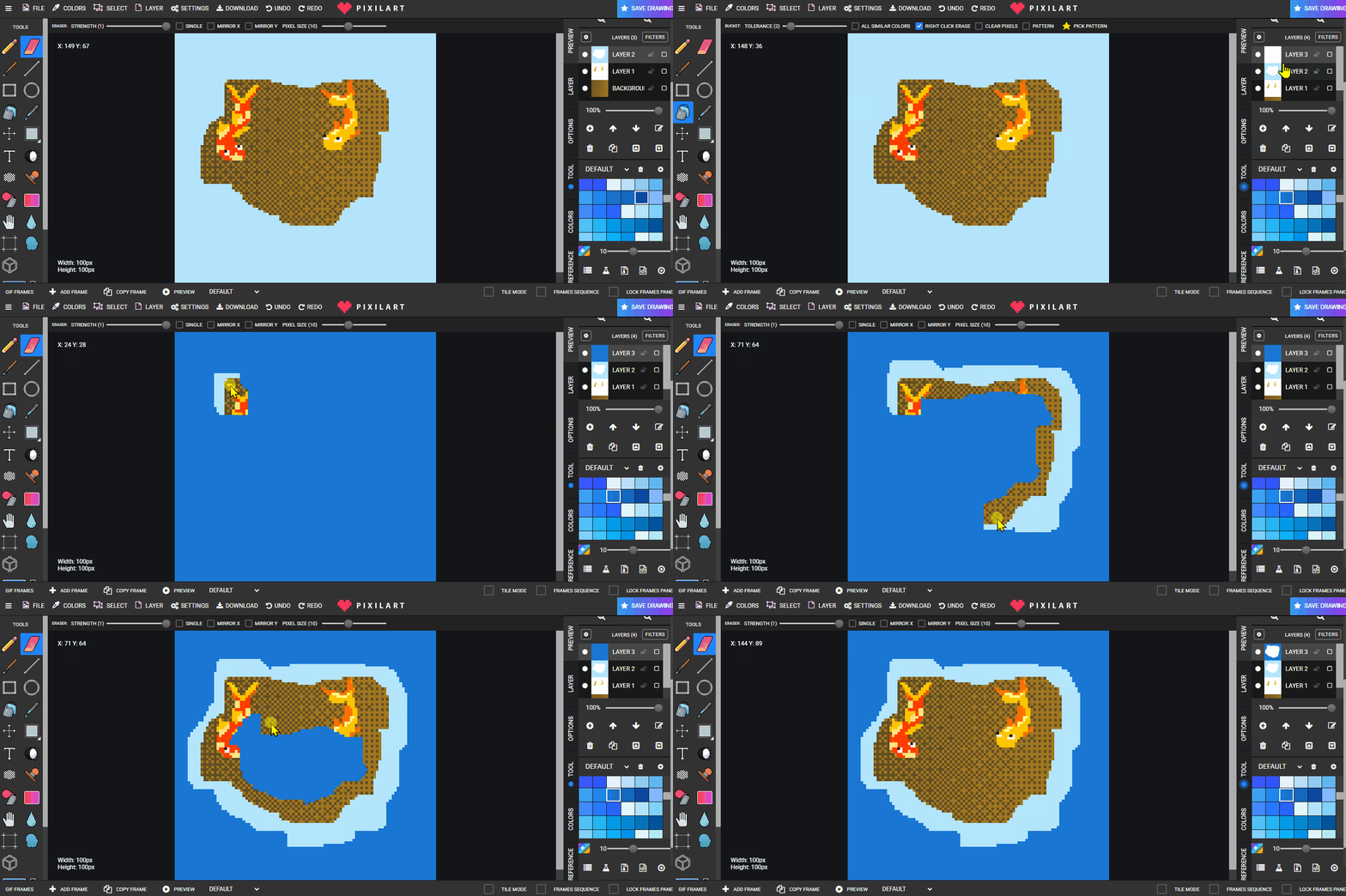
- Final layer: lower opacity (don’t erase) to suggest deepest water.
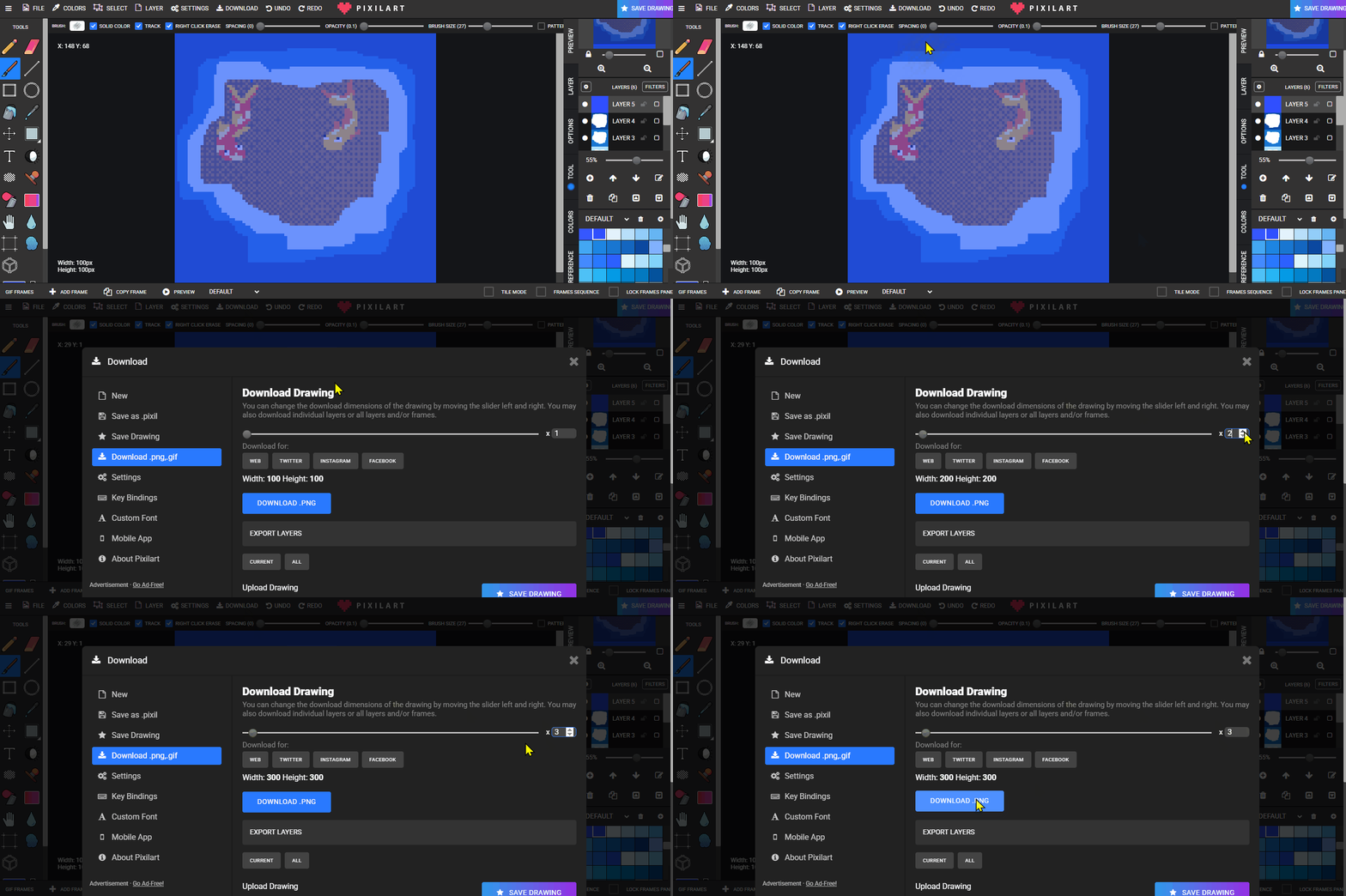
- Export as
fish.png.
Lesson 2 - Extend
Add more fish, base-layer details (seaweed, rocks).