Unit 17 - Year 1 Lessons
Overview
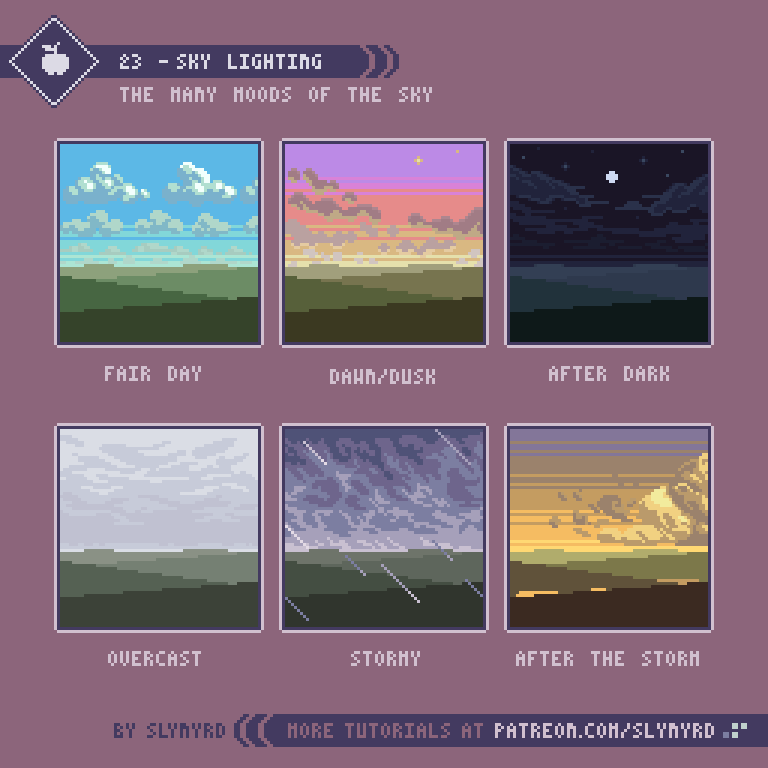
Students will create layered pixel-art scenes focused on weather and seasonal landscapes.
Target skills:
- Visual Communication
- Digital Illustration
- Creative Problem Solving
Tools:
- Pixilart
Outputs:
- Weather scene PNG
- Seasonal landscape PNG
Week 1 - Weather Scene
Lesson 1 - Build a Weather Scene
Goal: create a layered weather illustration using sky, land, clouds, and weather details.
Teacher prep:
- Prepare a weather discussion and sample scenes
Steps:
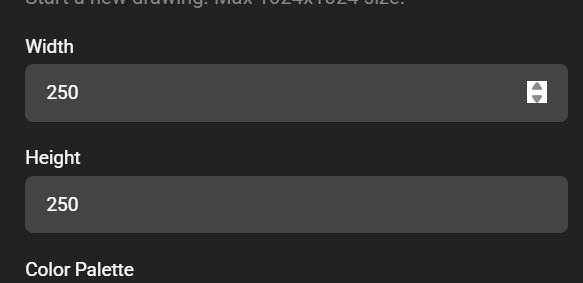
- Open Pixilart and create a
250 x 250canvas.
- Make a new layer and name it
SKY.
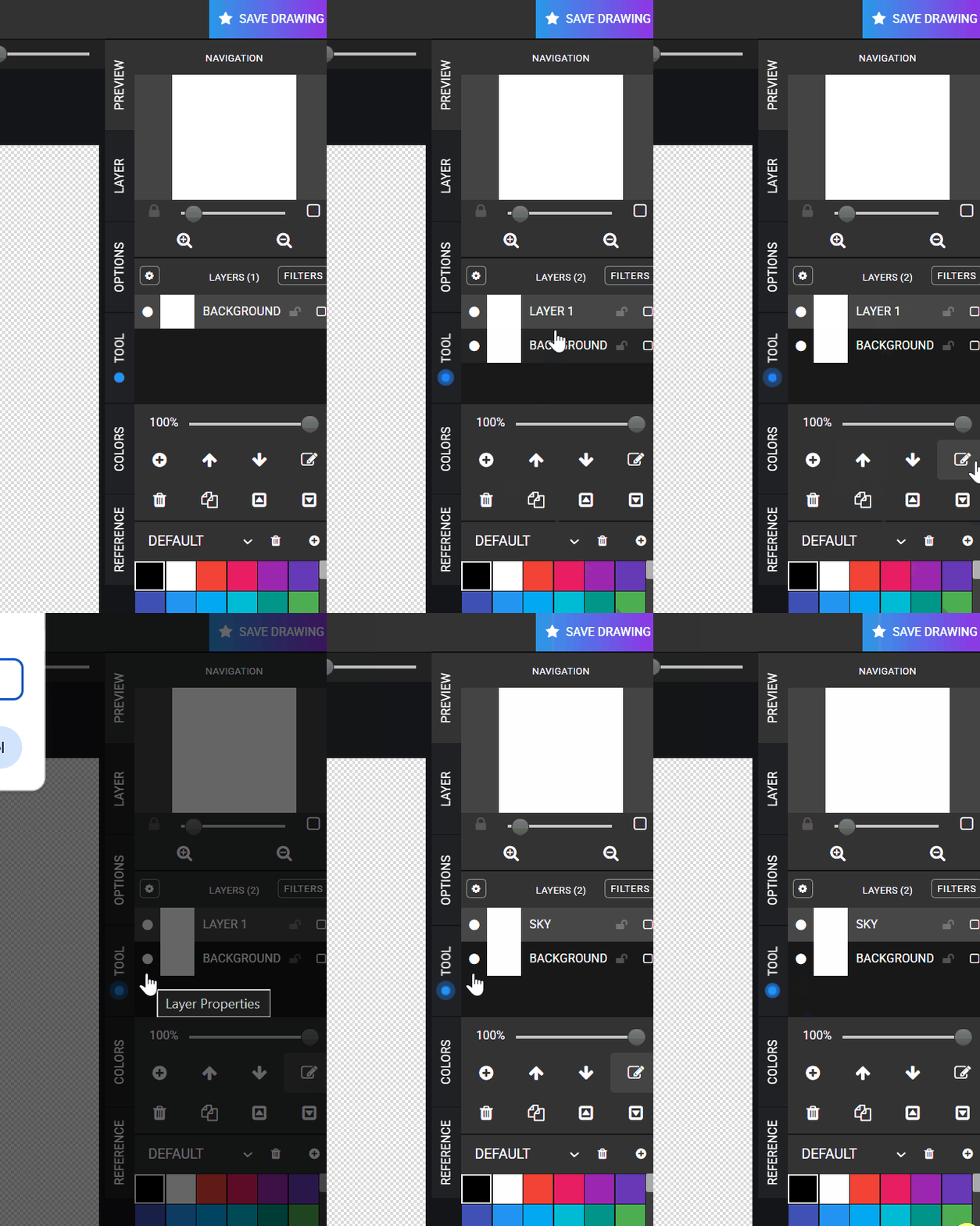
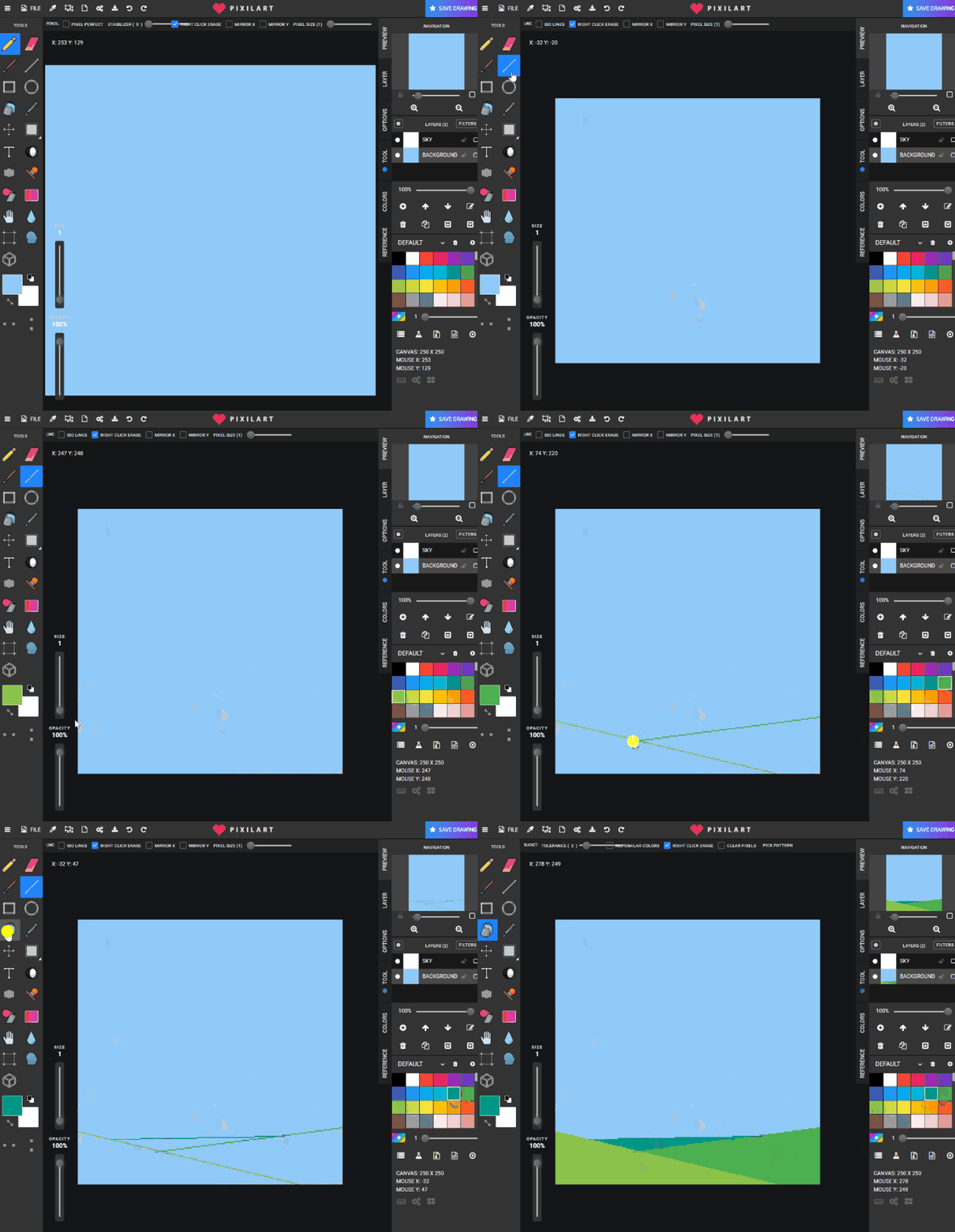
- Return to the background layer and fill the sky color.
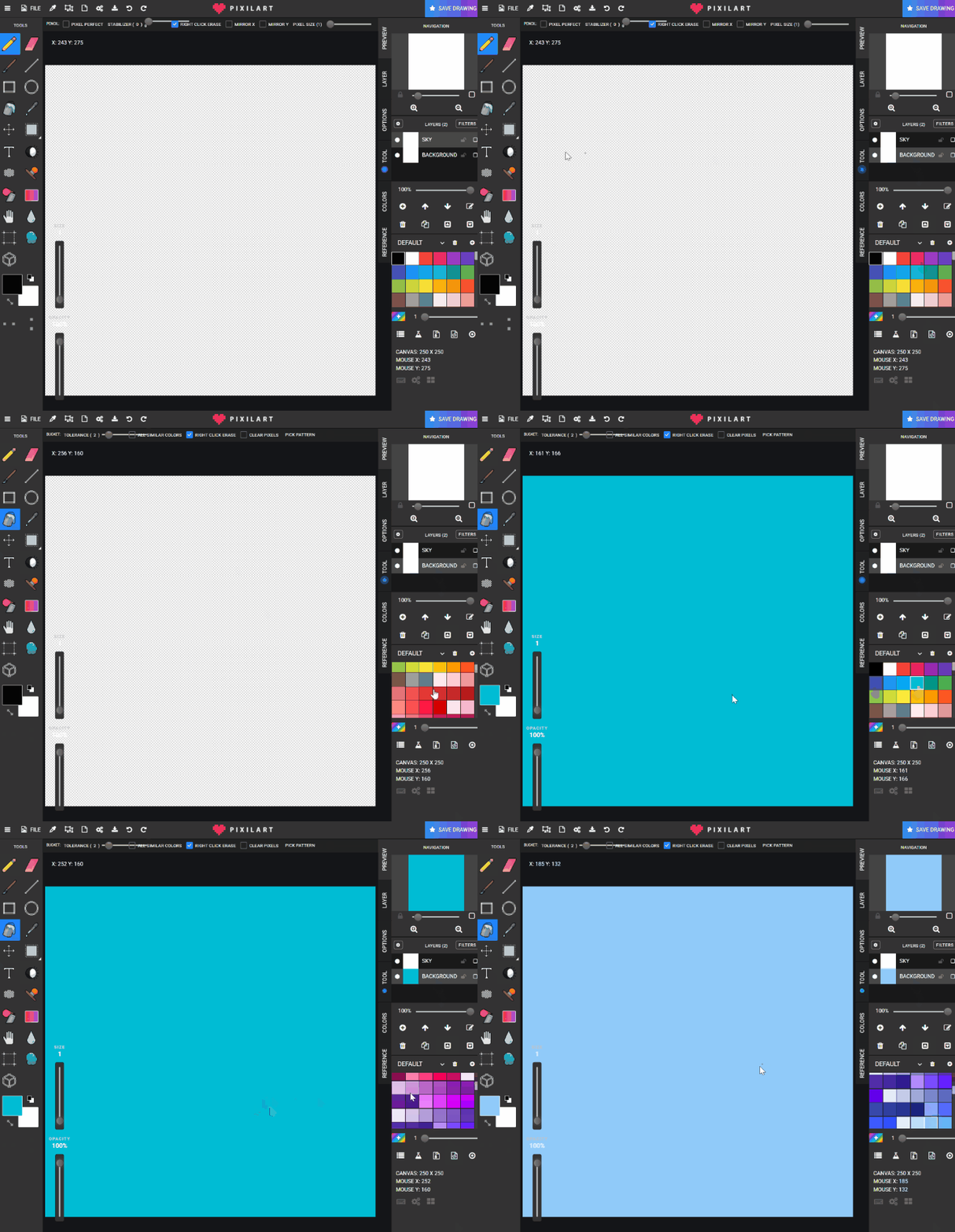
- Use the line tool and green tones to build layered ground shapes.
- On the
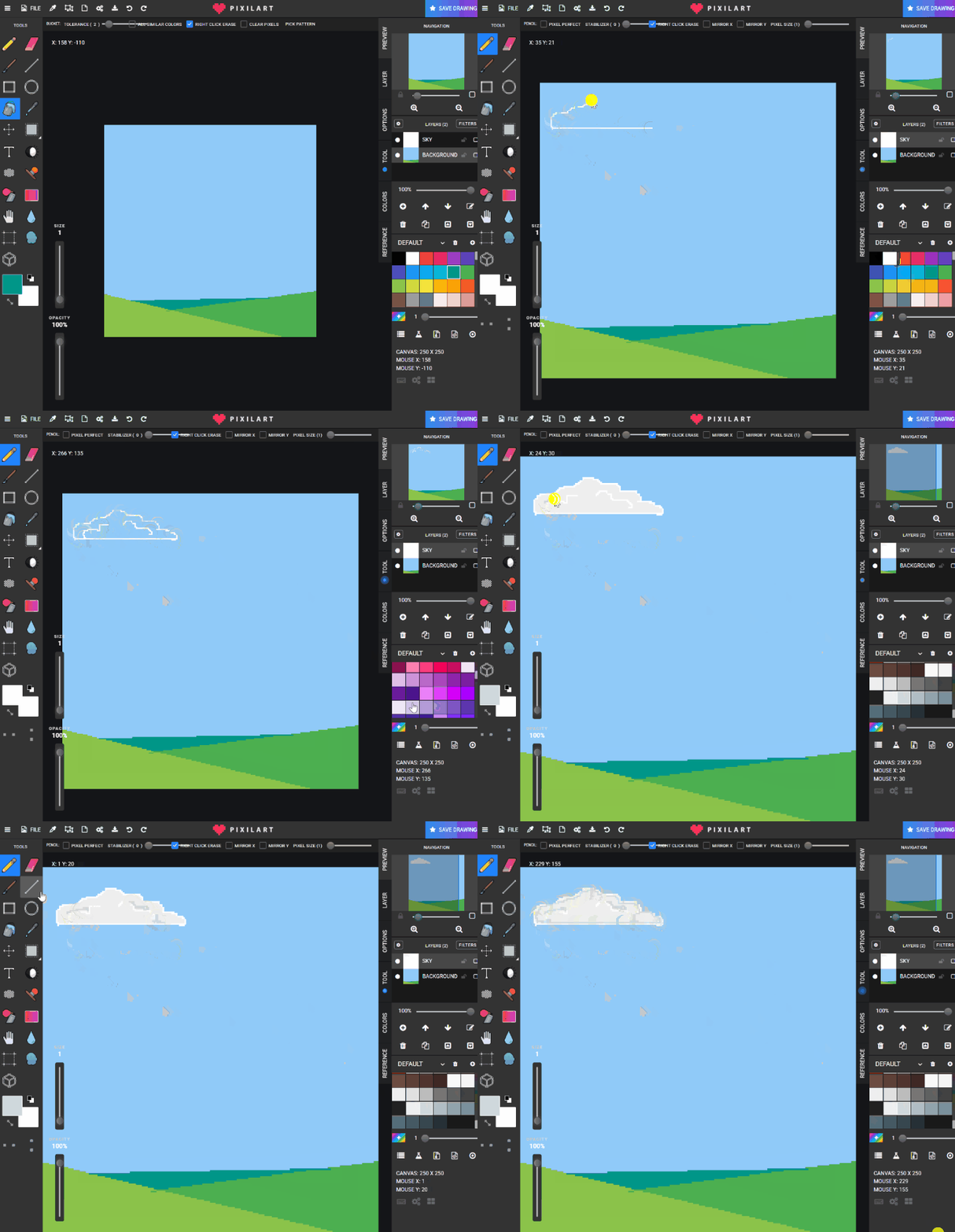
SKYlayer, draw clouds and fill them with grey tones.
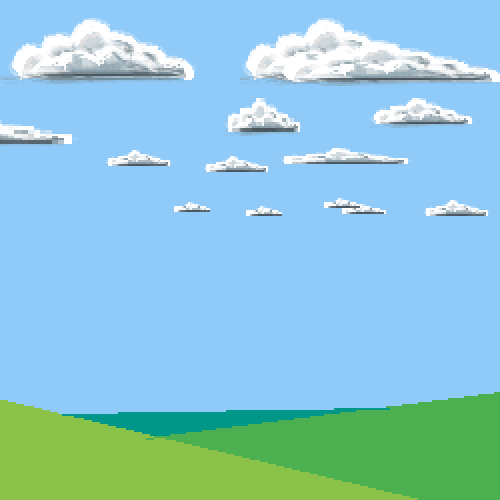
- Add other details like the sun or birds.
- Save to Google Drive as
sunnyweather.png.
Check for understanding:
- Students use separate layers.
- Students complete a readable weather scene.
Extension:
- Repeat with rainy, snowy, cloudy, or night weather.
Lesson 2 - Repeat With New Weather
Goal: remake the scene with a different weather condition.
Teacher prep:
- Suggest alternate weather types
Steps:
- Reopen or restart the weather workflow.
- Change the sky and ground colors to match a new weather theme.
- Add matching details for the chosen weather.
Check for understanding:
- Students clearly change the theme.
- Students keep layers separated.
Extension:
- Compare two weather scenes side by side.
Week 2 - Seasons Scene
Lesson 1 - Build a Seasonal Landscape
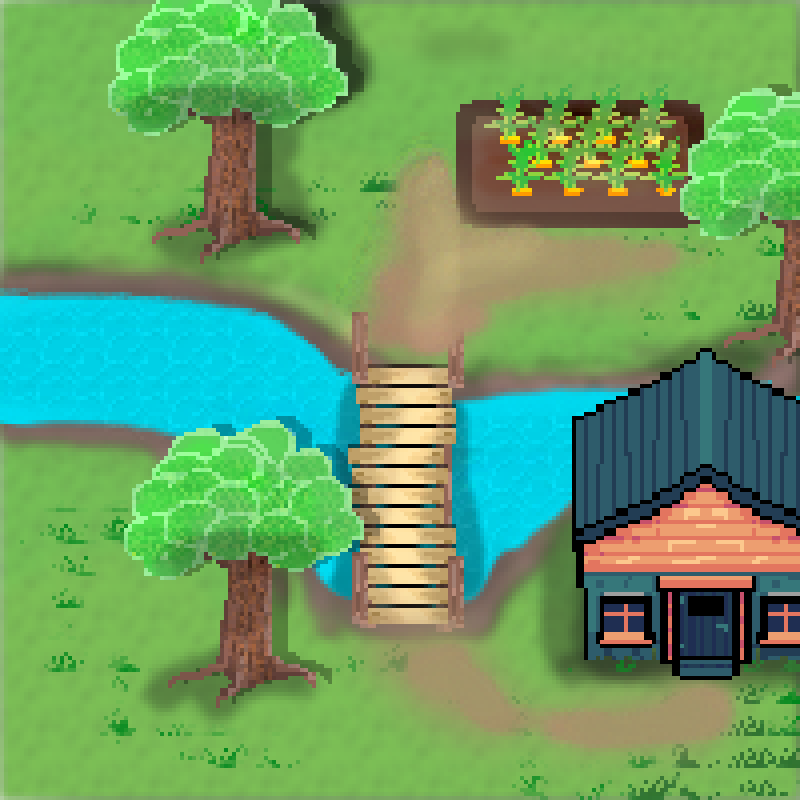
Goal: create a layered seasonal scene using water, house, trees, bridge, and plants.
Teacher prep:
- Discuss visual signs of each season
Steps:
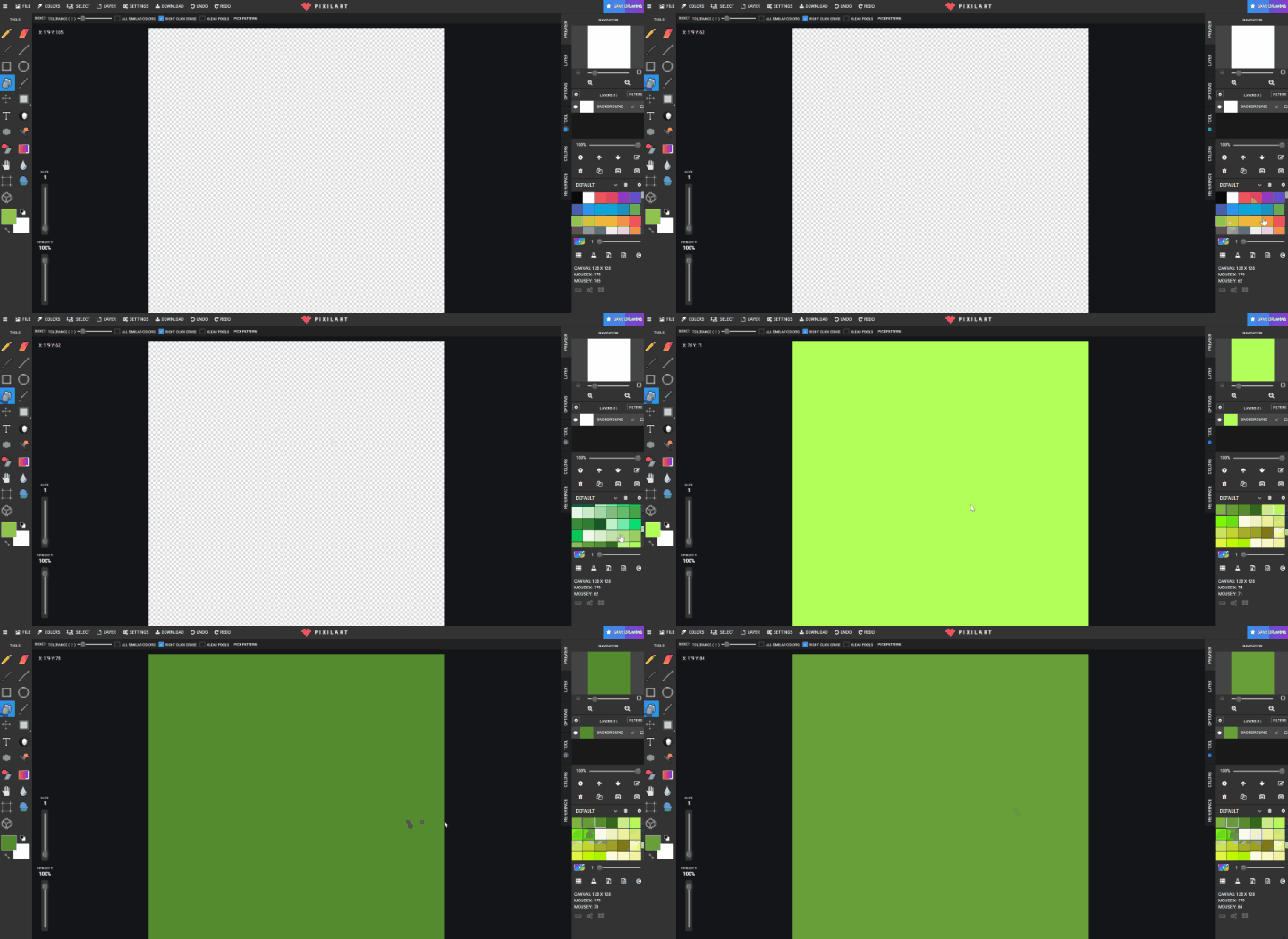
- Open Pixilart and create a
128 x 128canvas.
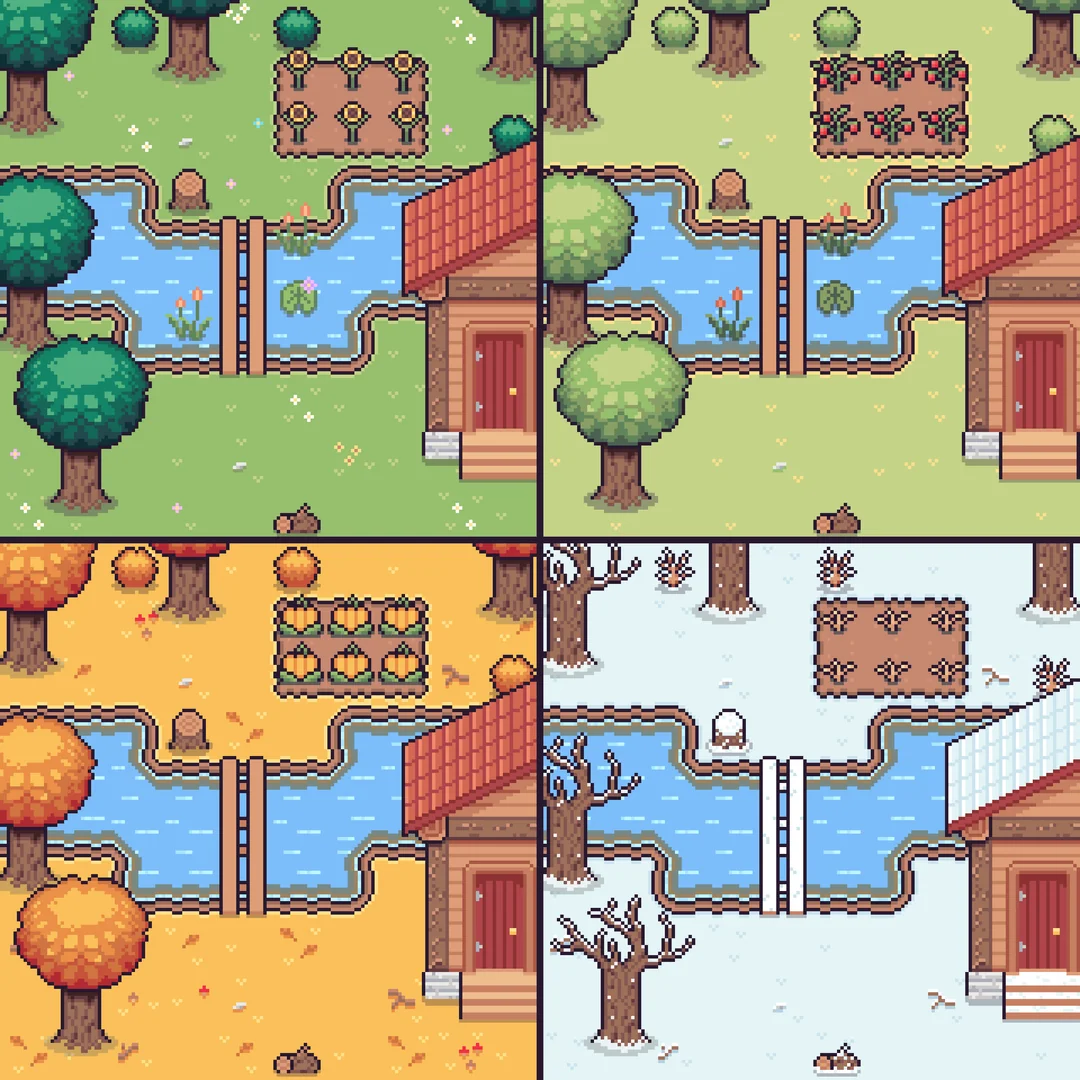
- Choose one season together and set the background ground color.
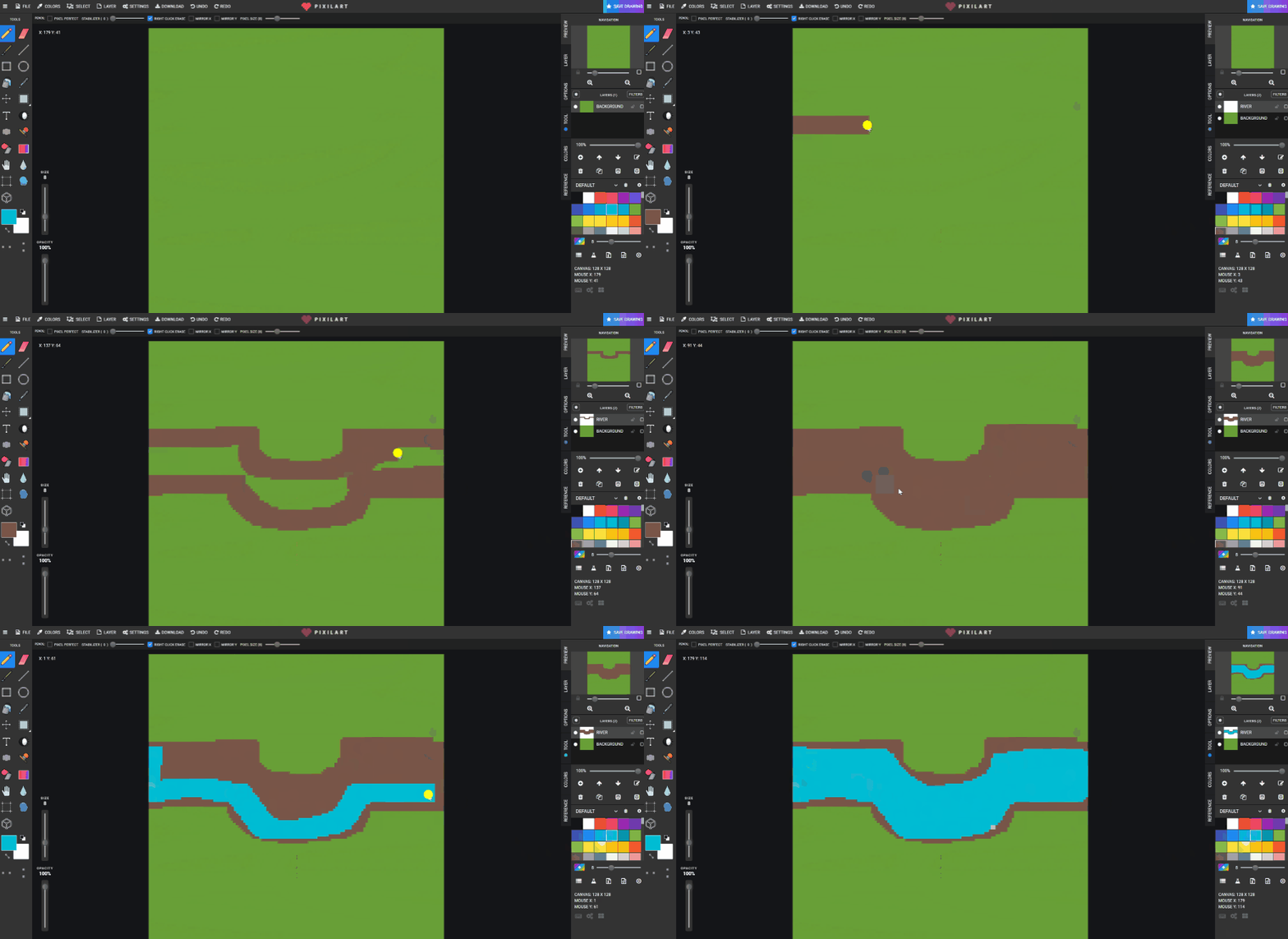
- Create a new layer named
RIVERand draw the river.
- Create a new layer named
HOUSEand place the house.
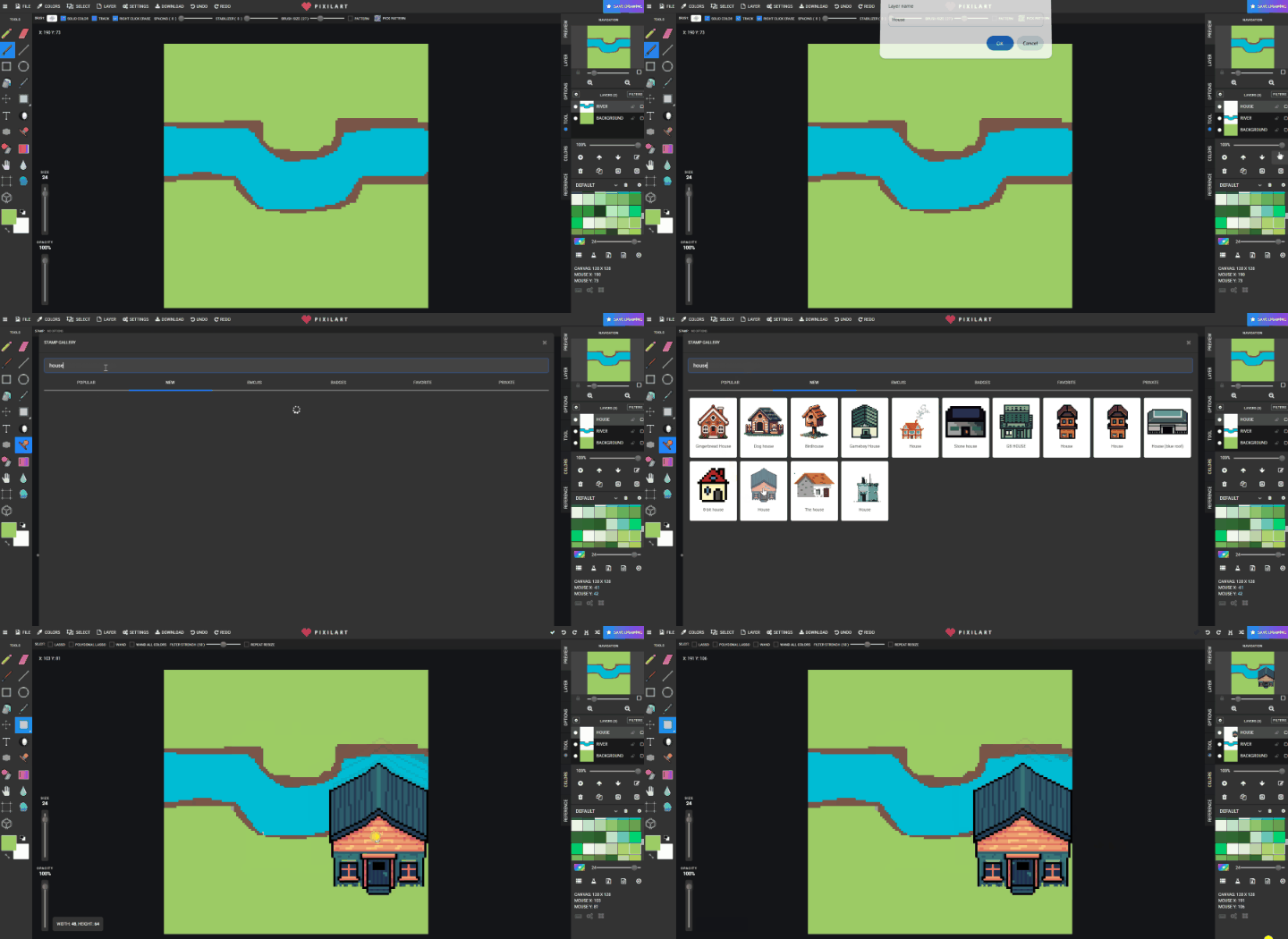
- Create a new layer named
TREEand draw one tree.
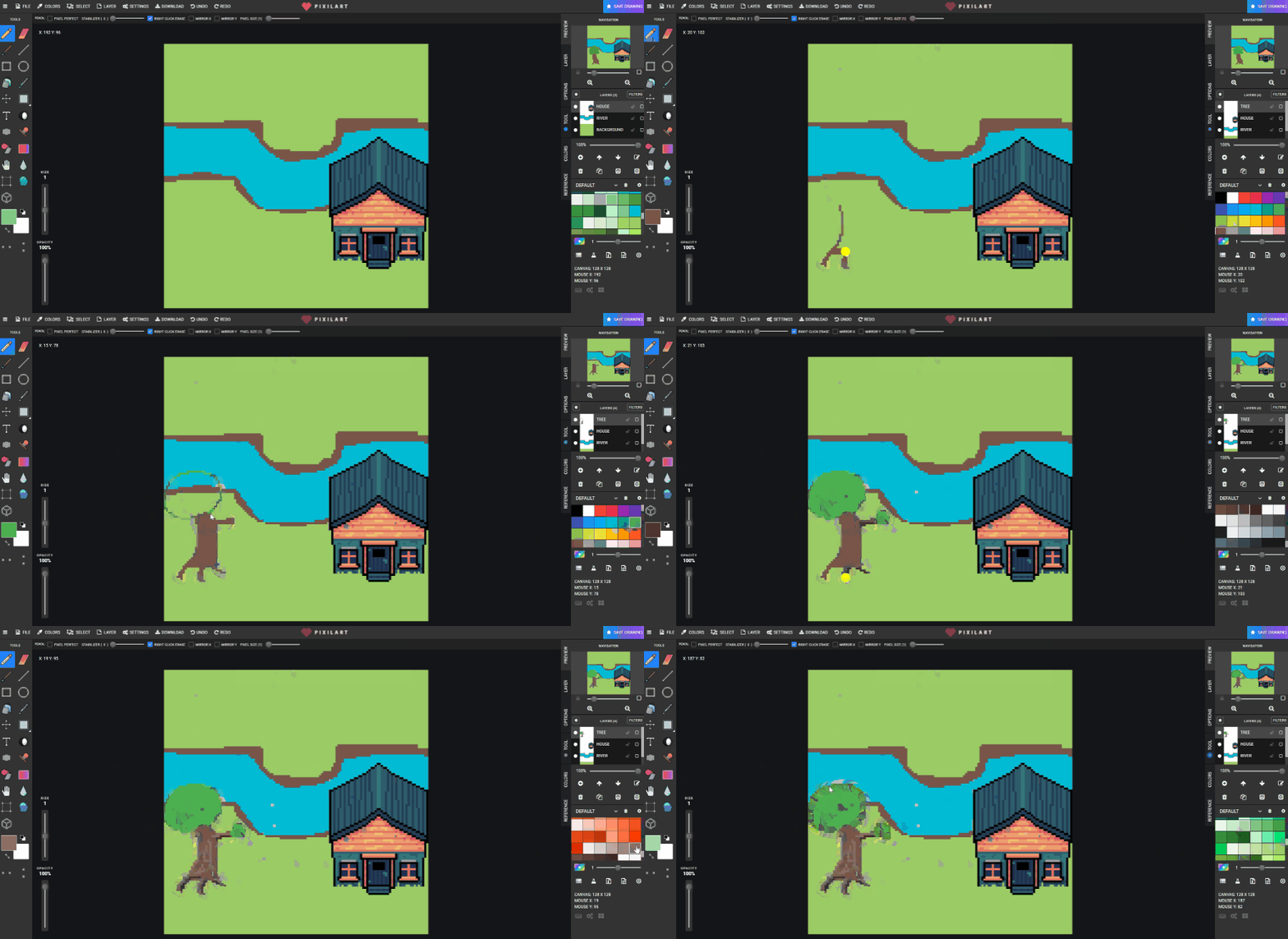
- Copy and paste the tree around the scene.
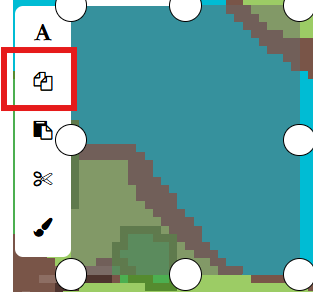
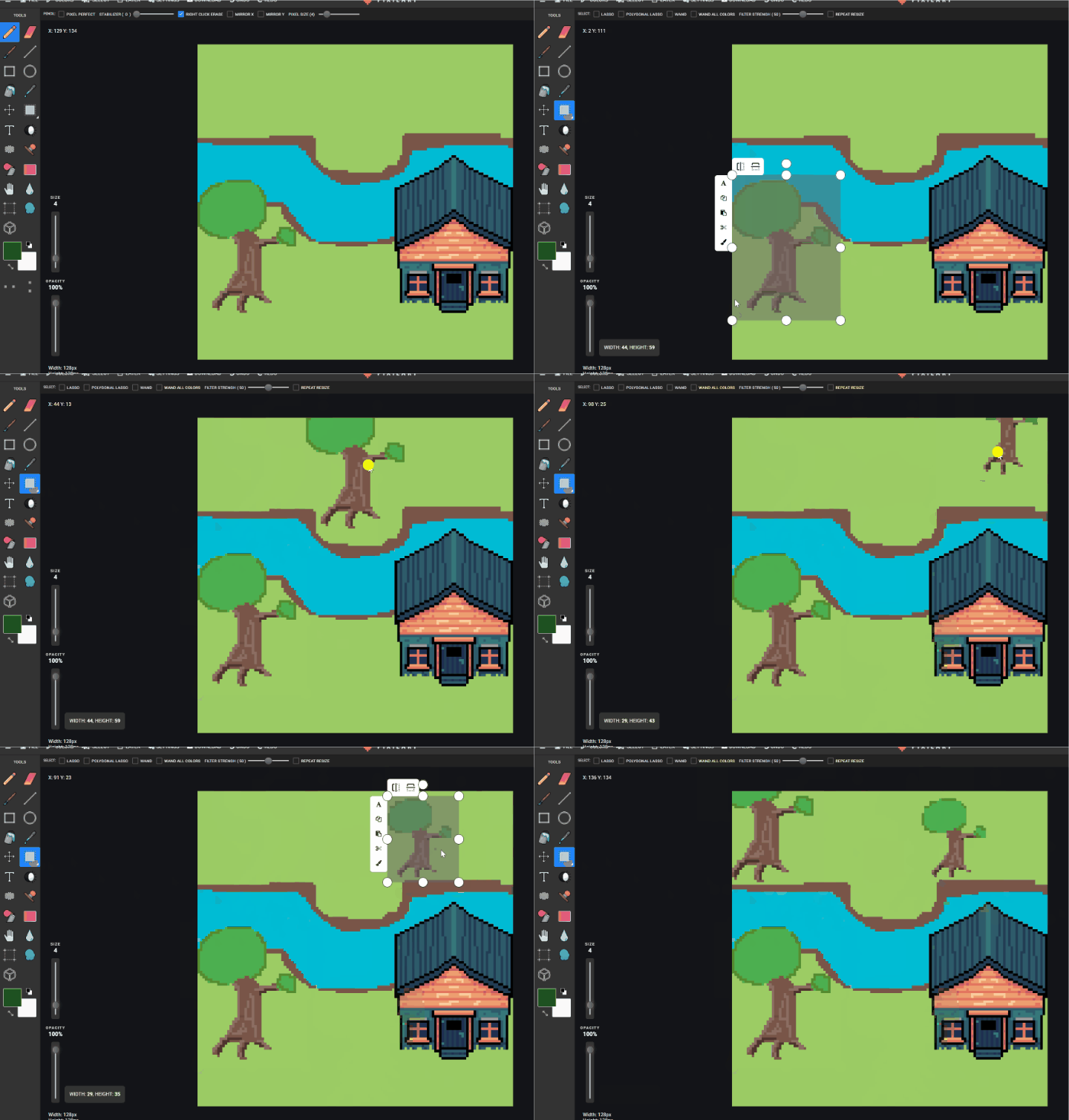
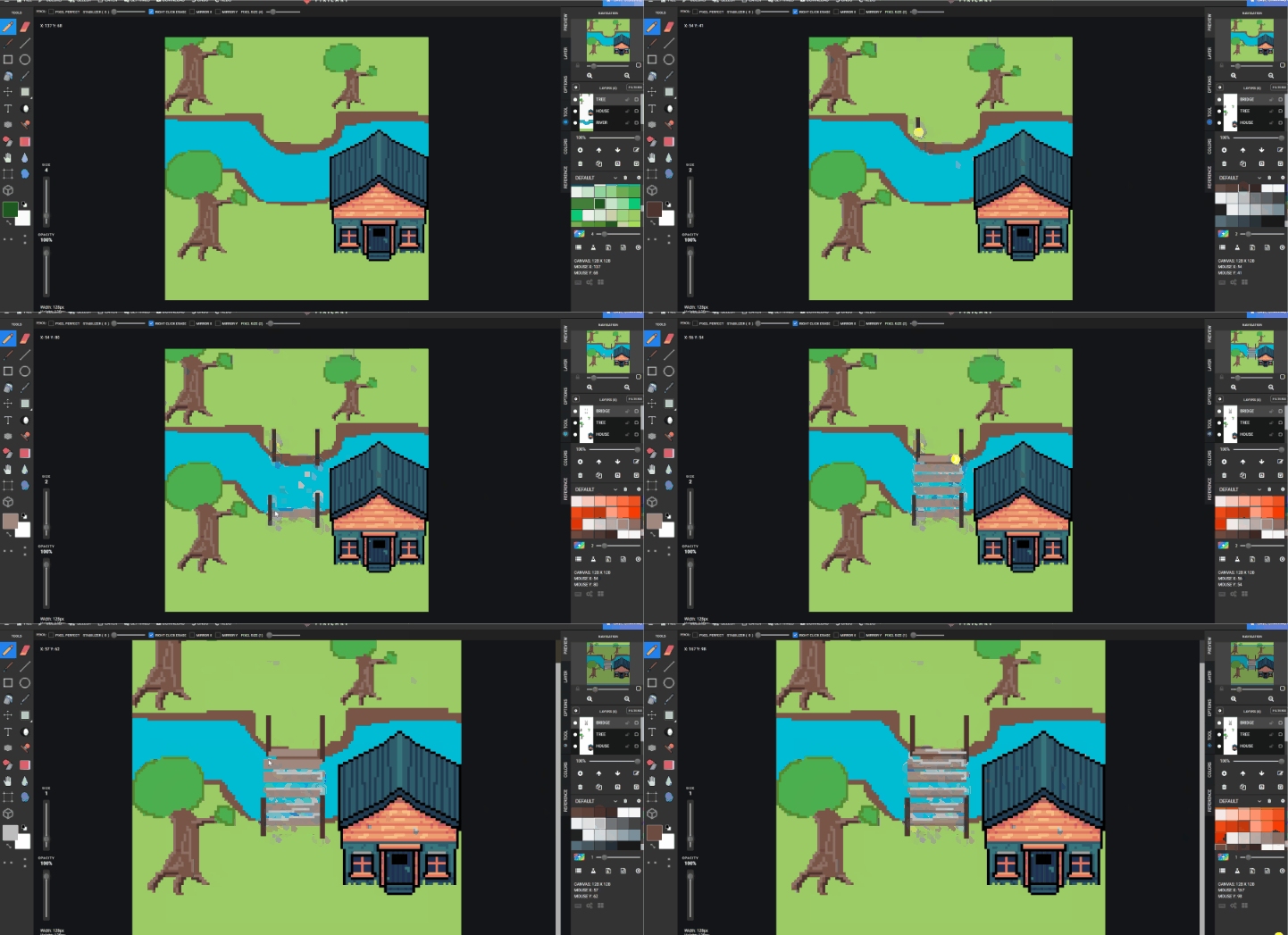
- Create a
BRIDGElayer and draw a simple bridge.
- Create a
FARMlayer, then aPLANTSlayer, and use copy/paste for plant details.
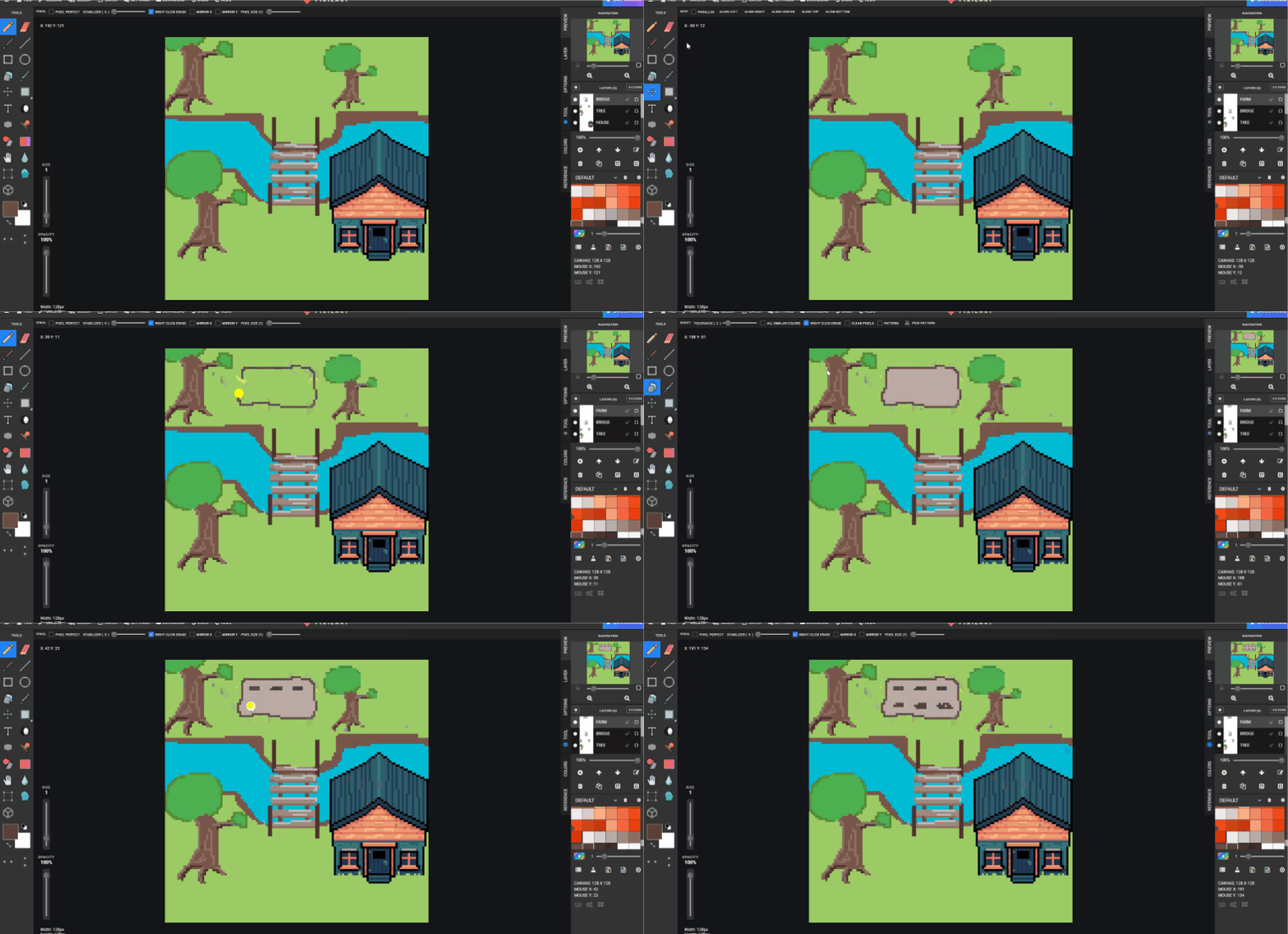
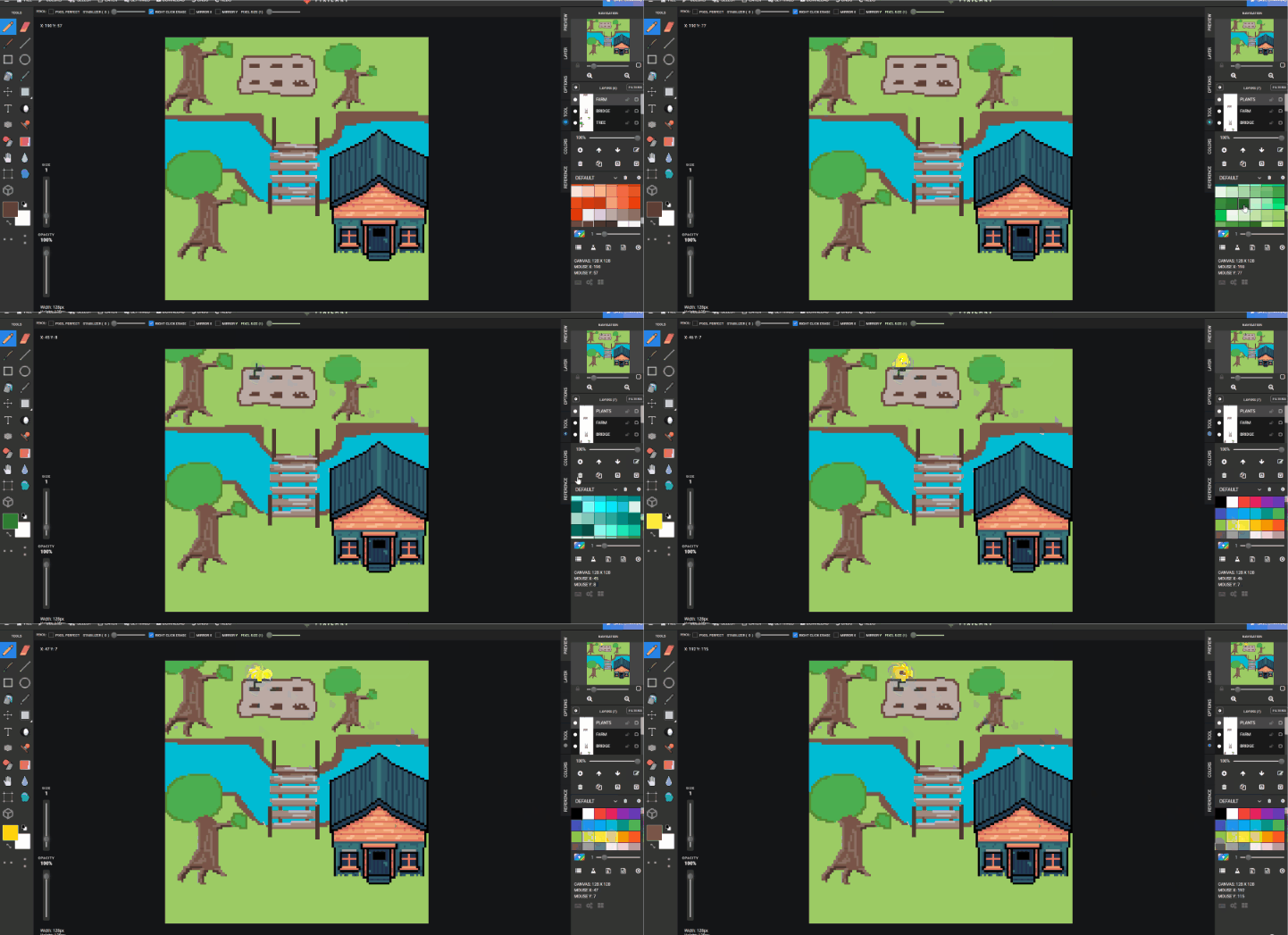
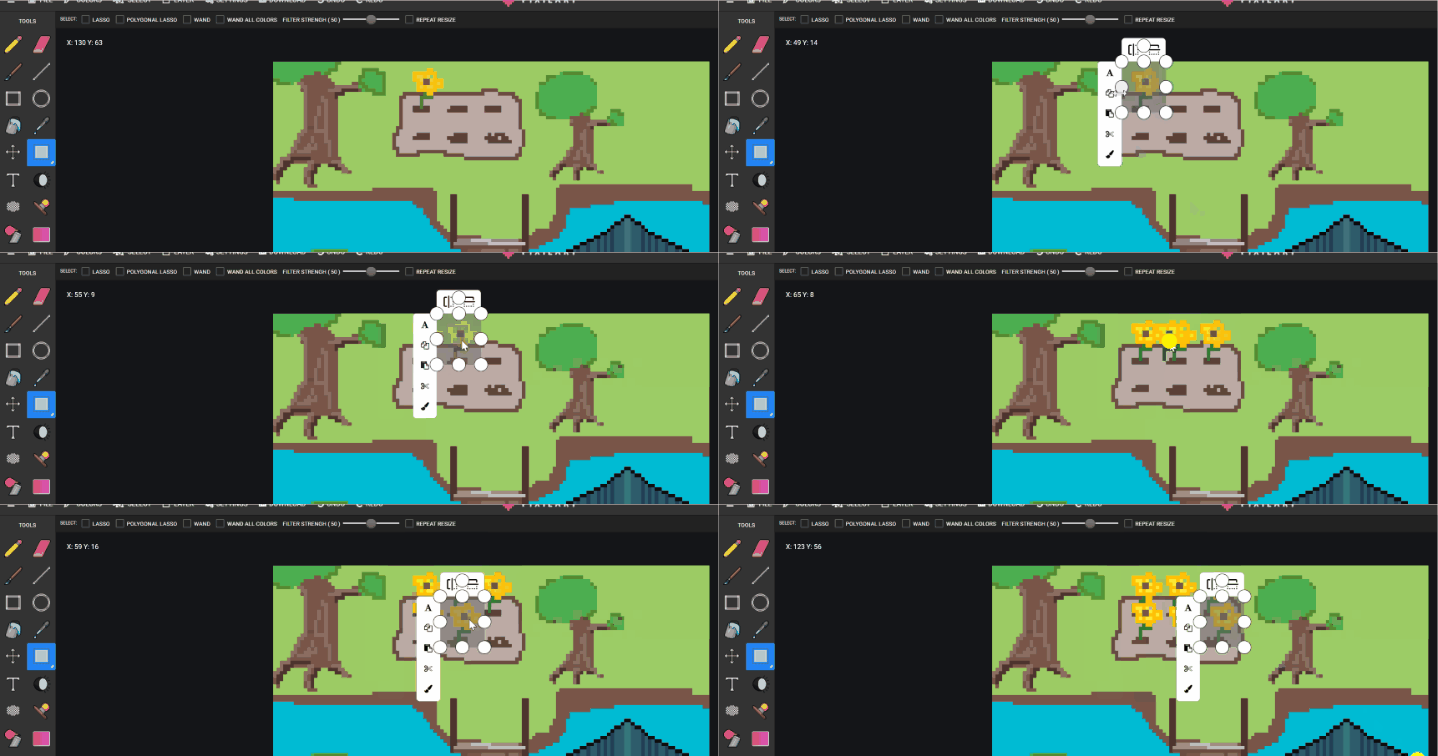
- Add extra details like paths, reeds, ducks, or leaves.
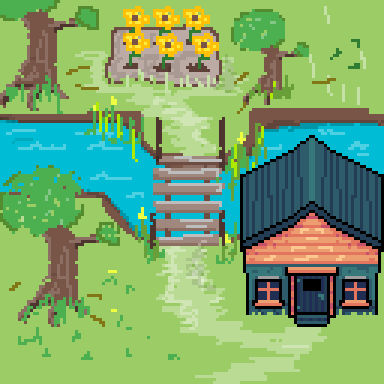
- Save to Google Drive with a season filename.
Check for understanding:
- Students use multiple named layers.
- The scene clearly represents a season.
Extension:
- Recreate the same composition for a different season.
Lesson 2 - New Season Variation
Goal: rebuild the scene with a different season while keeping layer separation clear.
Teacher prep:
- Review why layers matter for each object type
Steps:
- Reopen or start a new canvas.
- Change colors and details to represent another season.
- Keep water, trees, farm, and house separated on layers.
Check for understanding:
- Students can explain why they used layers.
- The second scene clearly differs from the first.
Extension:
- Add small animated-style details in a static scene.