Unit 19 - Year 3 Lessons
Overview
Students will build sound-reactive Micro:bit projects and use guided tutorials to create a playable hot potato game.
Target skills:
- Sequencing
- Debugging
- Interactive Design
Tools:
- Micro:bit
Outputs:
- Micro:bit sound project
- Hot potato game
Week 1 - Voice Changer and Door Alarm
Lesson 1 - Build a Funny Voice Changer
Goal: Funny voice changer Tutorials.
Teacher prep:
- Prepare access to Micro:bit and any sample files needed for demonstration.
Steps:
- Funny voice changer Tutorials https://microbit.org/projects/make-it-code-it/funny-voice-recorder/
- Access https://makecode.microbit.org/#
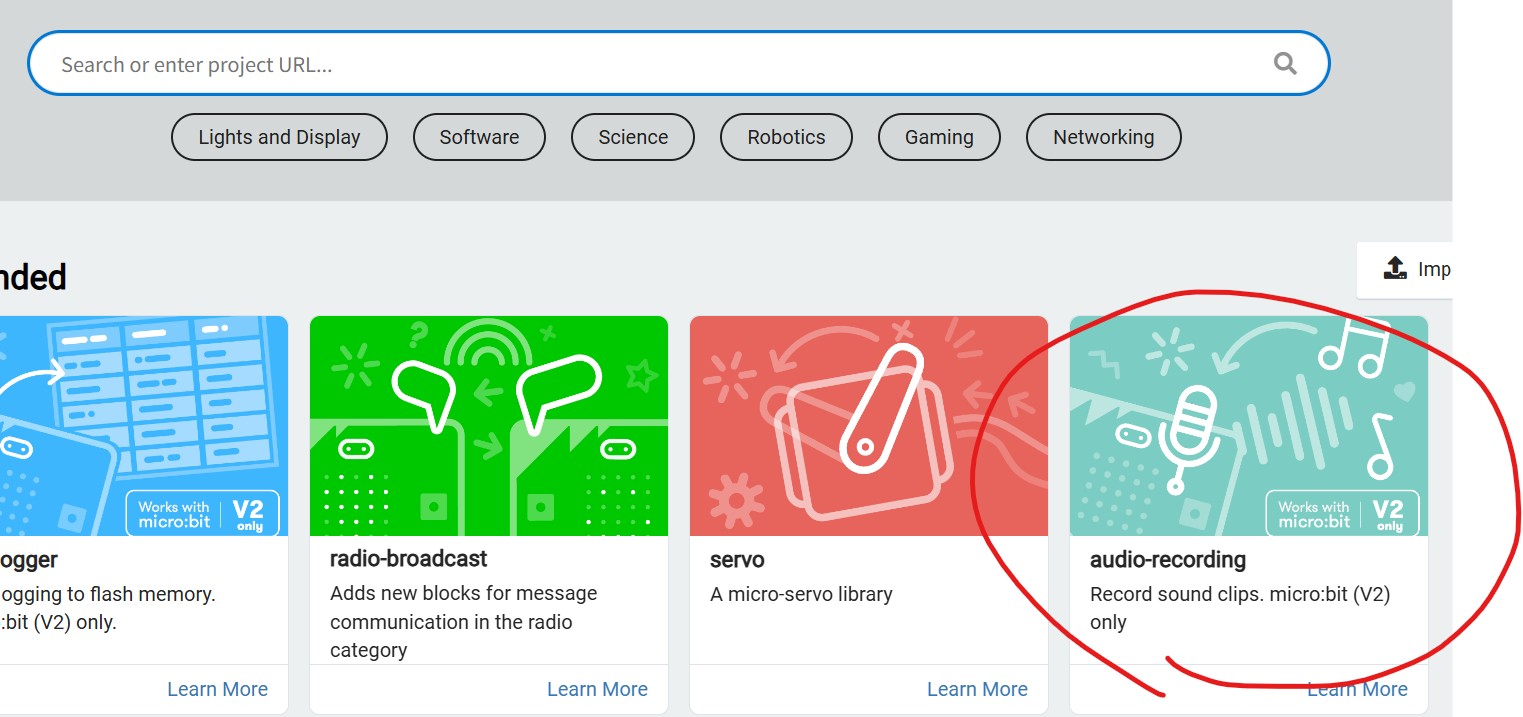
- If sounds does not appear on the list, use extension and download - audio recorder
- Refer to the image example for this step.
Check for understanding:
- Students can run the project and explain what each main block or input does.
- Students can fix or improve at least one part of the program.
Extension: Add a new sound, variation, or second scene if time allows.
Lesson 2 - Make a Door Alarm
Goal: Continue voice changer if not everyone have finished it.
Teacher prep:
- Prepare access to Micro:bit and any sample files needed for demonstration.
Steps:
- Continue voice changer if not everyone have finished it.
- If they have do Door alarm Tutorials https://microbit.org/projects/make-it-code-it/simple-door-alarm/
- Using magnets or taped attach to a door.
- Can make a game using 3 or more to make a guessing game of which box is alarmed.
- Connecting one of the microbits into a battery to make that one the trigger, the others are off(safe).
Check for understanding:
- Students can run the project and explain what each main block or input does.
- Students can fix or improve at least one part of the program.
Extension: Try the same workflow again with a new idea, subject, or visual style.
Week 2 - Hot Potato
Lesson 1 - Build the Hot Potato Game
Goal: Follow the video in the guide if having trouble.
Teacher prep:
- Prepare access to Micro:bit and any sample files needed for demonstration.
Steps:
- Tutorials https://microbit.org/projects/make-it-code-it/hot-potato-game/
- Follow the video in the guide if having trouble
- Access https://makecode.microbit.org/#
Check for understanding:
- Students can run the project and explain what each main block or input does.
- Students can fix or improve at least one part of the program.
Extension: Create a second variation or extend the project with extra details if time allows.
Lesson 2 - Adjust the Challenge
Goal: Repeat or change some values or sounds etc to make it more challenging or fun.
Teacher prep:
- Prepare access to Micro:bit and any sample files needed for demonstration.
Steps:
- Repeat or change some values or sounds etc to make it more challenging or fun..
Check for understanding:
- Students can run the project and explain what each main block or input does.
- Students can fix or improve at least one part of the program.
Extension: Try the same workflow again with a new idea, subject, or visual style.